
How to add booking button to Weebly navigation?
Here is how you add picktime to the navigation menu.
- Go to online booking > copy the booking page url

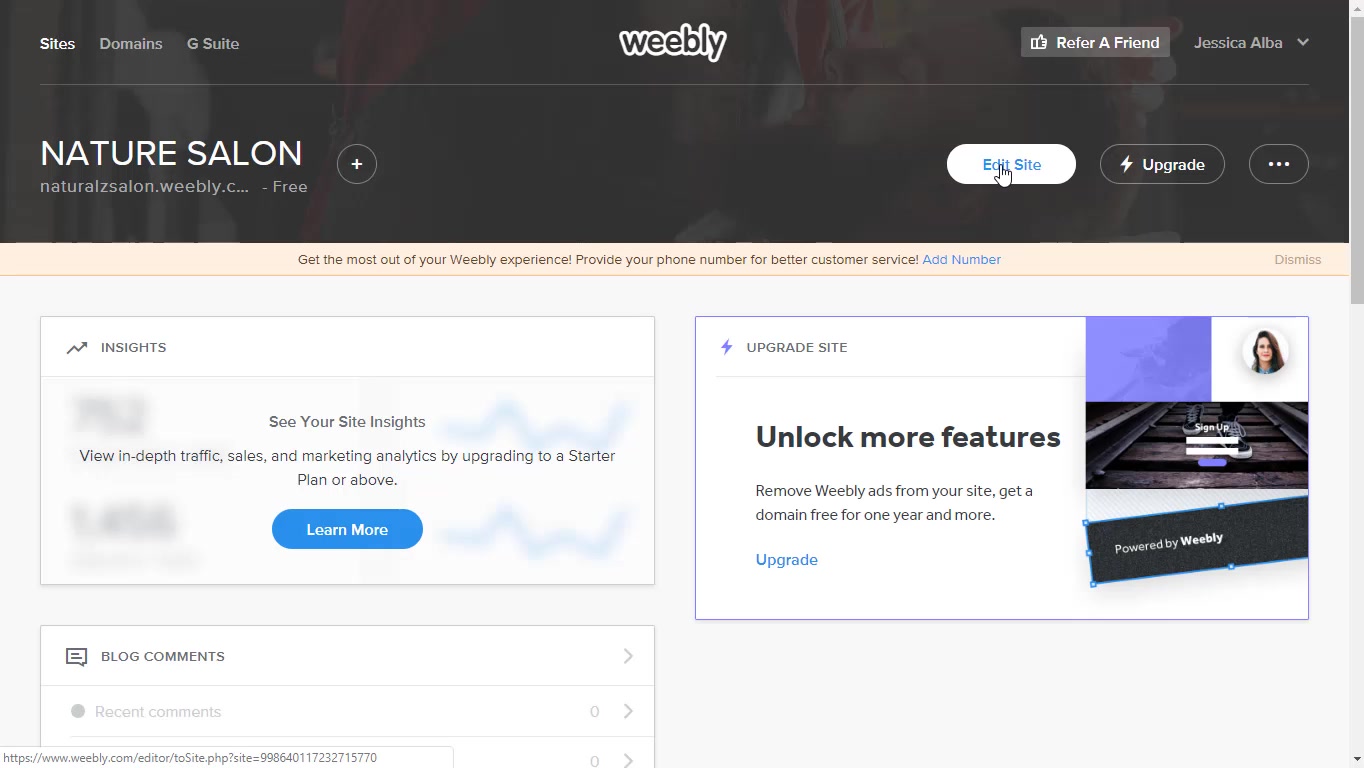
- Go to you Weebly account and hit 'edit site' button
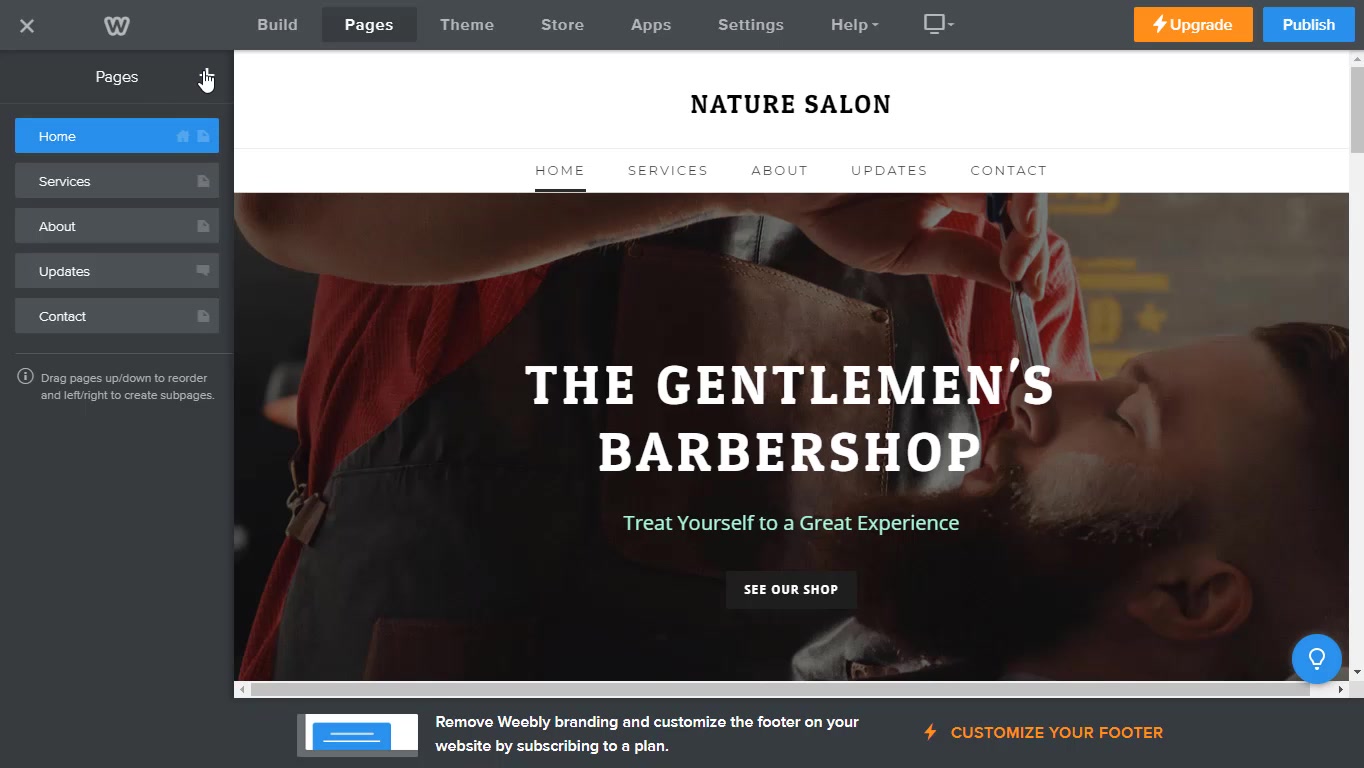
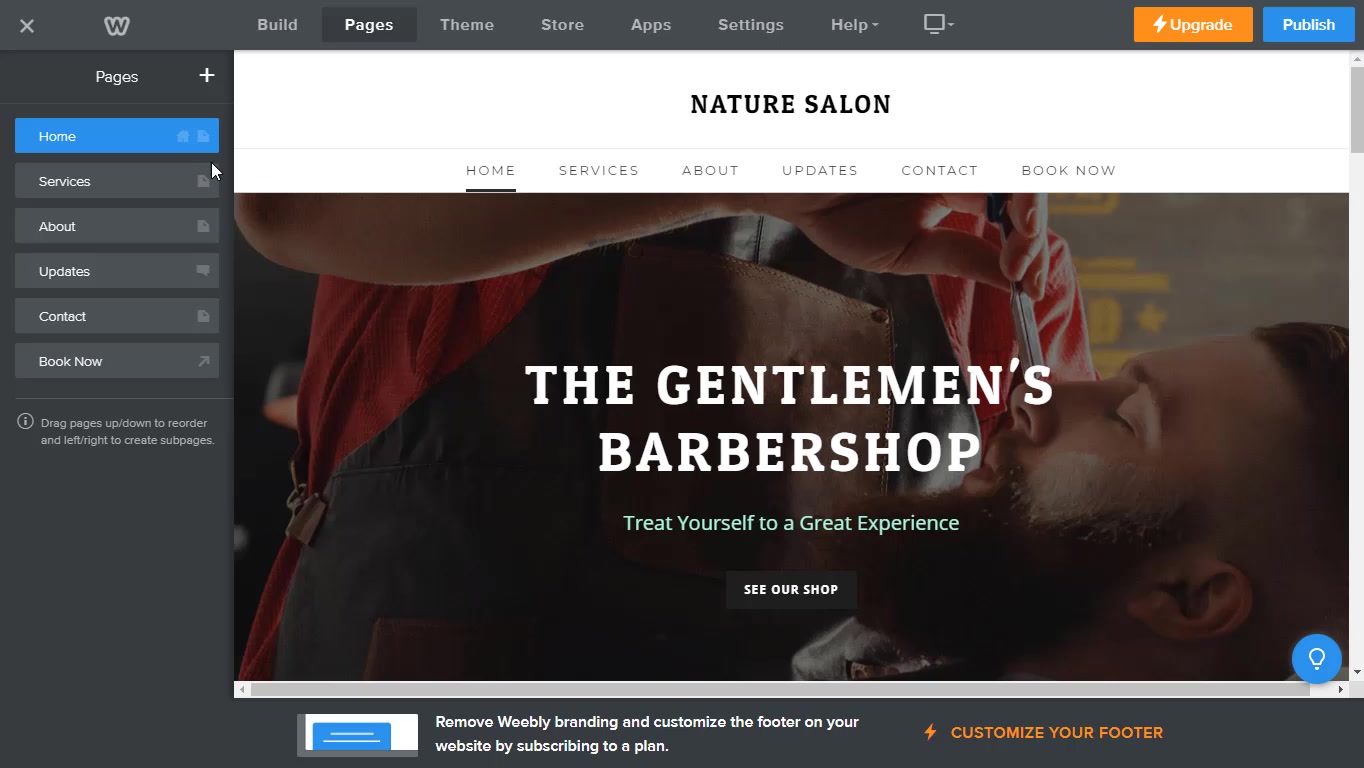
- Click on 'pages' in the top navigation
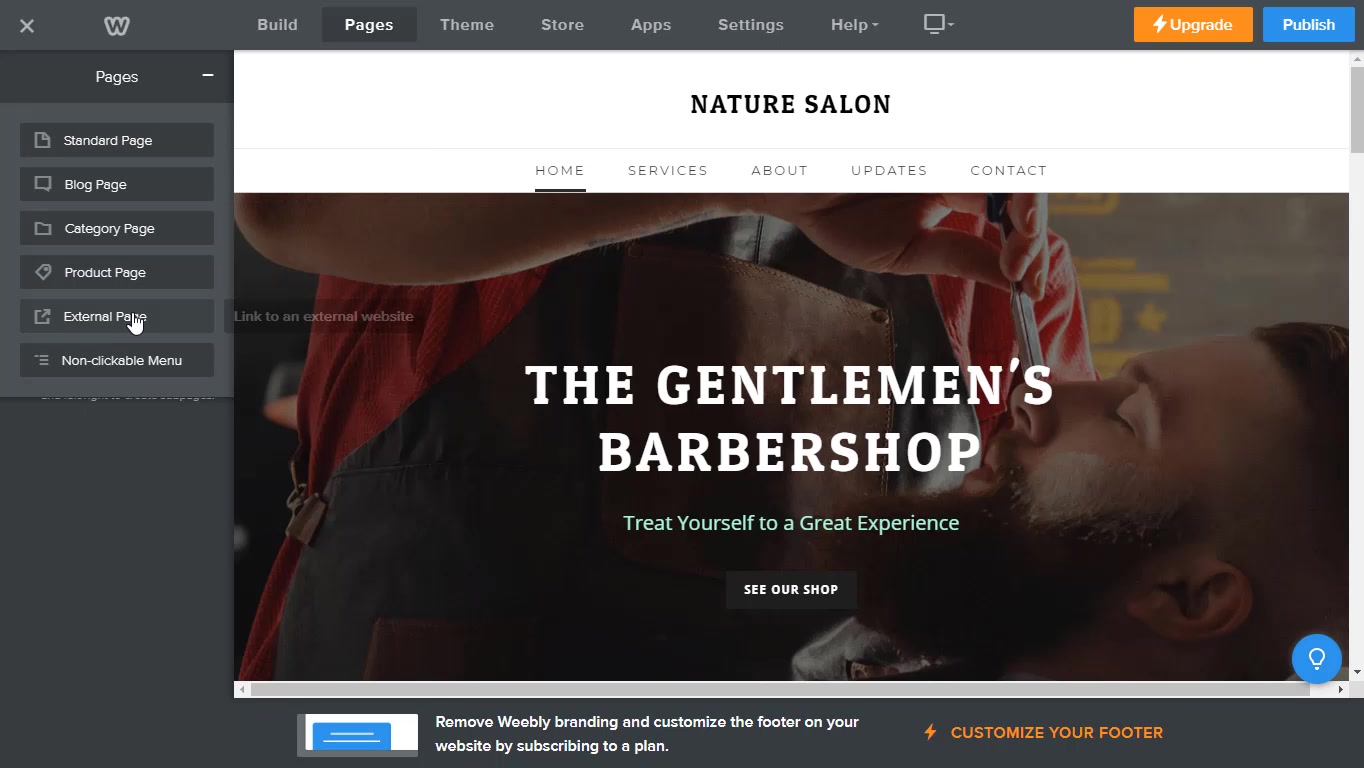
- Click '+' button. Choose 'link to external website'
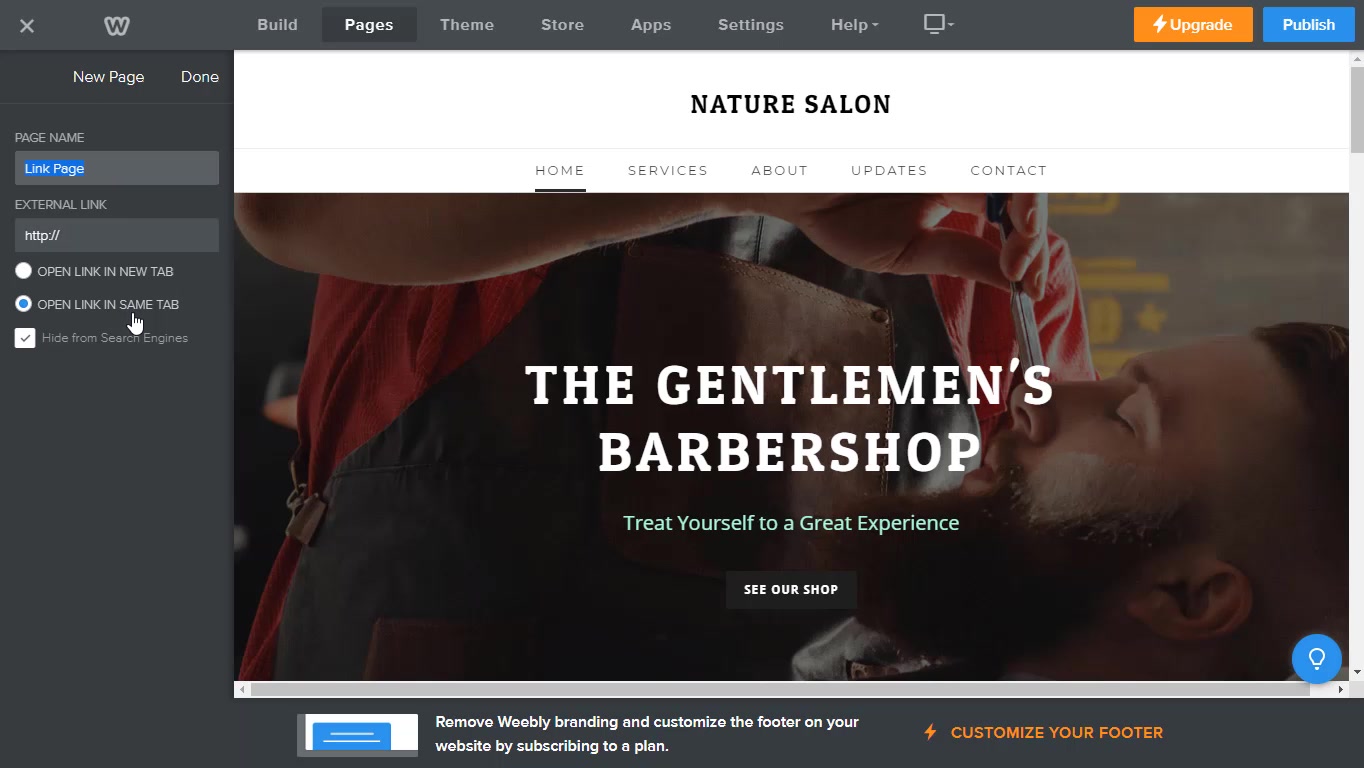
- Edit according to your preference, name the link, paste the link and hit done.
- You will see the changes in the navigation menu. Hit publish.
Updated on: 06/03/2026
Thank you!