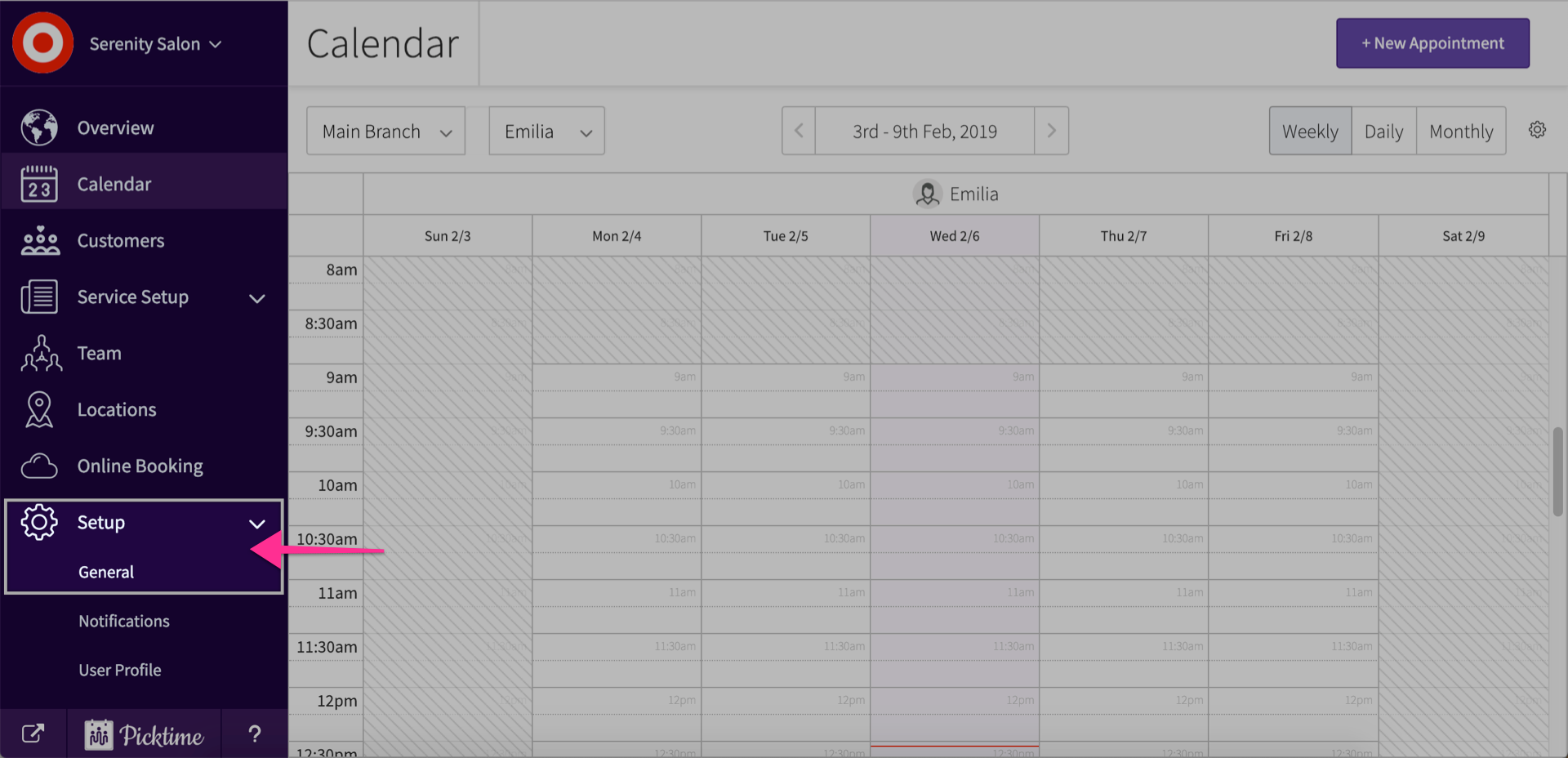
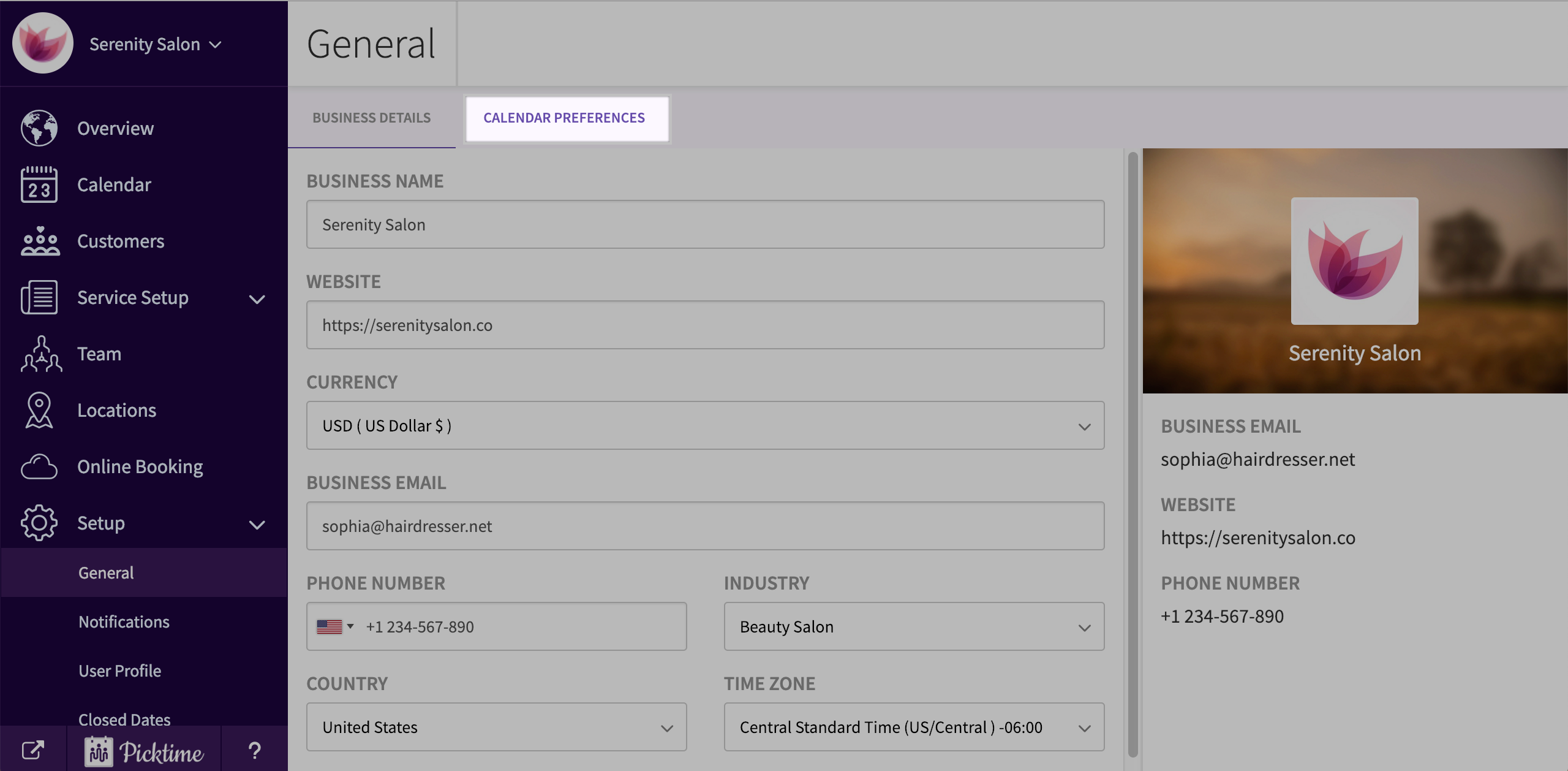
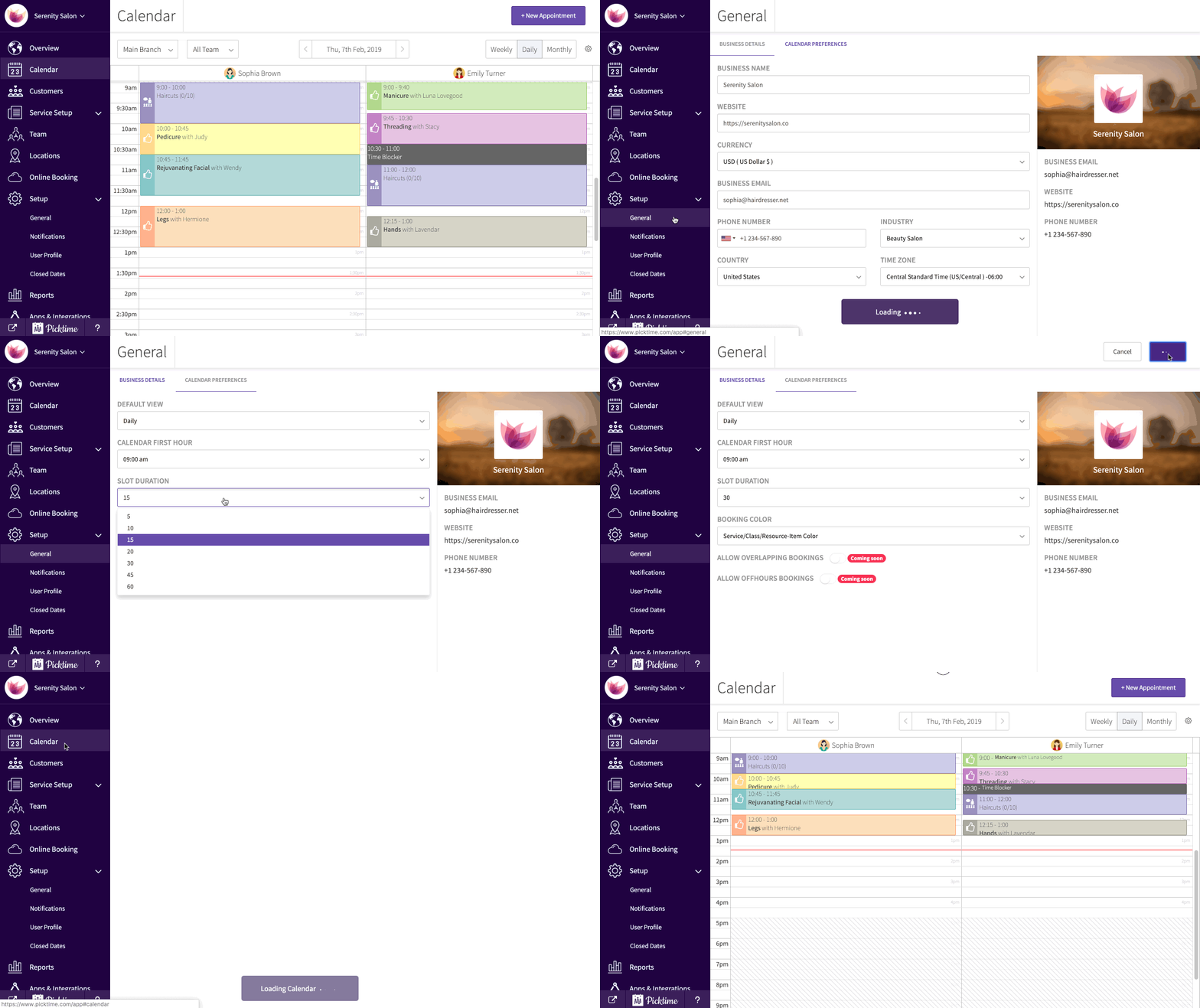
Articles on: GuidesHow to change your calendar slot duration?To change your slot duration in your Picktime account:Go to setup > general.Click on calendar preferences.In calendar slot duration, click on the drop down to change duration and click save.Updated on: 06/03/2026