
How to delete a recurring appointment?
To delete a recurring appointment:
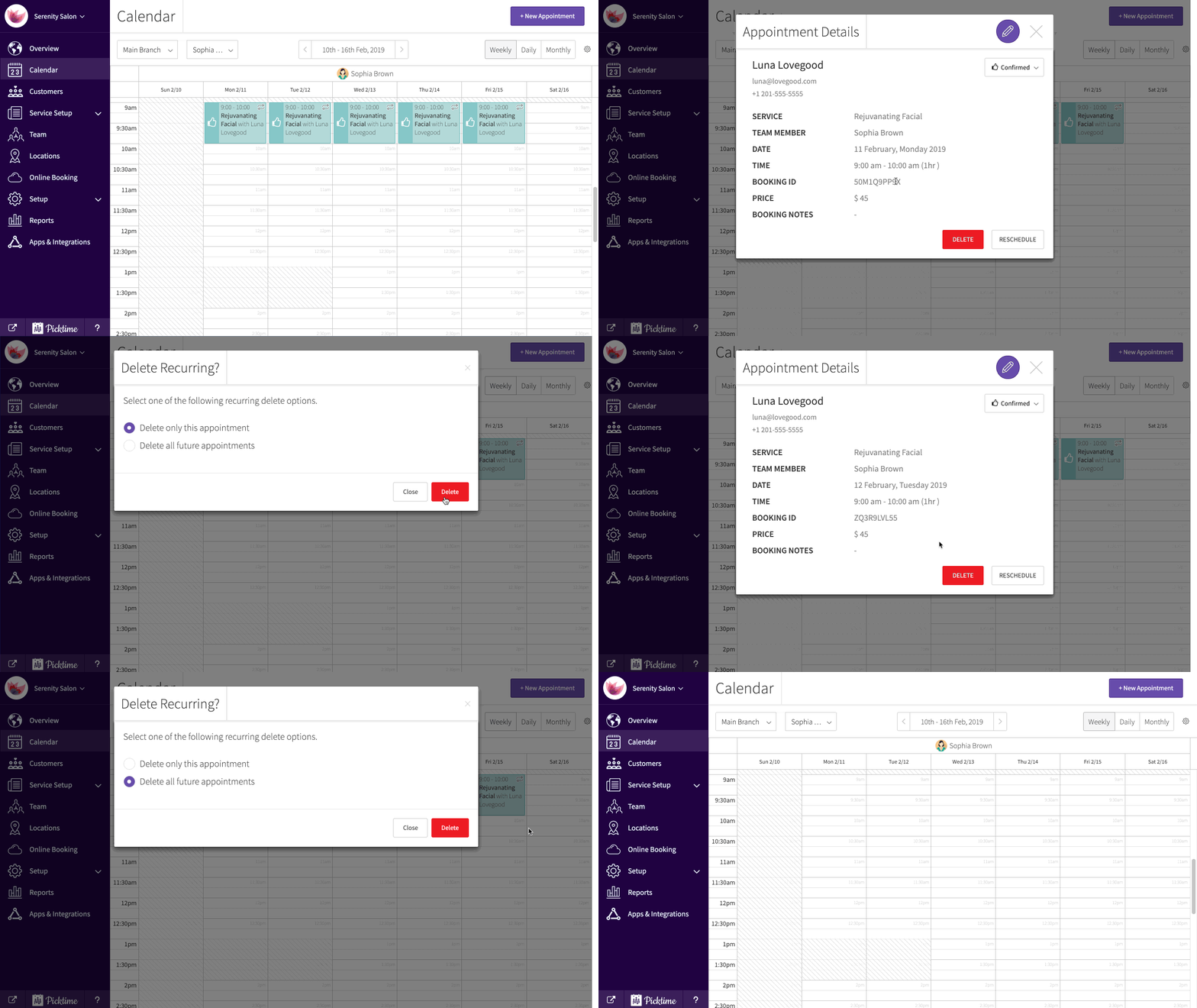
- Go to calendar and select the recurring appointment you want to delete.

- Click on it and you will see a delete button at the bottom right.
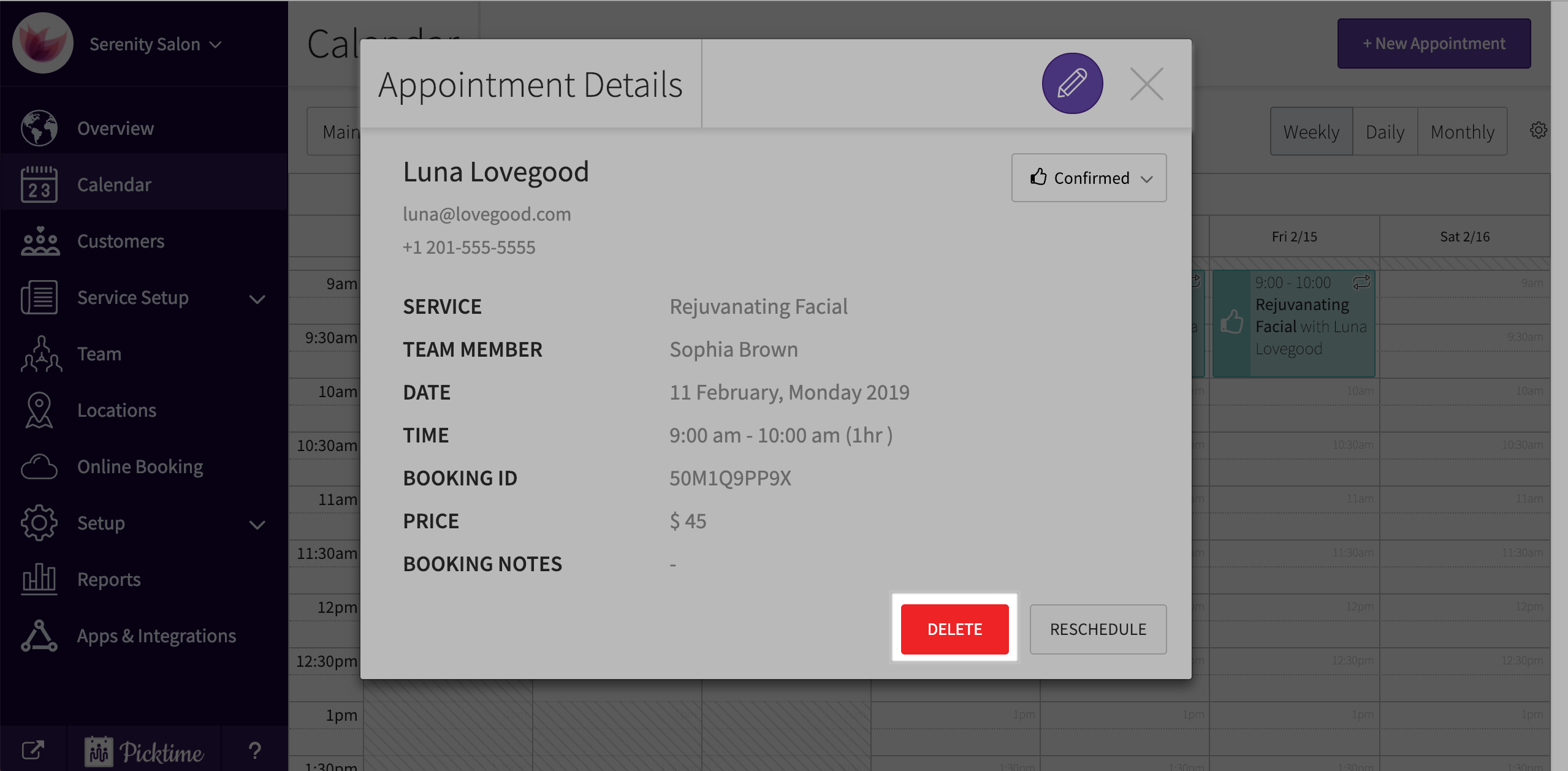
- Hit on the delete button. You will get a pop-up with two options.
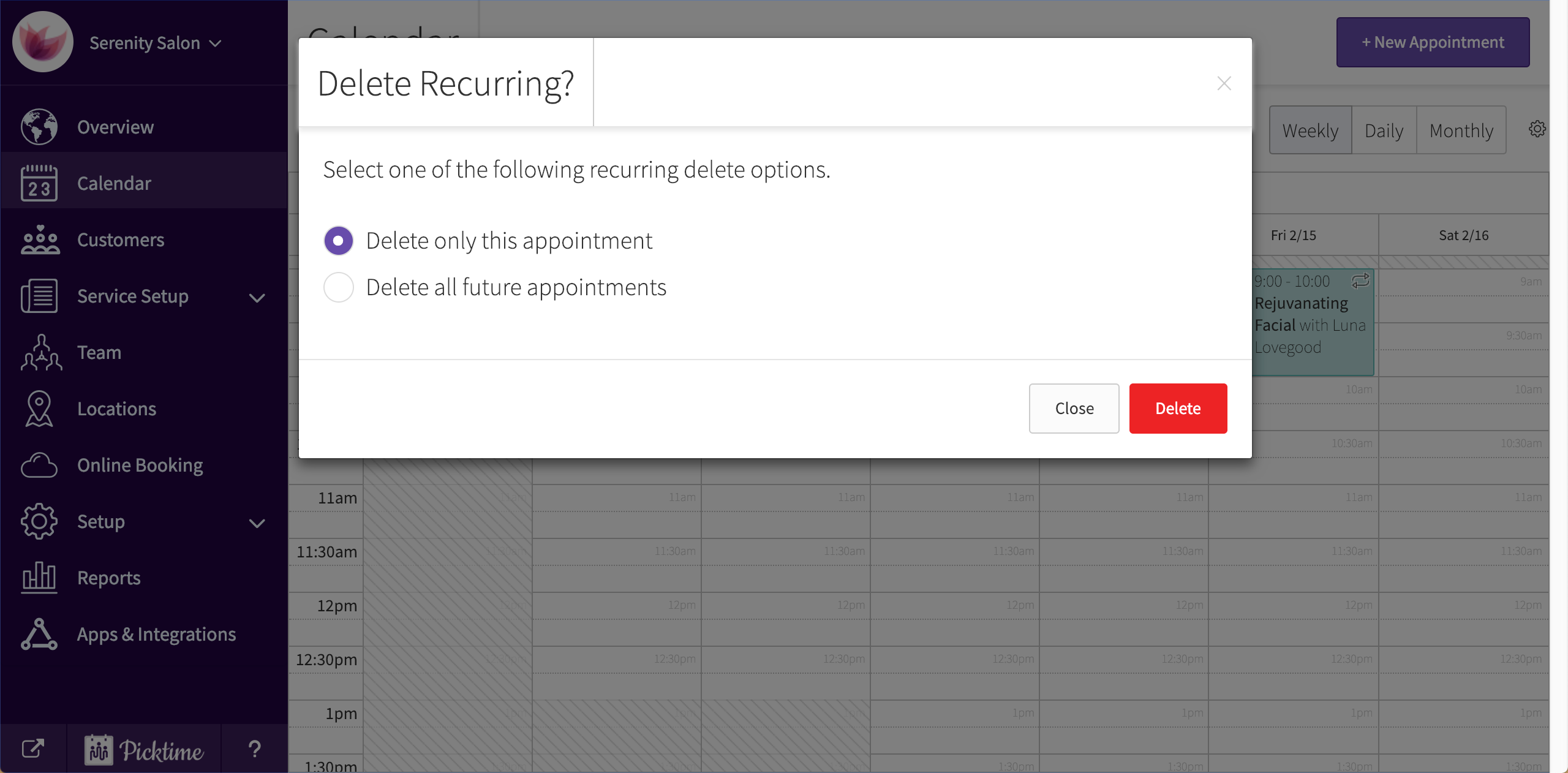
- The first option will delete only the particular appointment selected.
- The second option will delete the selected appointment along with the future appointments.
Updated on: 06/03/2026
Thank you!