
How Do Customers View Time Slots In Their Own Timezone?
We've made it even more convenient for you to schedule appointments by allowing you to view time slots in customers' local timezone. Follow these simple steps to enable this feature:
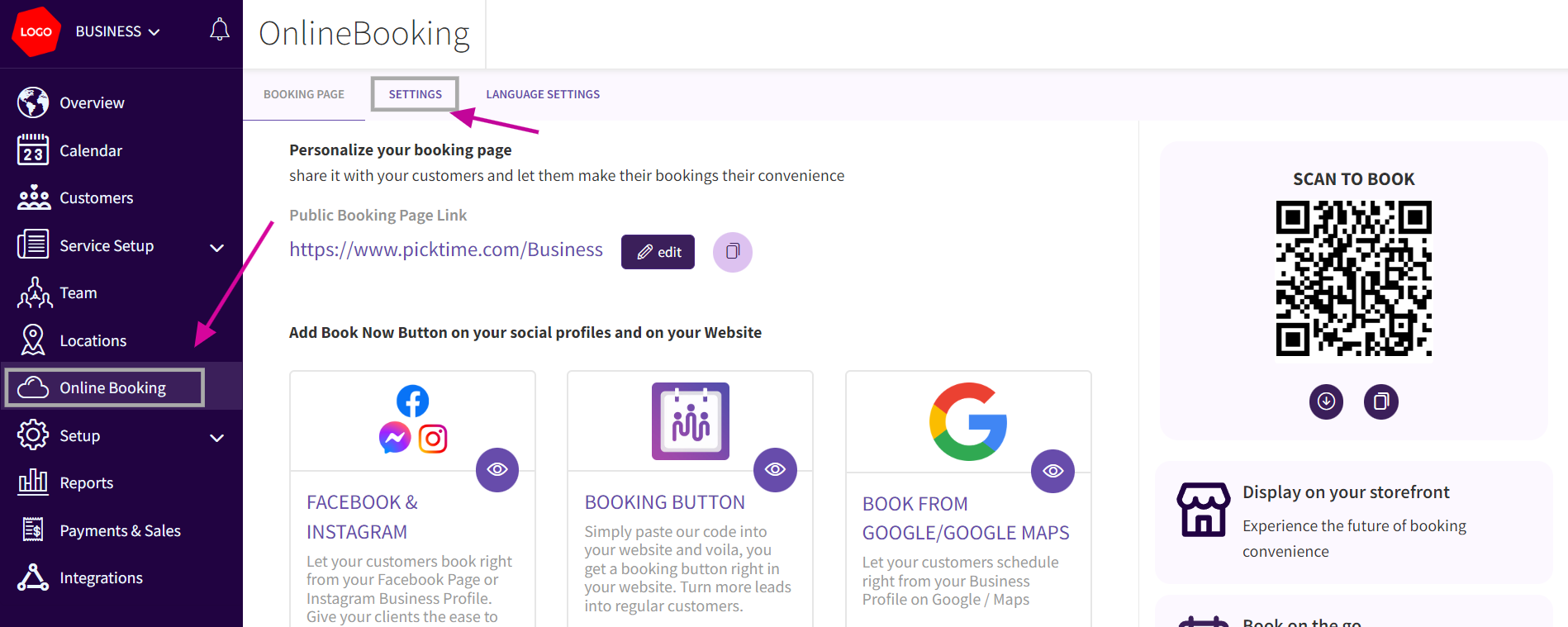
- Navigate to Online Booking. Click on the SETTINGS tab to access booking settings.
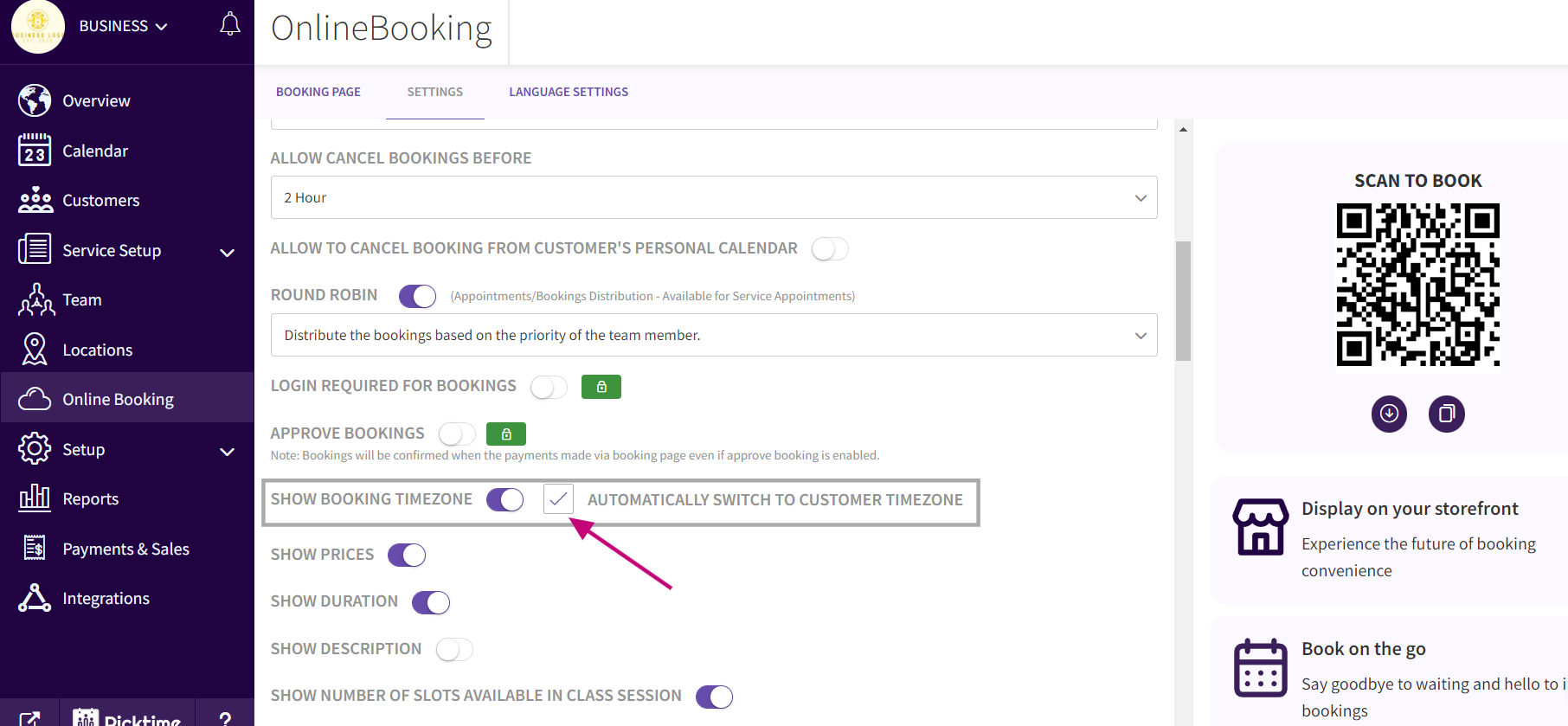
- Look for the option labeled SHOW BOOKING TIMEZONE. Enable this option by checking the corresponding checkbox. Enable checkbox labeled AUTOMATICALLY SWITCH TO CUSTOMER TIMEZONE. After making the changes, locate the Save button. Click on Save to apply the settings.
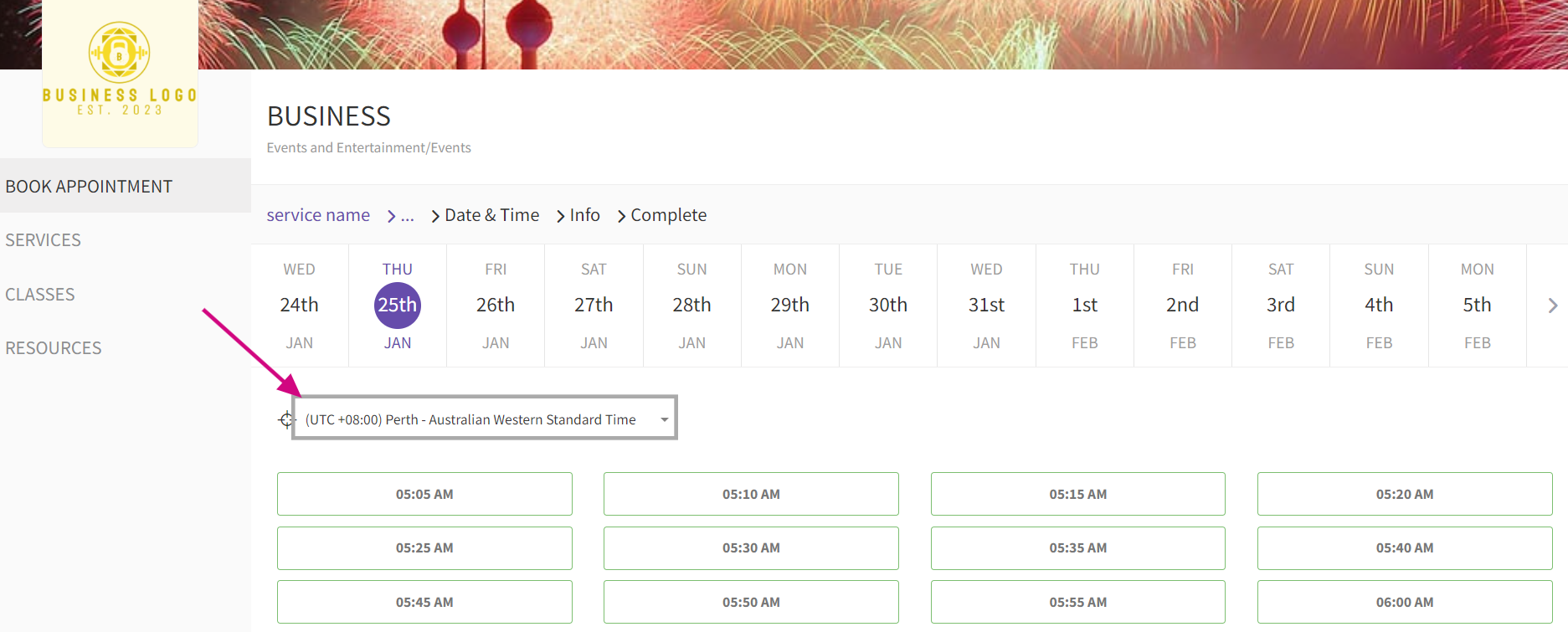
- Now the customers can view the timeslots in Customers time zone automatically in the booking page
Updated on: 06/03/2026
Thank you!