
How to add class bookings to your Picktime Calendar?
To add class bookings to your Picktime calendar, follow the steps below.
- You must first create a class.
- Once you create a class, you will automatically be directed to the 'Add session' pop-up.
- Fill in the details and create a session.

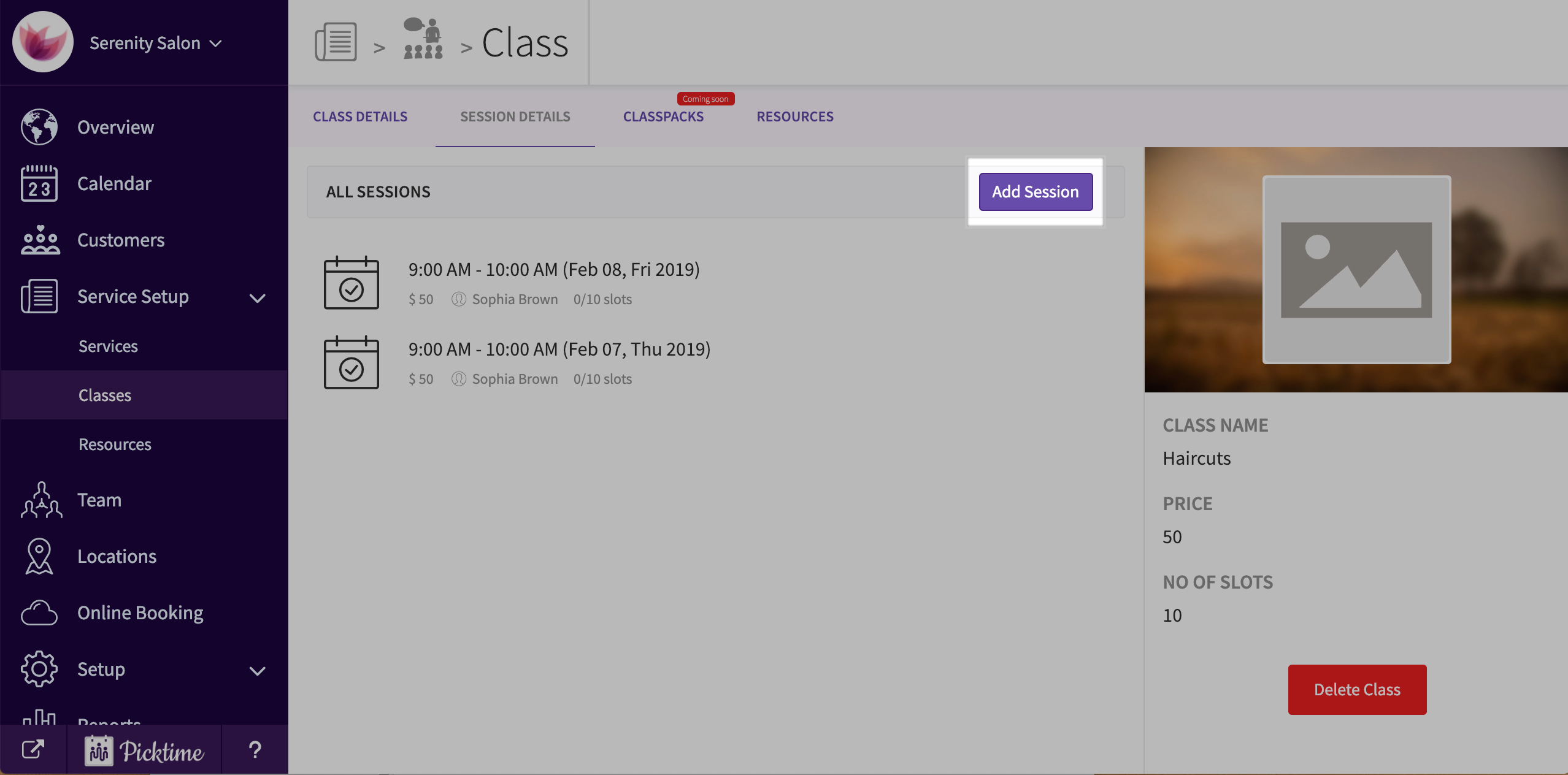
- To add a session to an existing class, go to service setup > classes > choose a class > session details > 'add session' button.

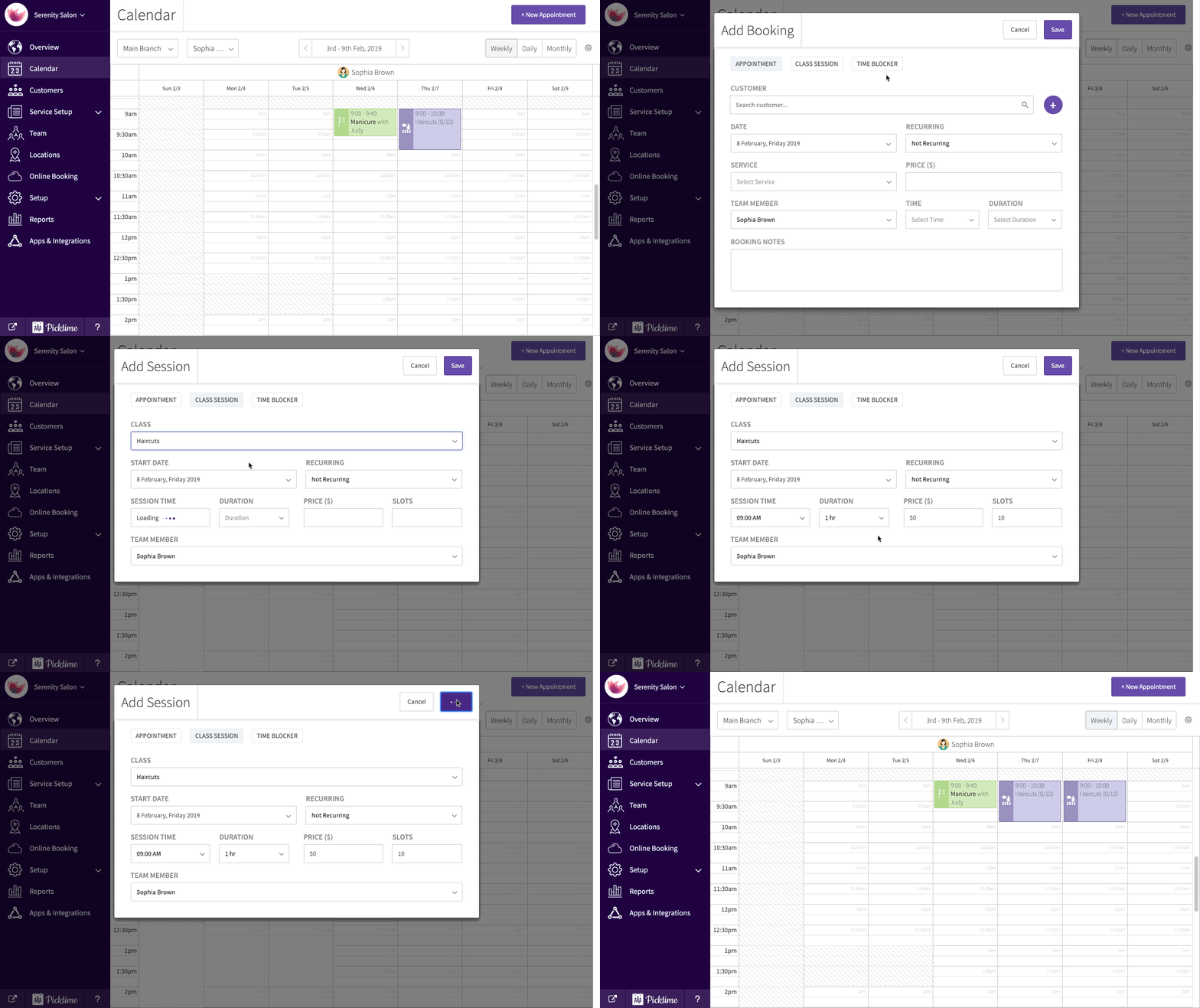
- You can also create a class session from the calendar by clicking on the ‘new appointment’ pop-up.
Updated on: 05/03/2026
Thank you!