
How to add contacts to your Picktime account?
Adding contacts helps you keep a track of customers that regularly come to you. You can be more in touch with your best customers and offer them special discounts and free services whenever possible. You can also have an insight of number of individual no-shows. Here, we will show you how to add in contacts to your Picktime account.
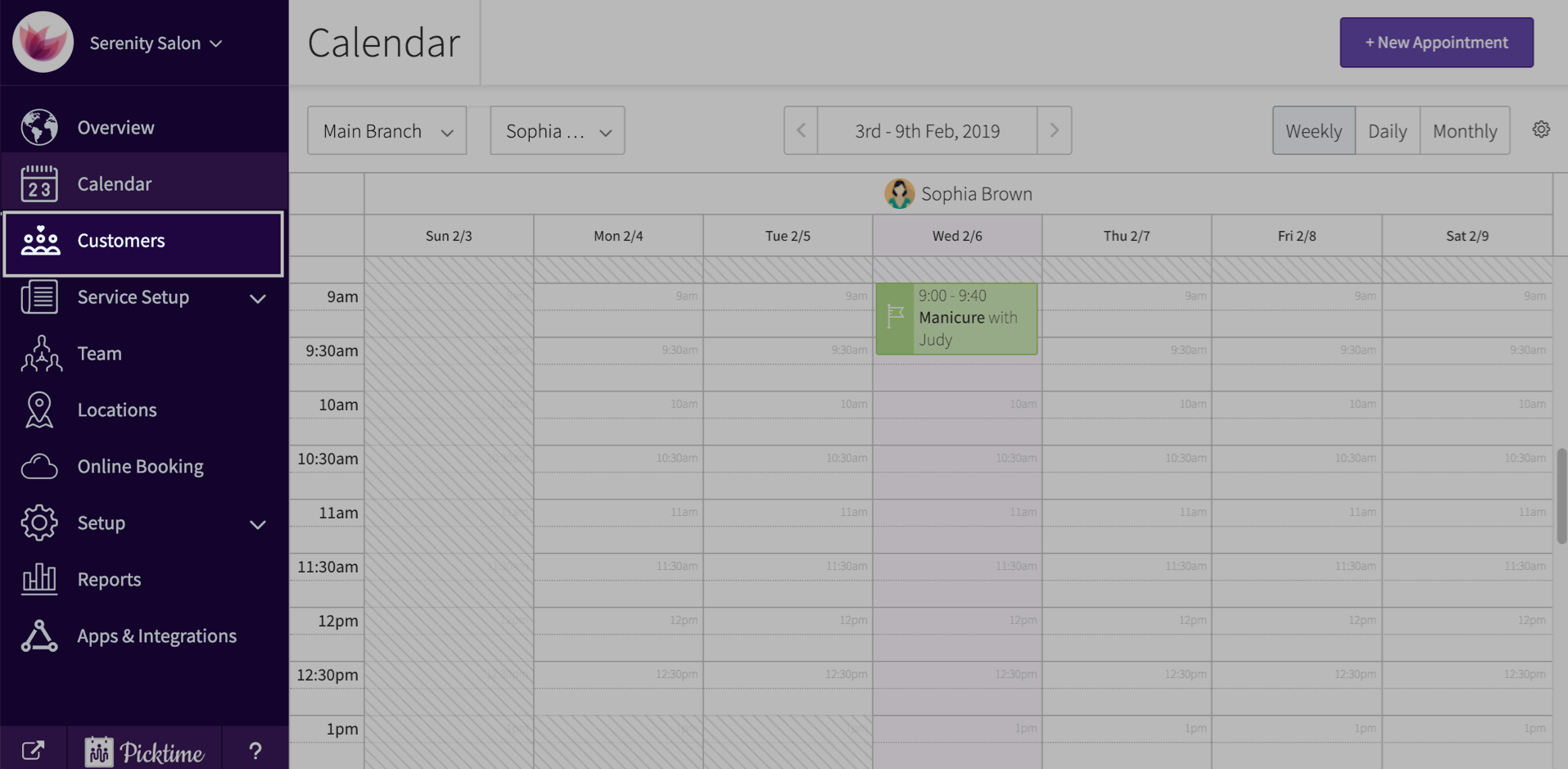
- Click on contacts located in the side navigation.
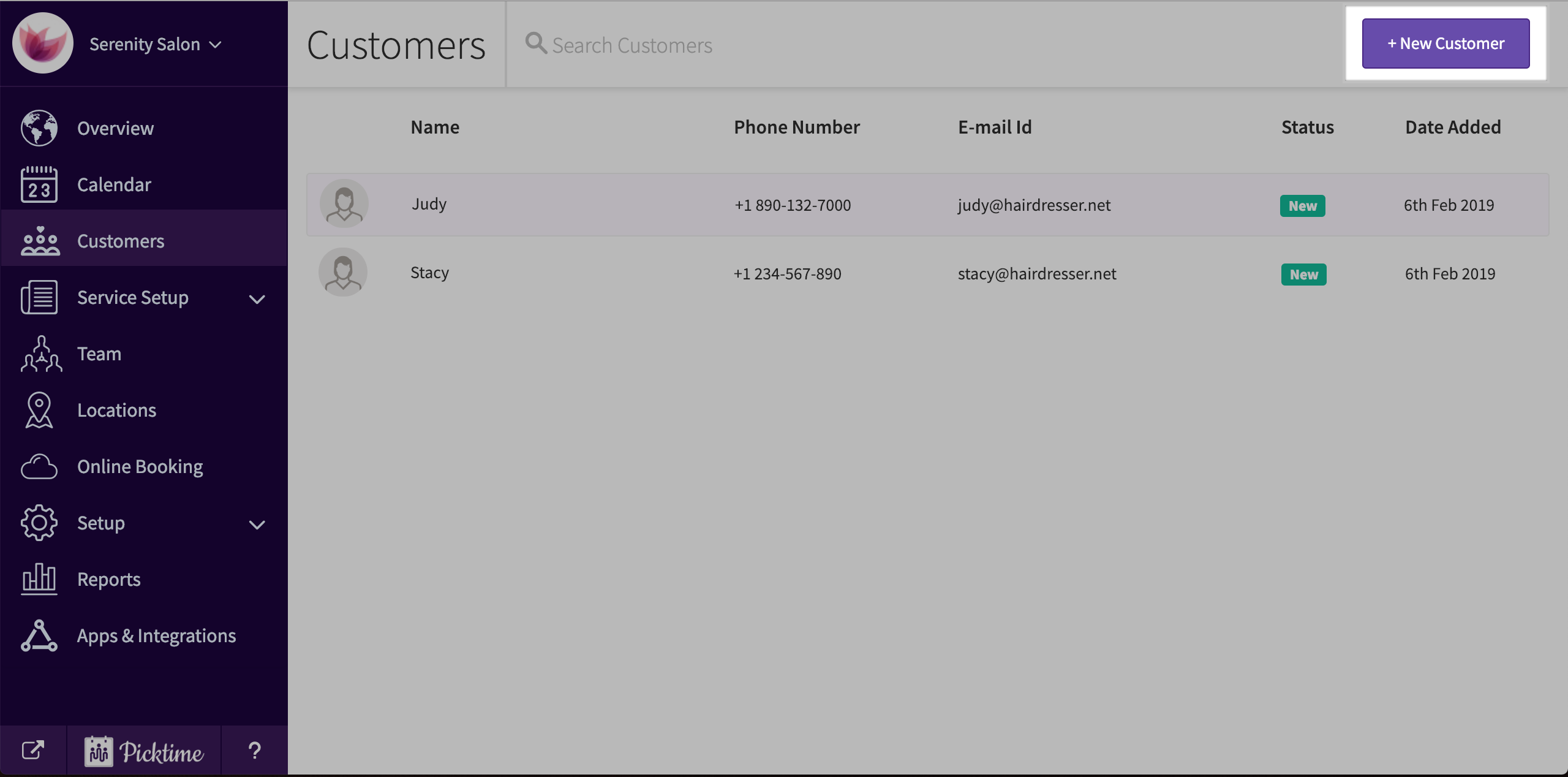
- Click on the ‘new customer’ button which you see on the top right corner of the screen.
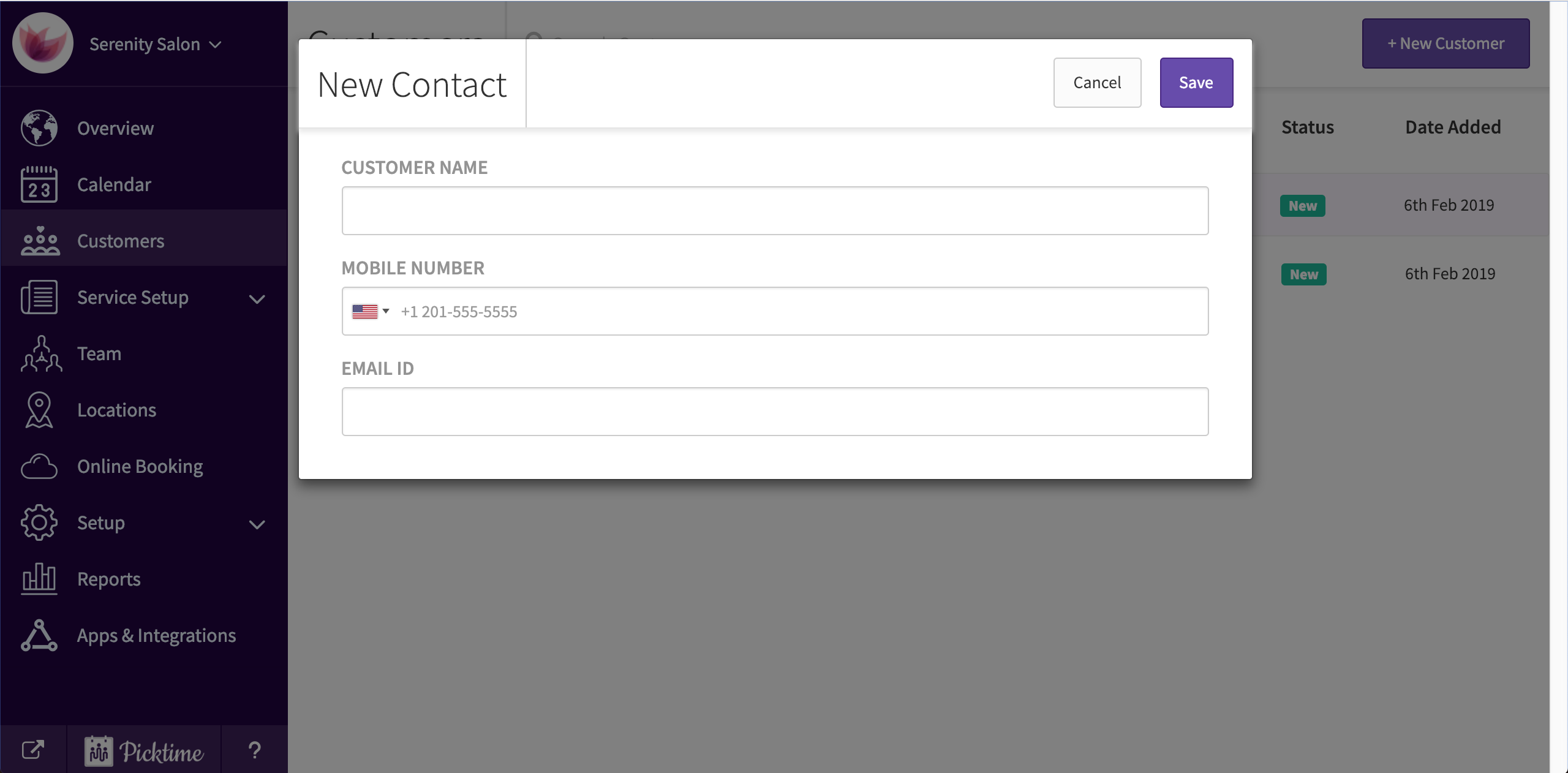
- A 'new contact' pop-up appears.
- In the ‘new contact’ pop-up, add in name, contact details etc and save.
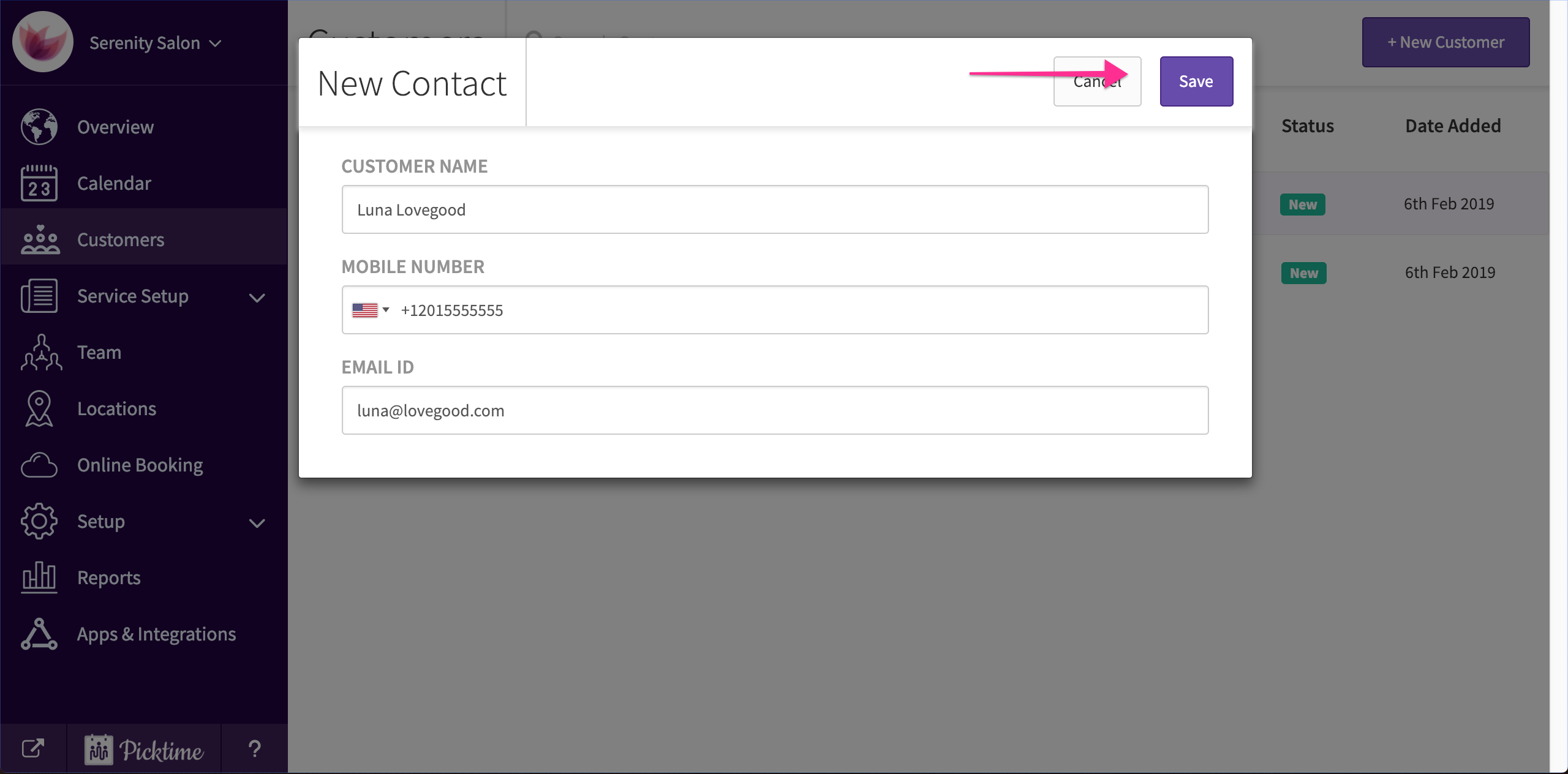
- This is how your saved contact will look like.

Updated on: 06/03/2026
Thank you!