
How to change the Slot Duration on the Online Booking Page?
To change the Slot Duration on the Online Booking Page
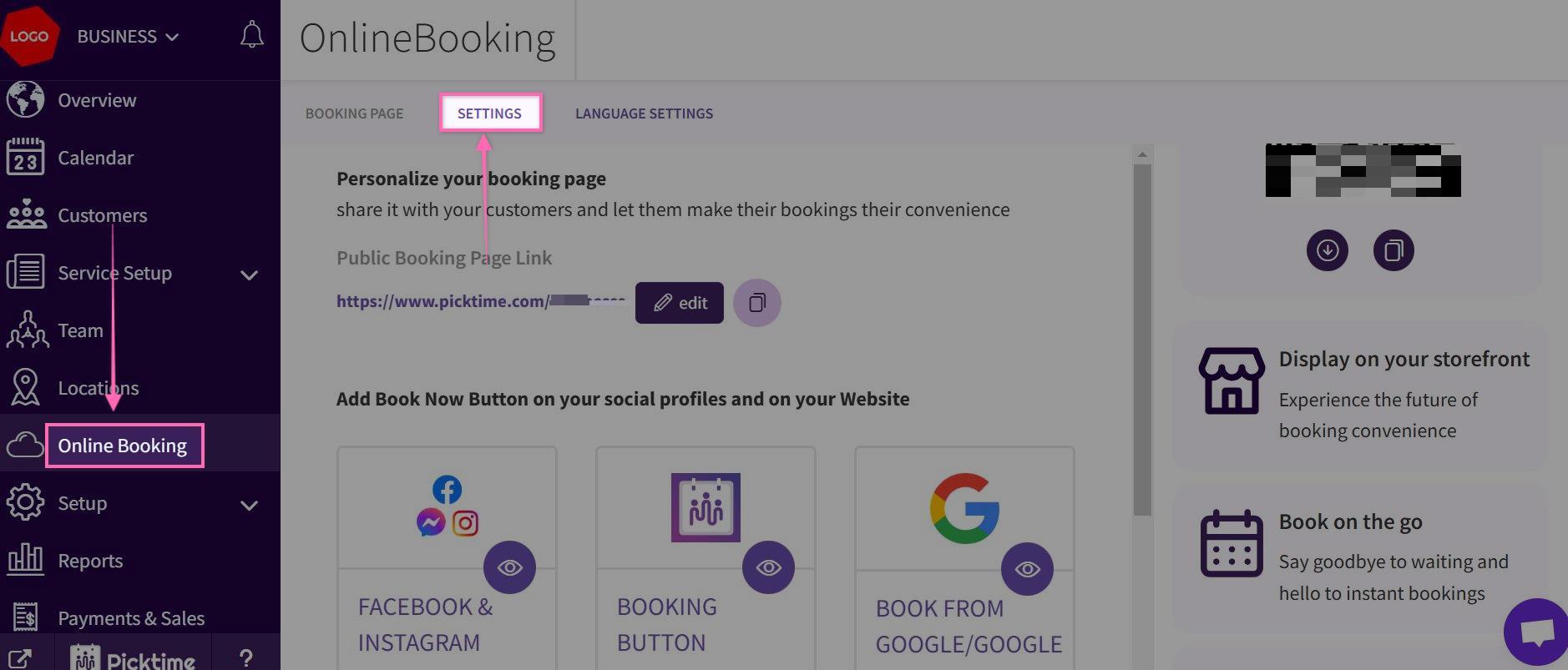
- Go to Online Booking> Settings
- In Settings> Slot Duration> Click on the drop down to select duration.
For example, If you set it to 5 minutes, you should see slots on the booking page like 9:00, 9:05, 9:10, etc. If set to 1 hour, you should see slots like 9:00, 10:00, 11:00, etc
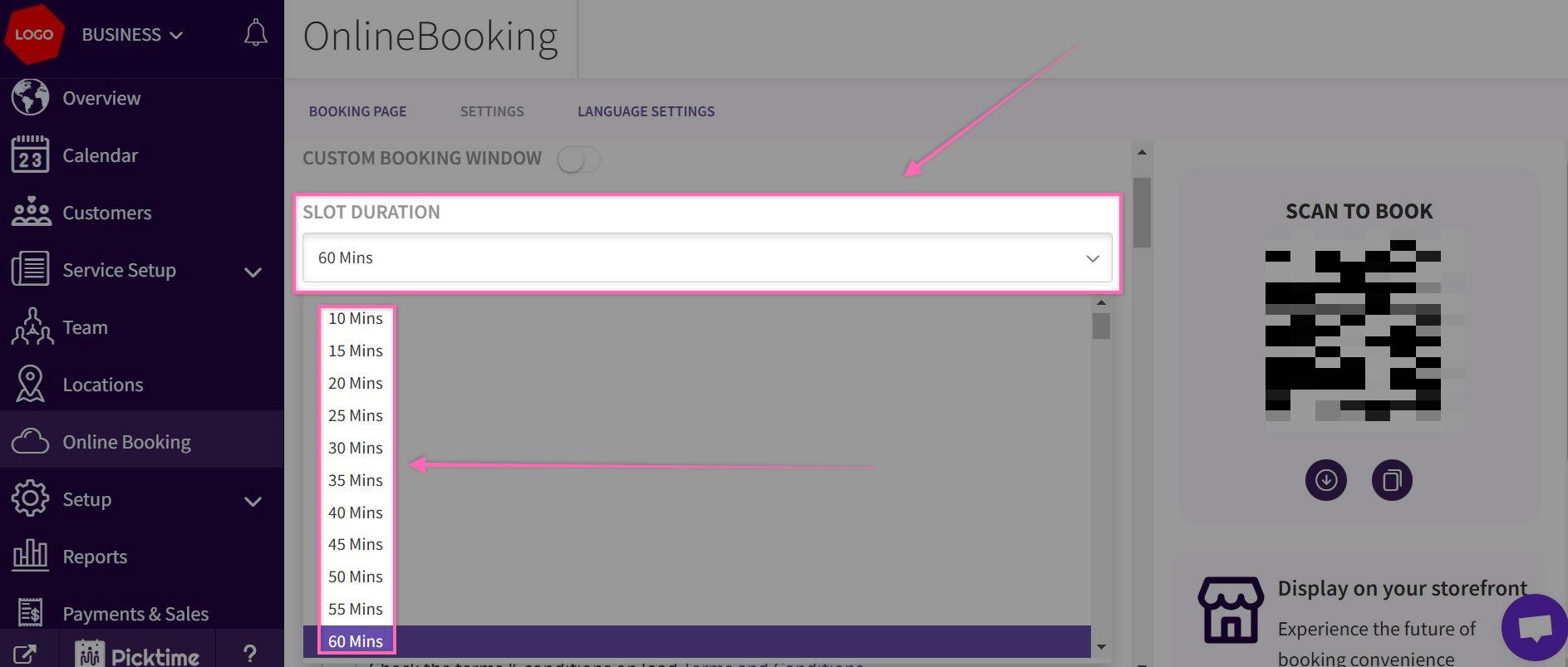
- Save the settings after selecting the slot duration.
- Go to your Booking page, and you should see the duration between the slots set as per your settings.
Updated on: 06/03/2026
Thank you!