
How to create your personal calendar in Picktime?
We are proud to say that we are the first appointment scheduling platform which offers its users an all round experience. Picktime not only takes care of your business, It also helps you manage your day to day personal events and schedules.
When you activate your picktime personal calendar, you can create events (eg: Wendy’s Birthday), add people to your event and even see who is attending your events. And this just doesn't stop there - All Business appointments will get blocked off in your personal calendar so that you will have a much more relaxed and organised schedule.
Lets see how you can configure your personal calendar:
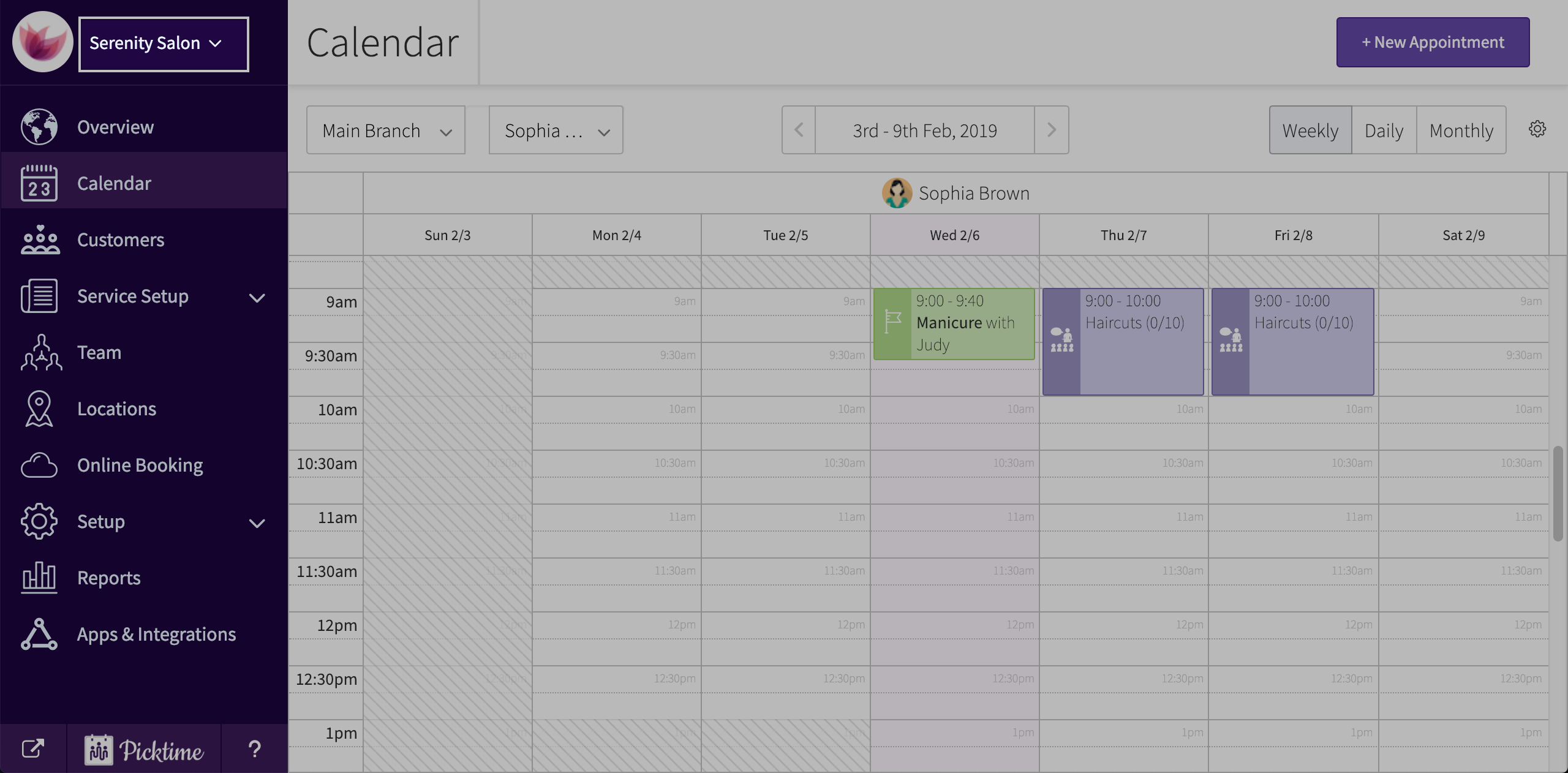
- To open your personal calendar, click on the dropdown you see at the top left corner of your Picktime account. (You will see your business name there).
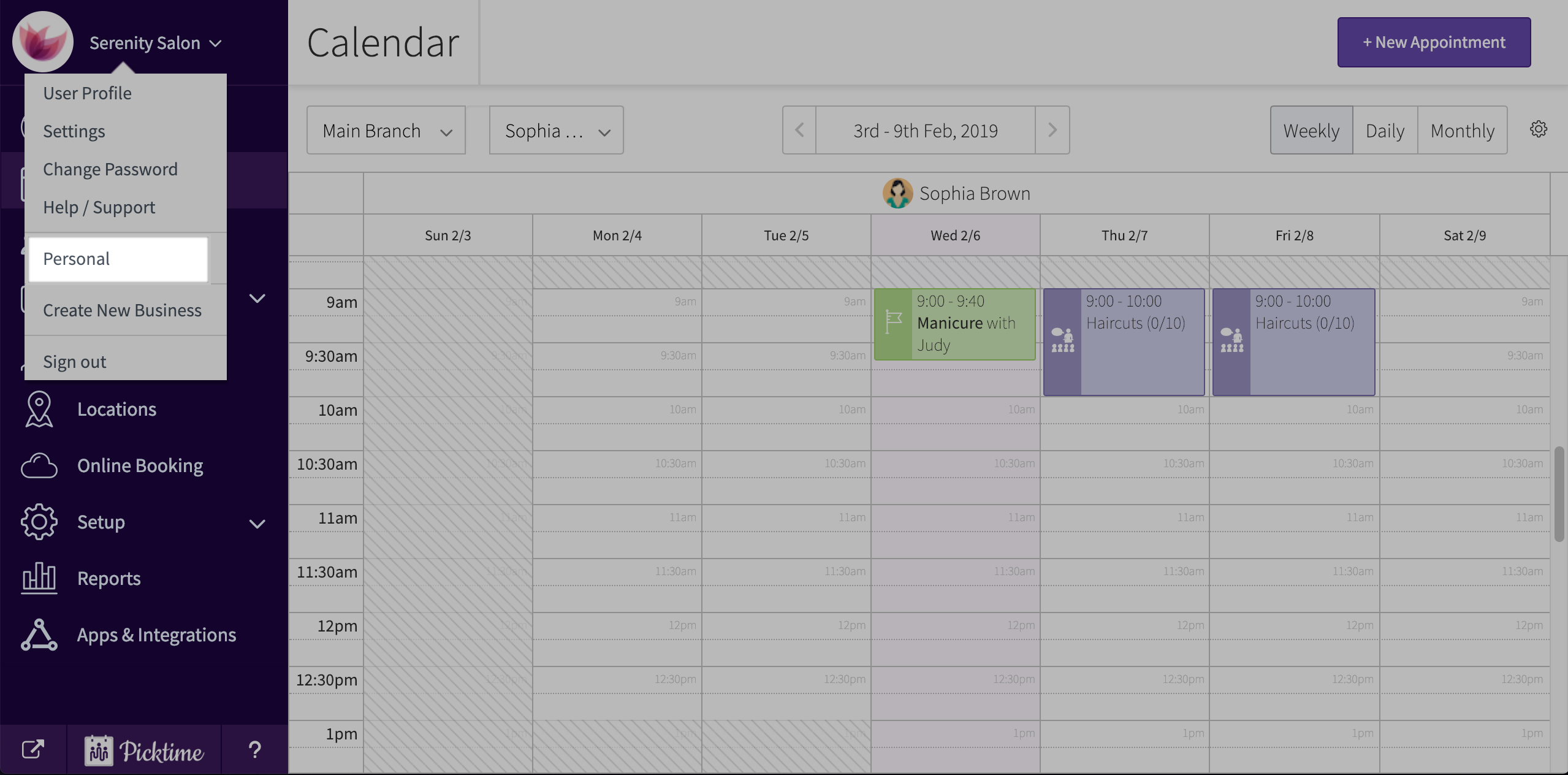
- Click on personal.
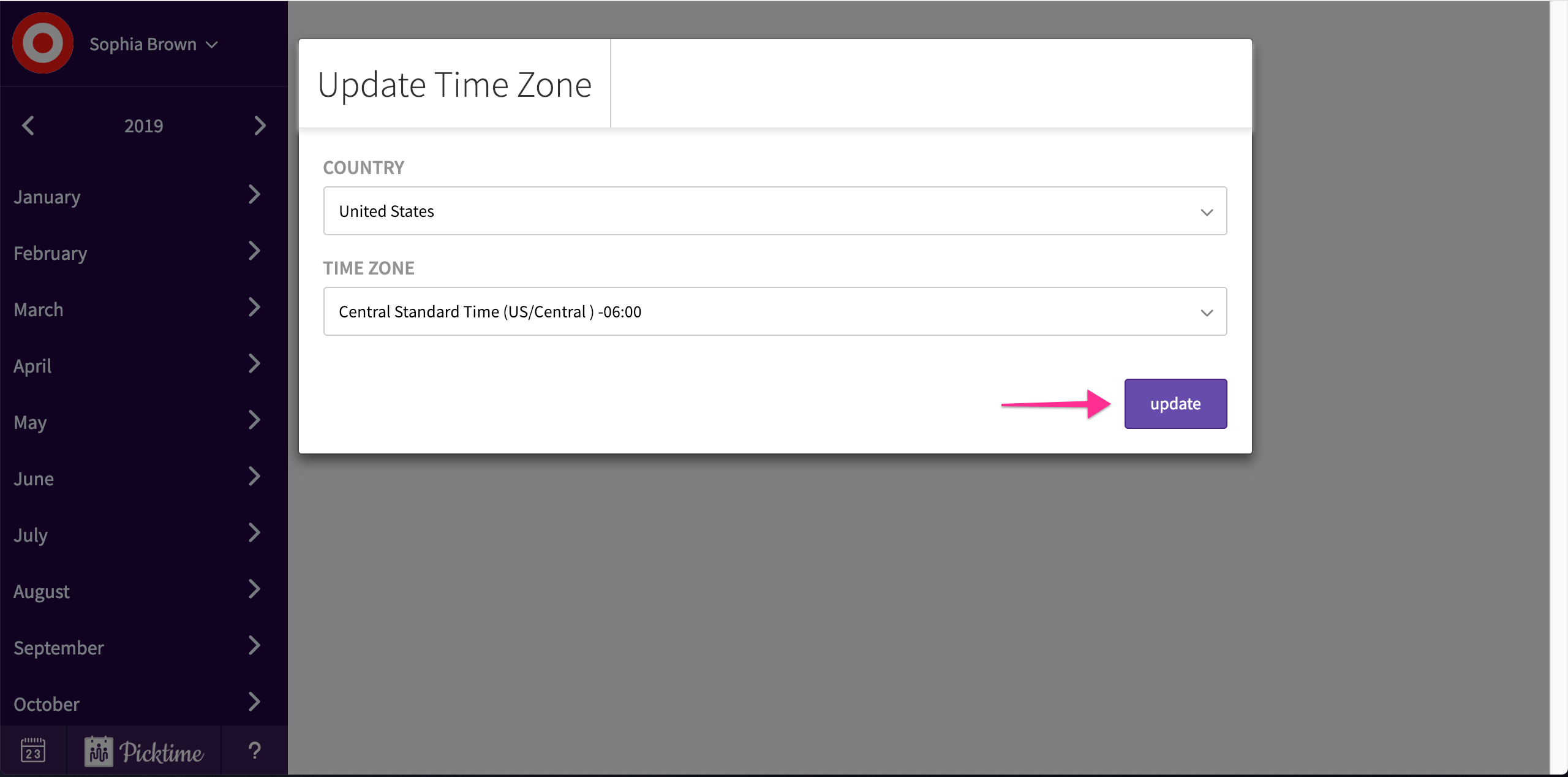
- When you click on your personal calendar for the first time, it will ask you to update your country and timezone. Click finish.
- Edit your calendar preferences to your liking and you can start adding events to your personal calendar.
Updated on: 05/03/2026
Thank you!