
How To Enable Captcha Verification
To ensure a secure and hassle-free experience for both you business user and customer user, we have CAPTCHA verification process and the feature is under Pro plan.
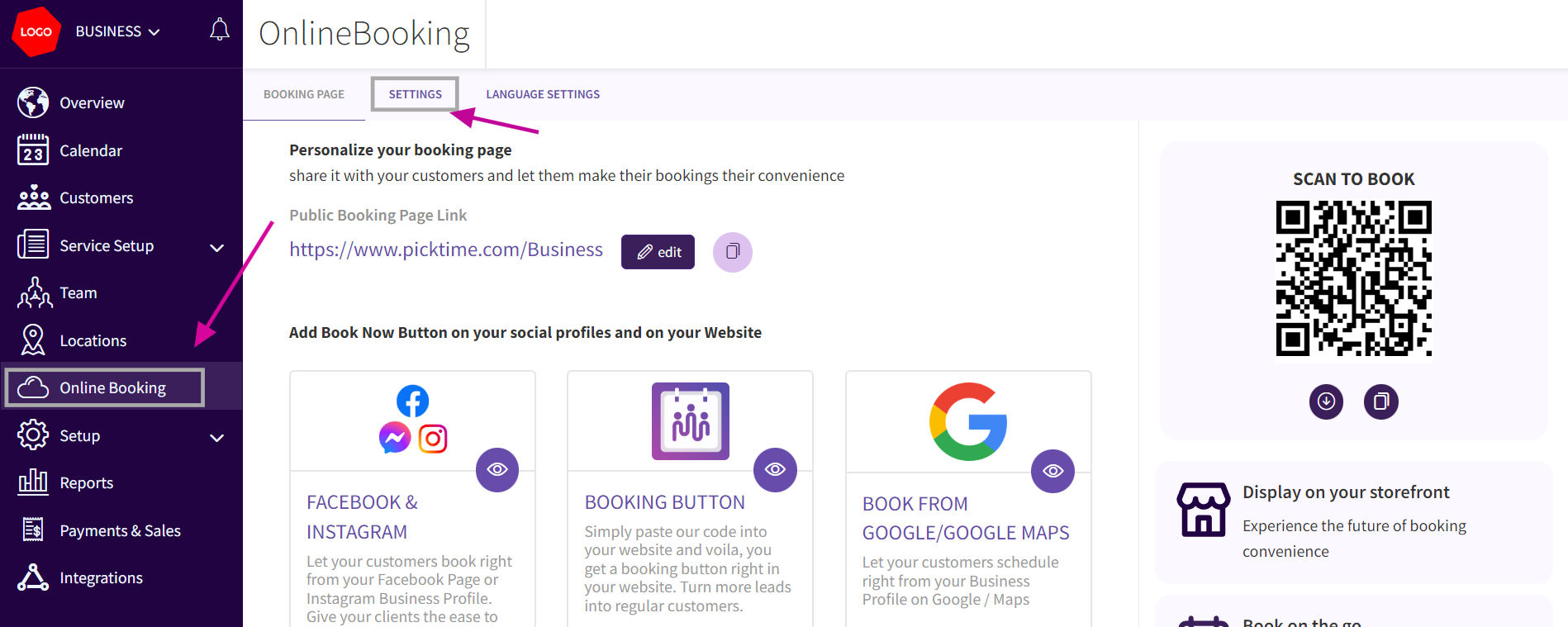
- Go to the "Online Booking" section>>"Settings" option.
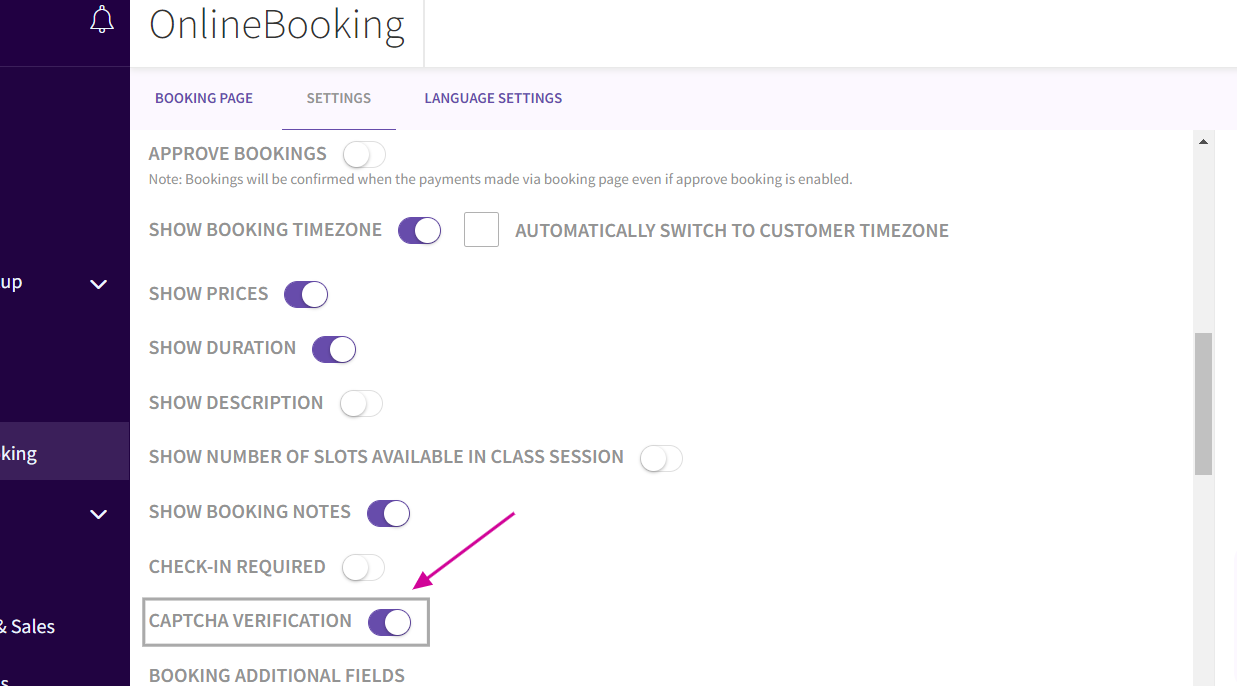
- Scroll down till down and you can find the "CAPTCHA VERIFICATION" option. Toggle to enable this security feature next to the "CAPTCHA VERIFICATION". After enabling CAPTCHA verification click "Save" .
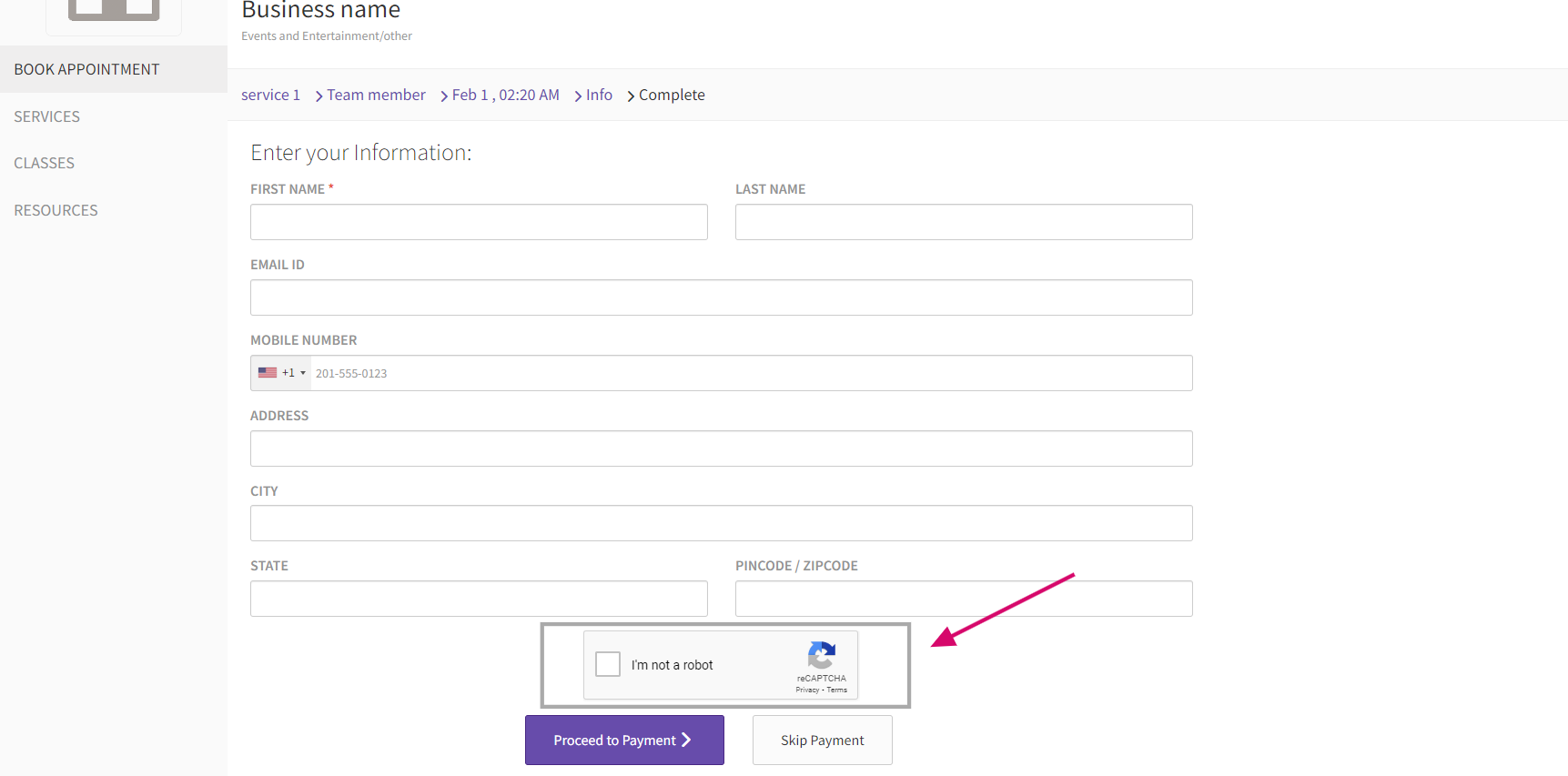
- Captcha verification appears on the booking once the customer selects the timeslot
Updated on: 06/03/2026
Thank you!