
How to enable the force login option in Picktime?
If you're tired of spam bookings, enable force login in your online booking page settings to avoid it.
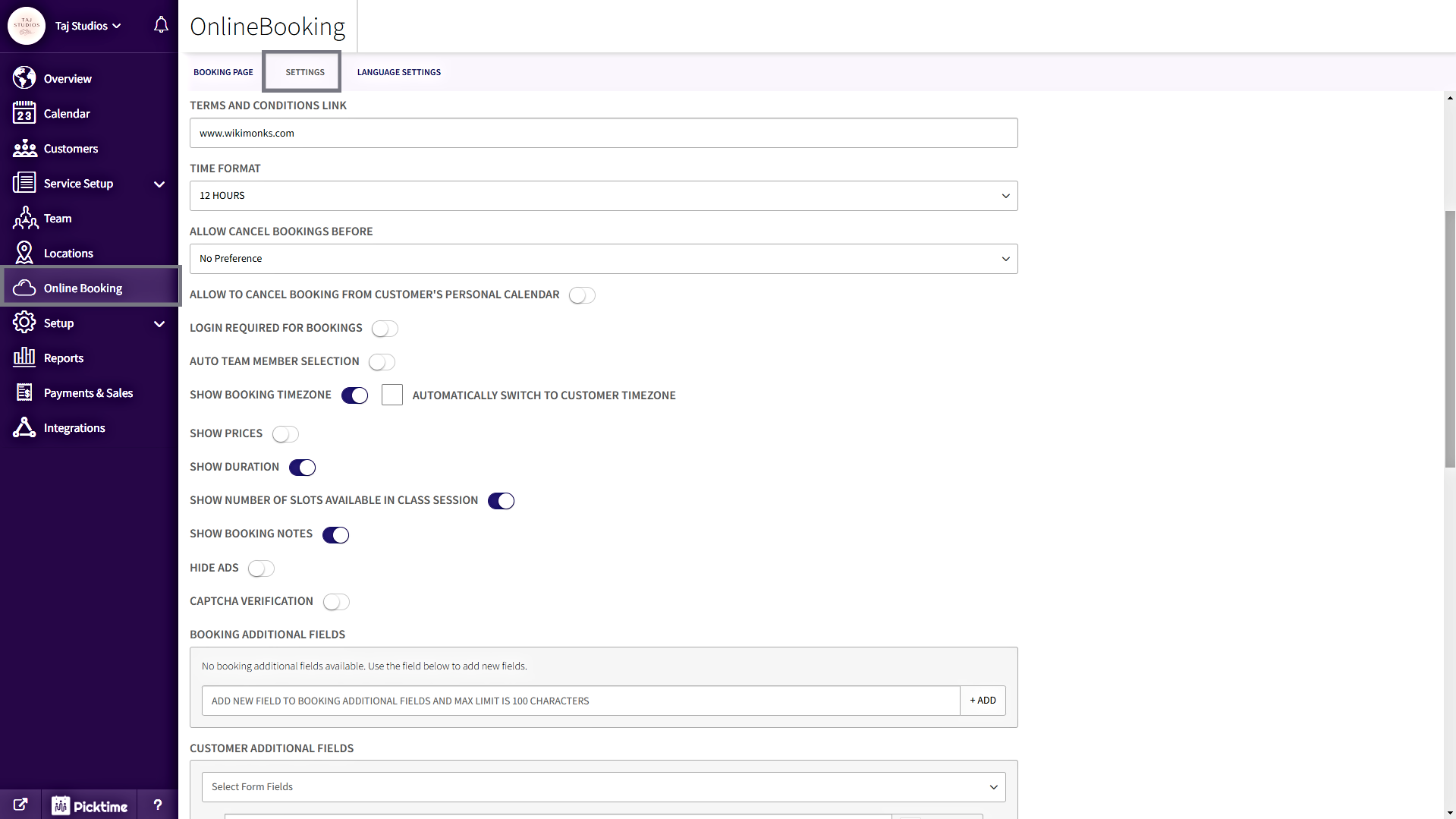
Follow these steps to enable force login, Go to the Online Booking section in the side navigation, then click Settings on the top menu bar.
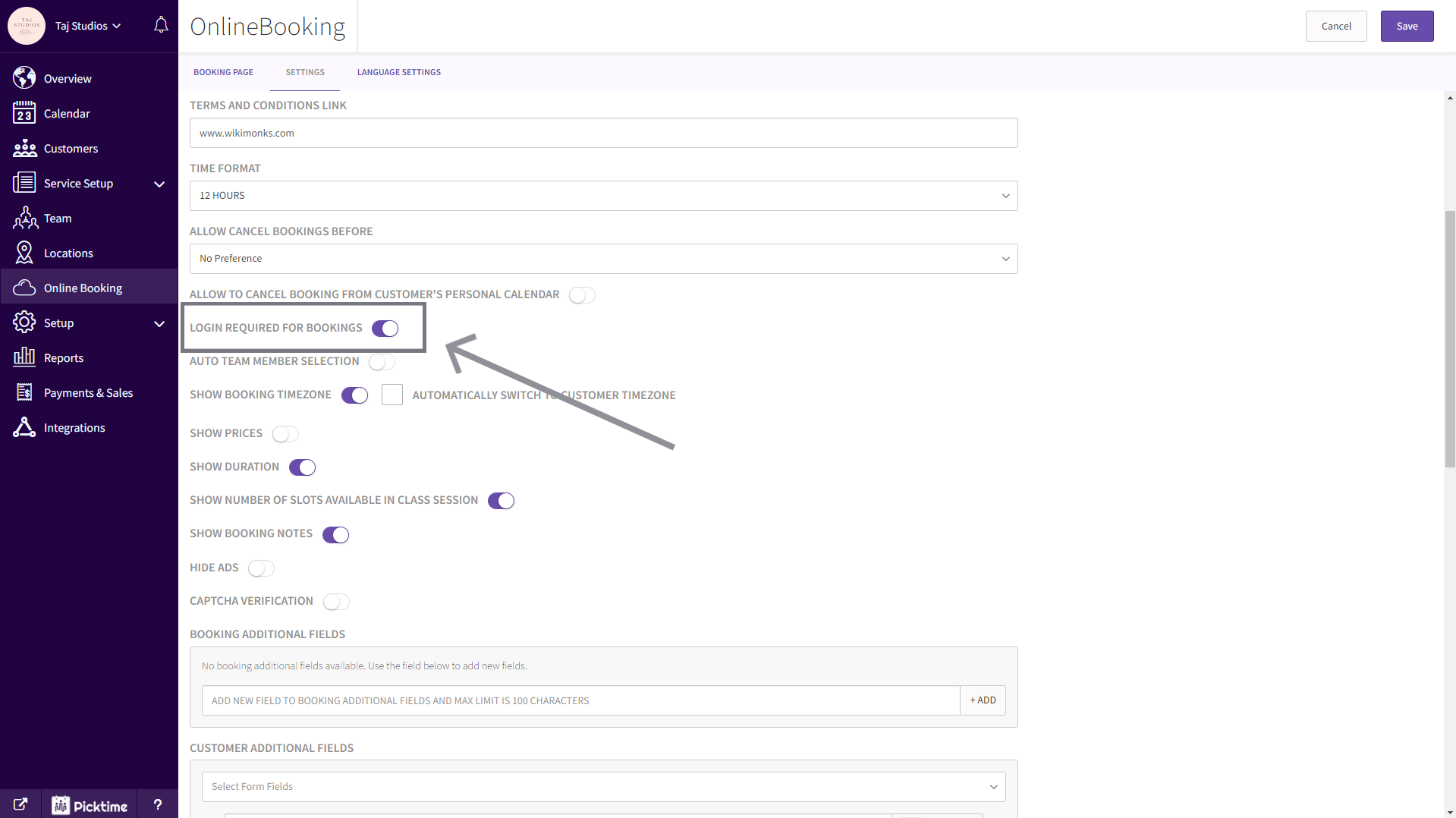
Now click on the toggle button next to “LOGIN REQUIRED FOR BOOKINGS” and save.
Updated on: 04/03/2026
Thank you!