
How to integrate with Drupal?
Here is how you can Picktime booking button to Drupal.
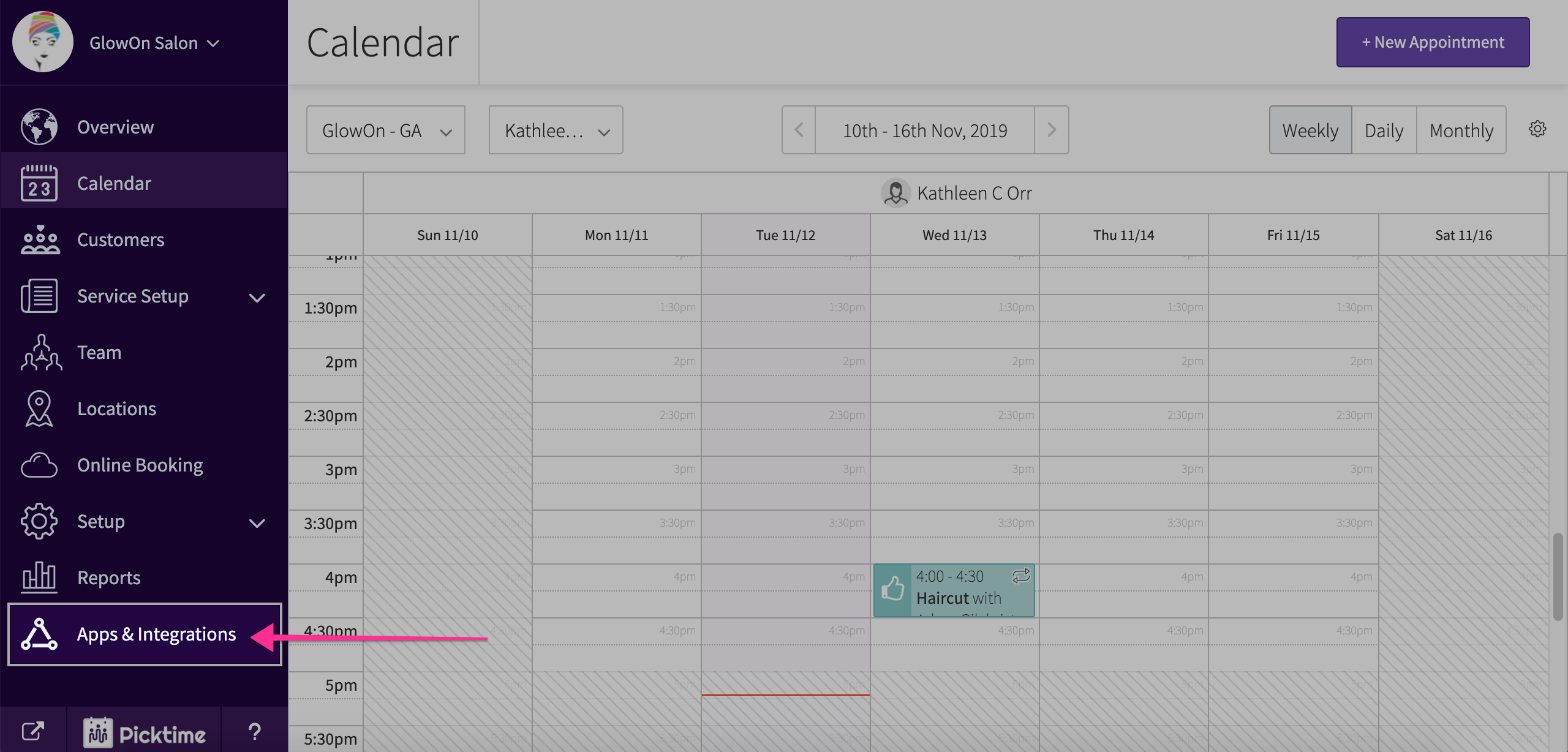
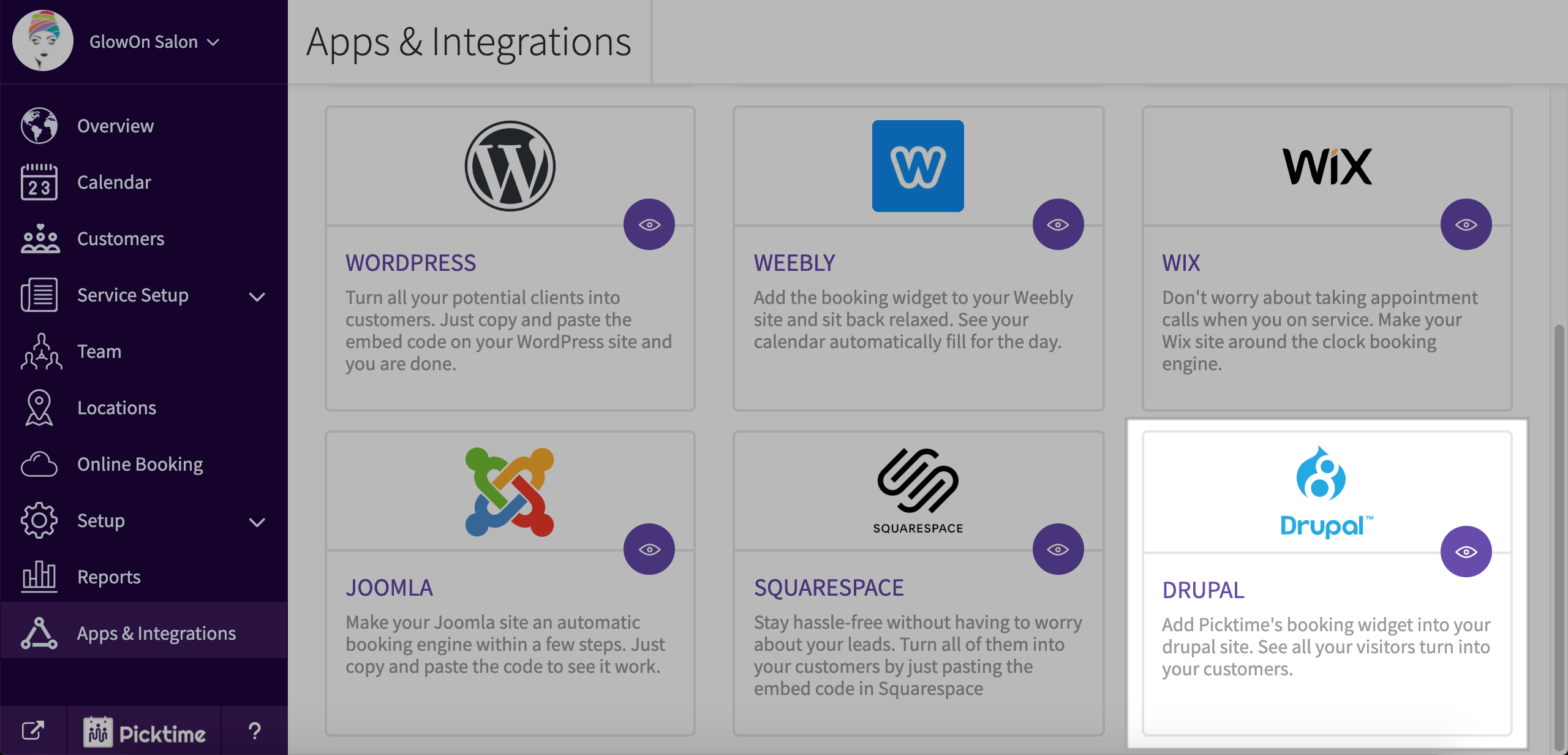
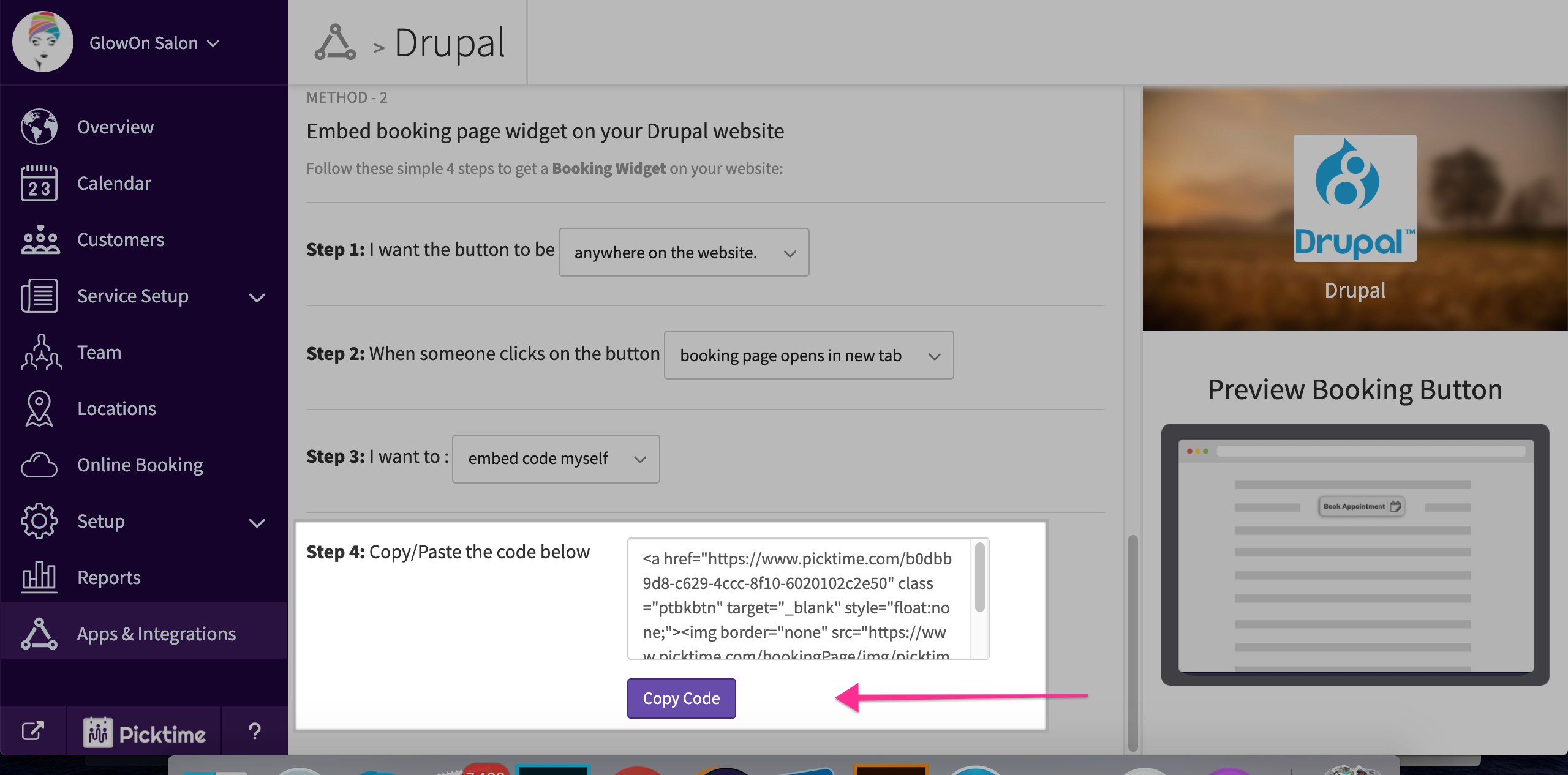
- Go to Apps and Integrations > Drupal
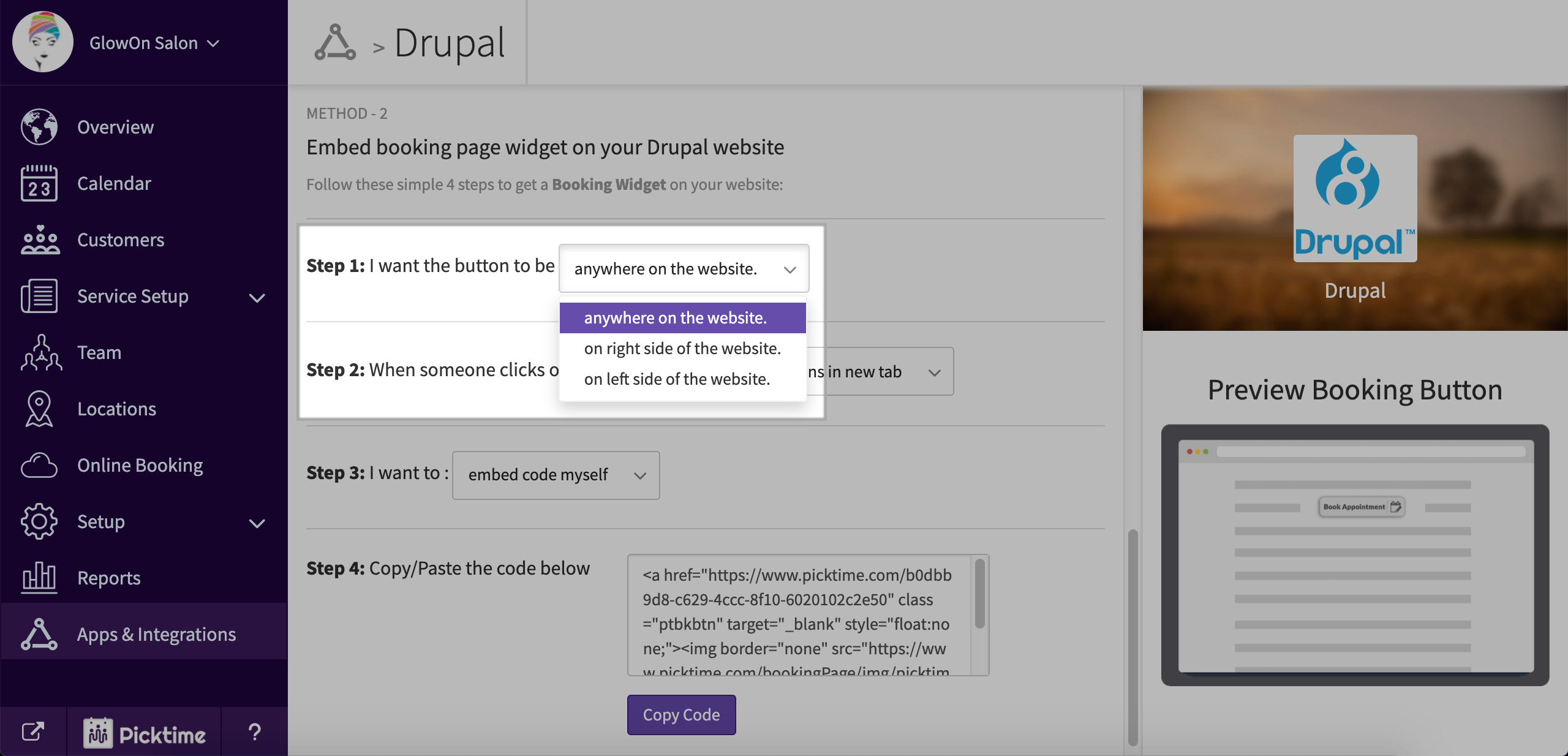
- Go to method 2 and choose whatever suits your requirement in step 1
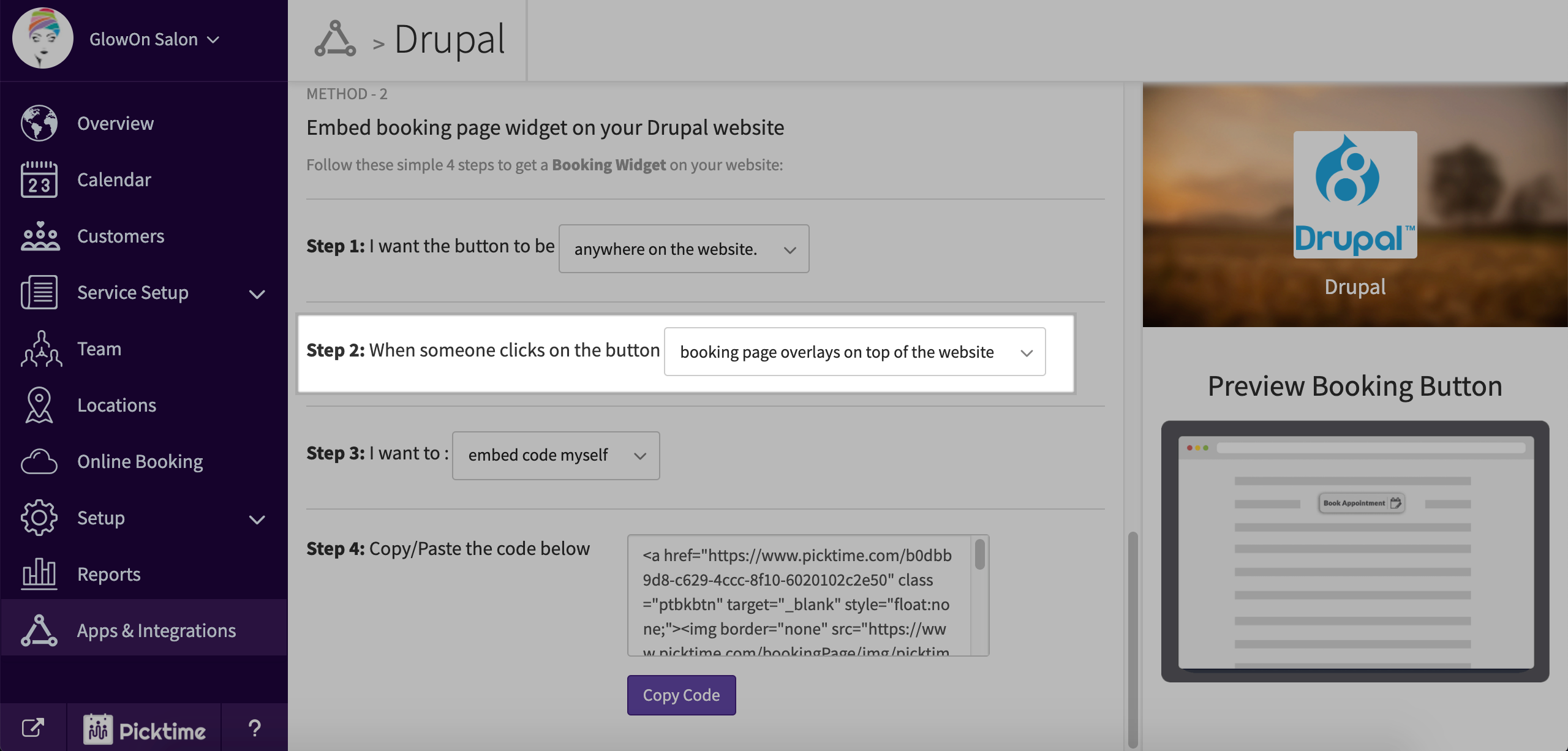
- In step 2 choose 'Booking page overlays on top of the website'
- Copy the code you see in step 4
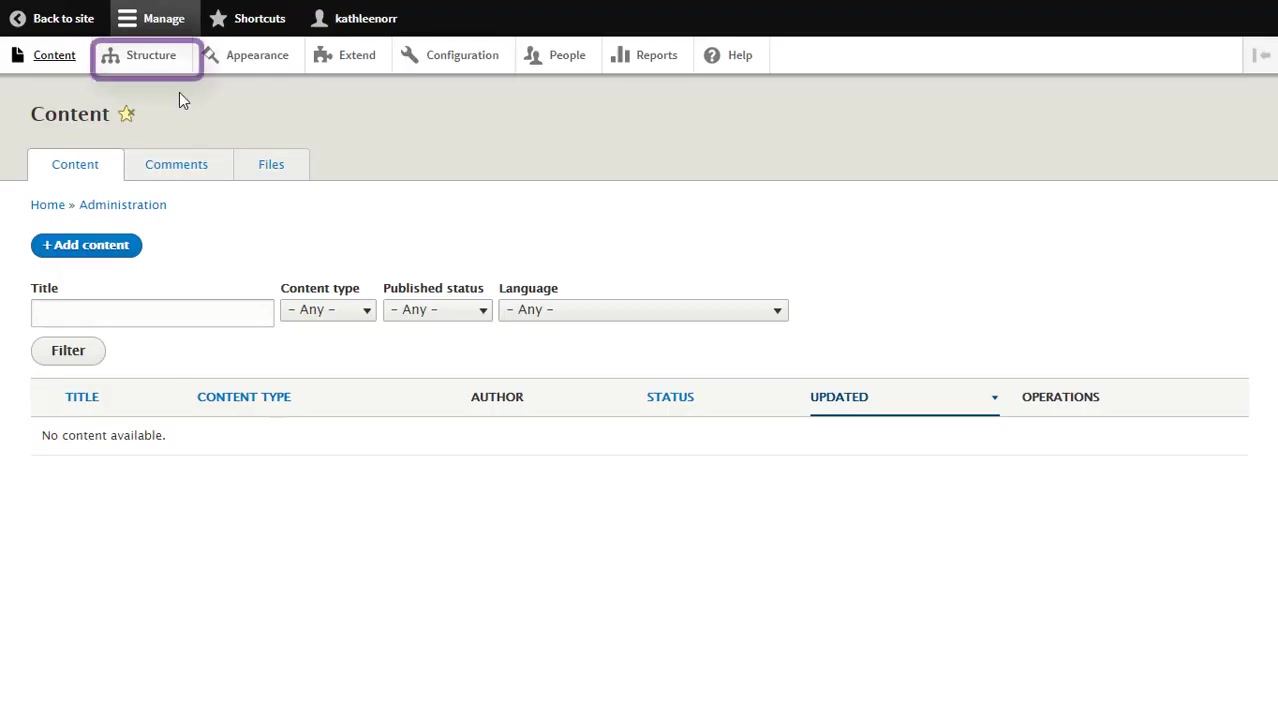
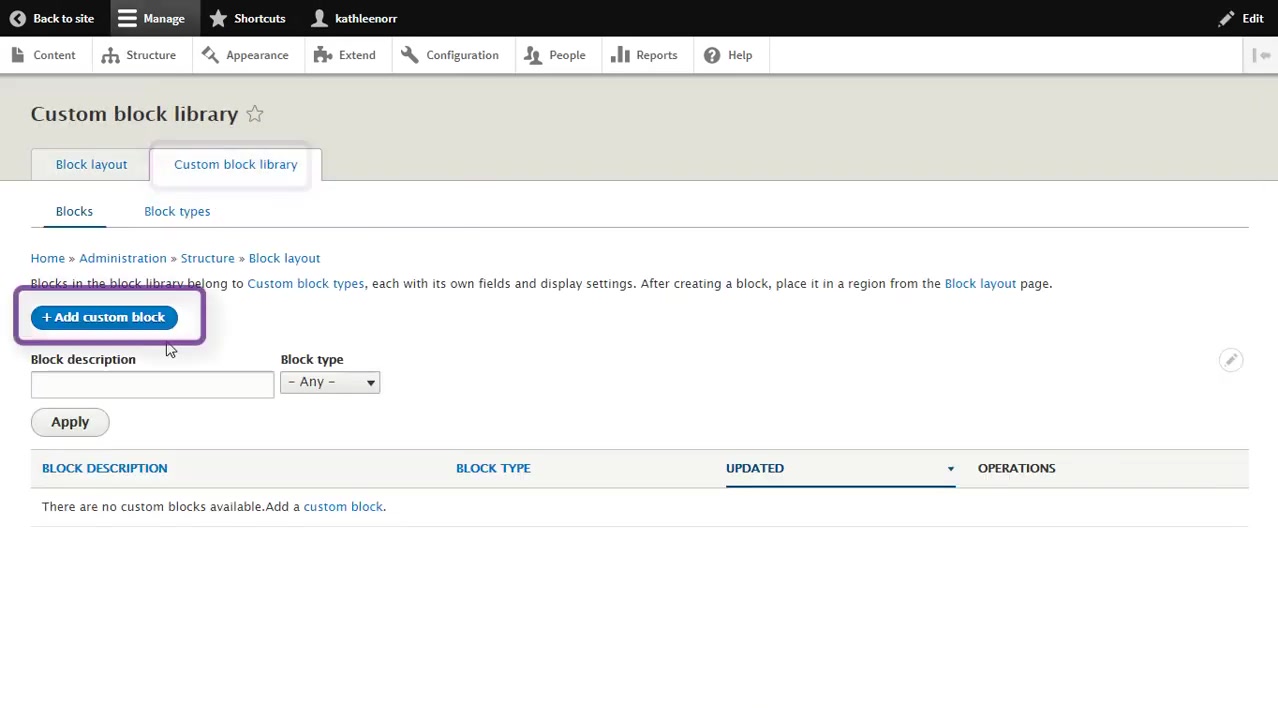
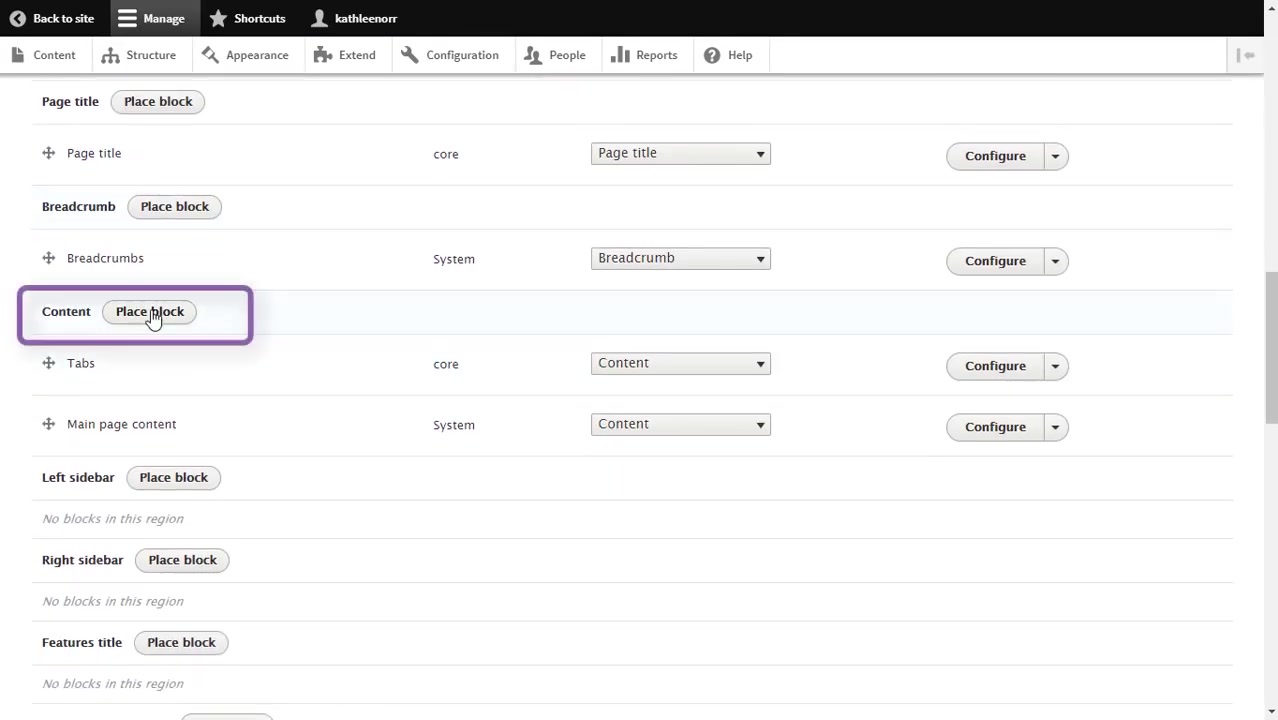
- Go to your Drupal account and choose Structure > Block layout
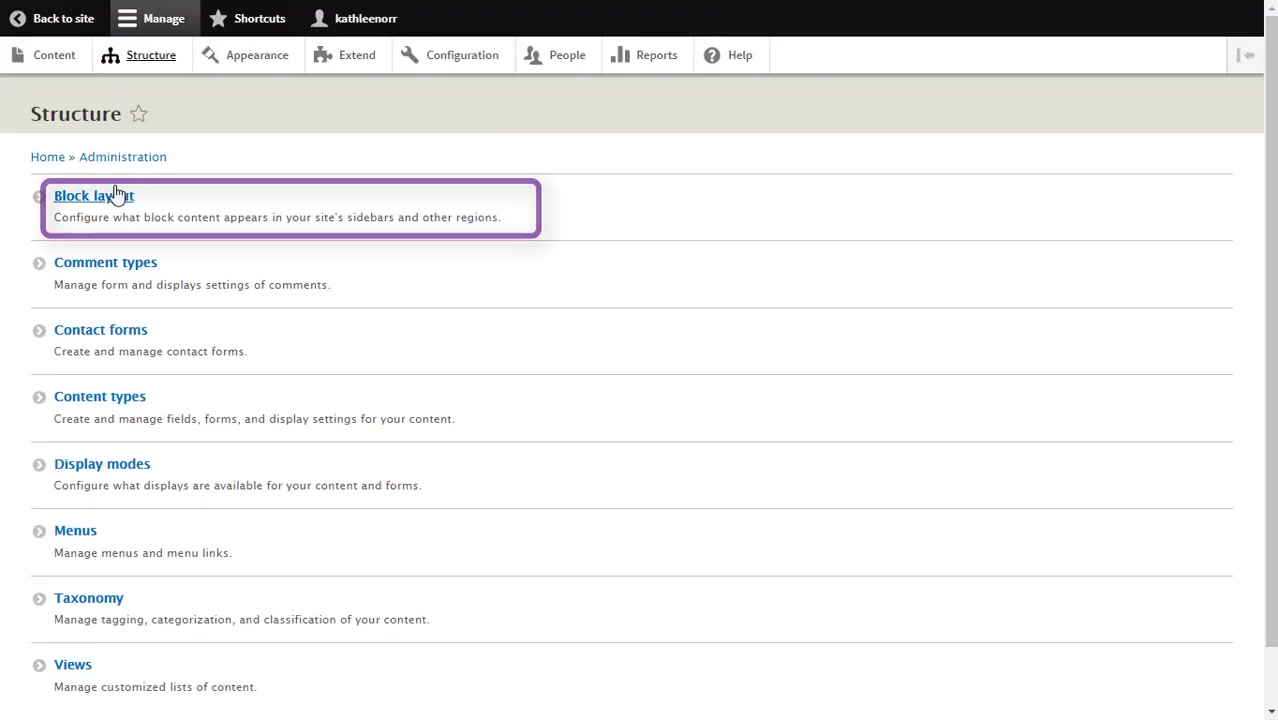
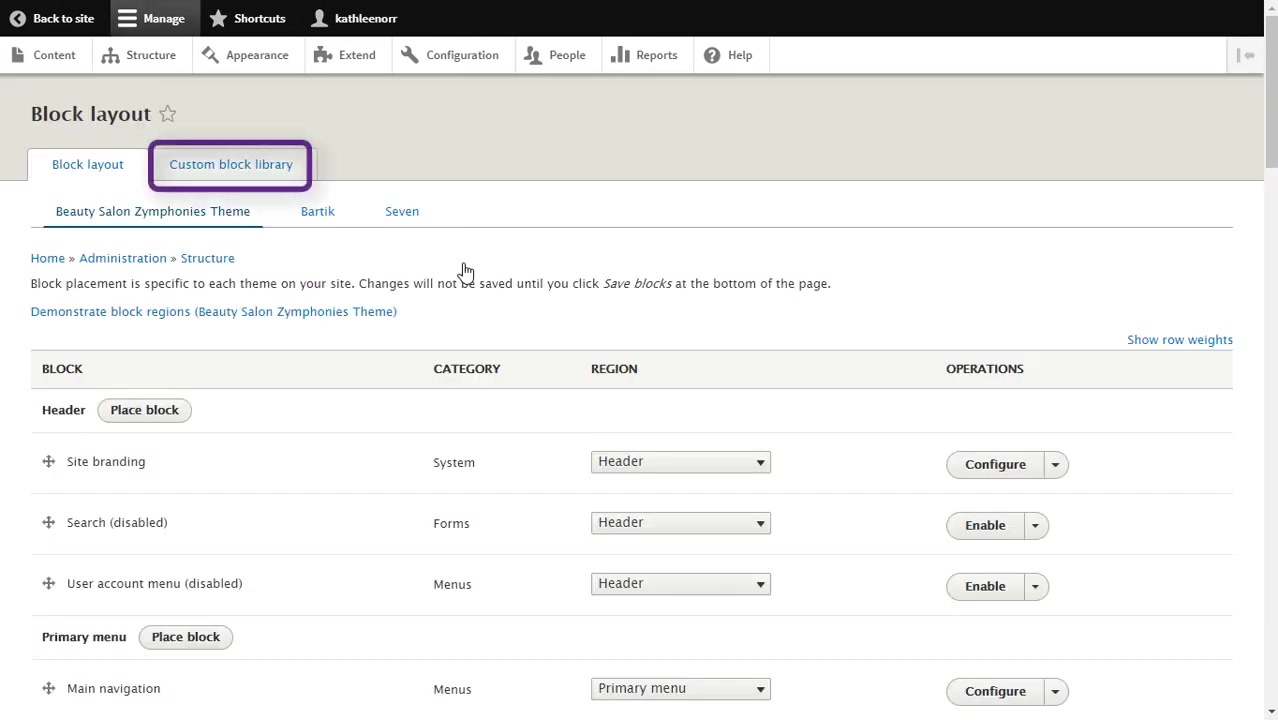
- Choose custom block library > add custom block
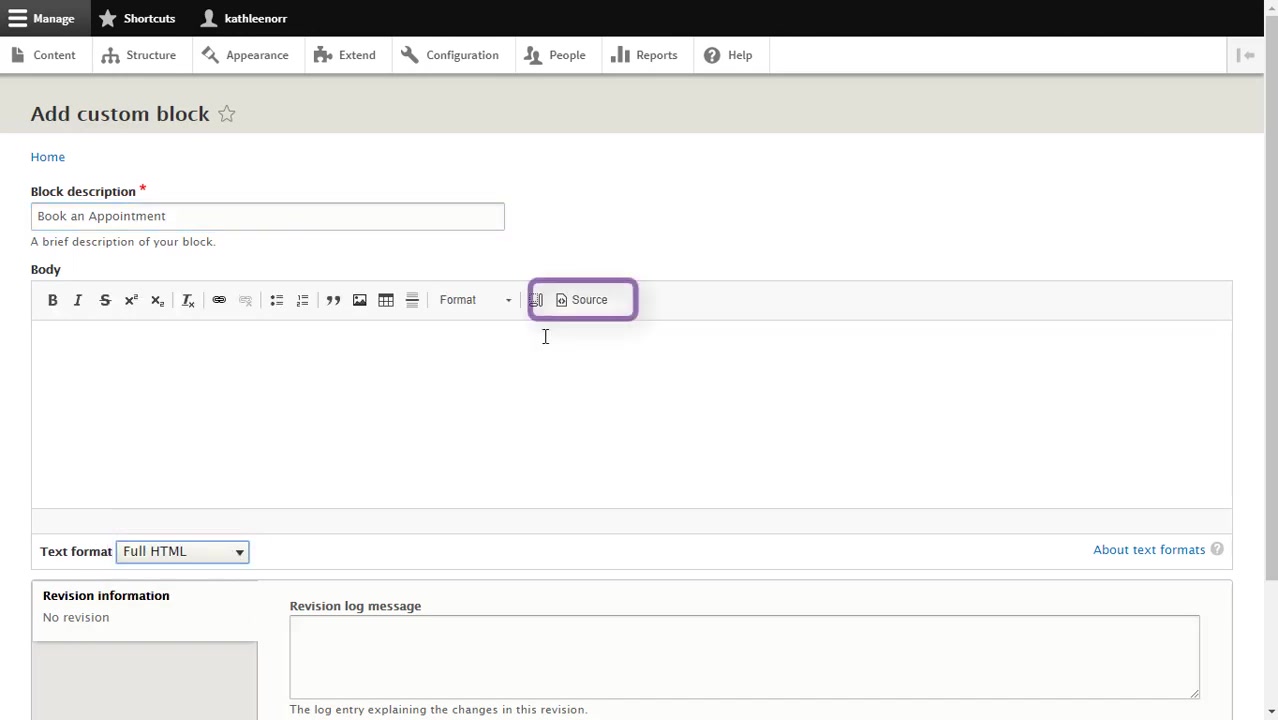
- In body, select source and paste the copied code
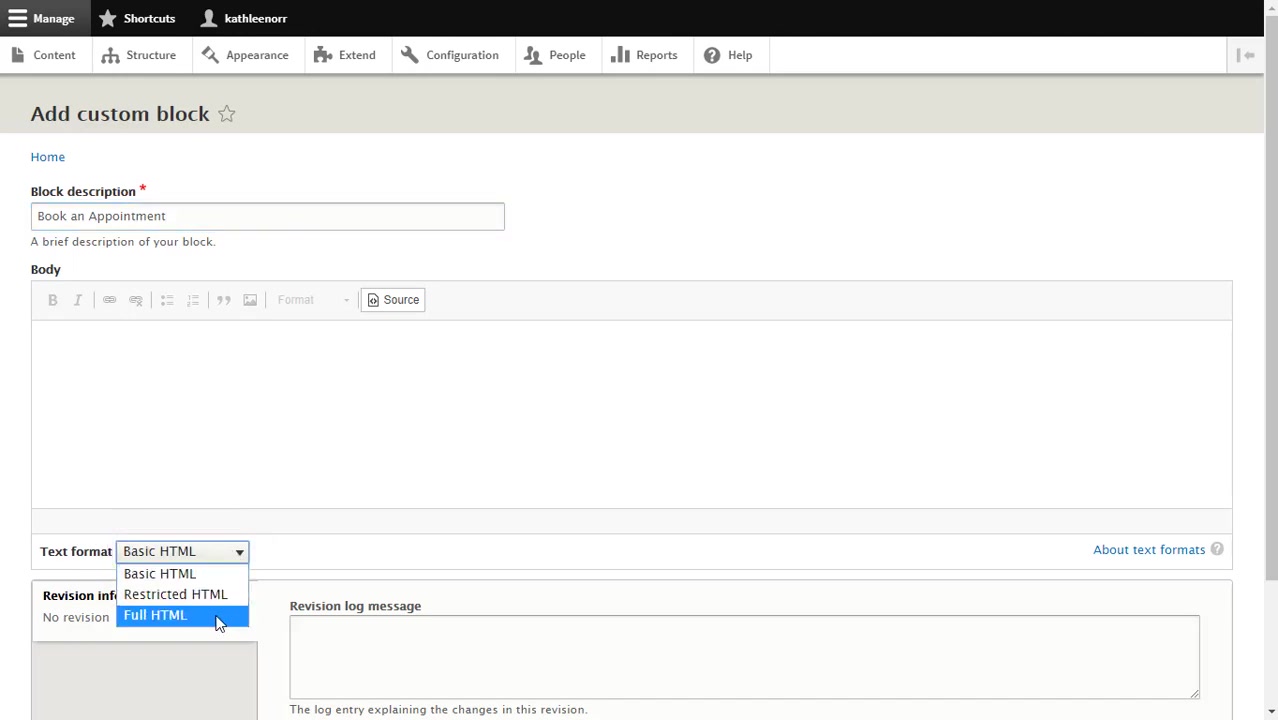
- Choose text format as 'full HTML' and hit save
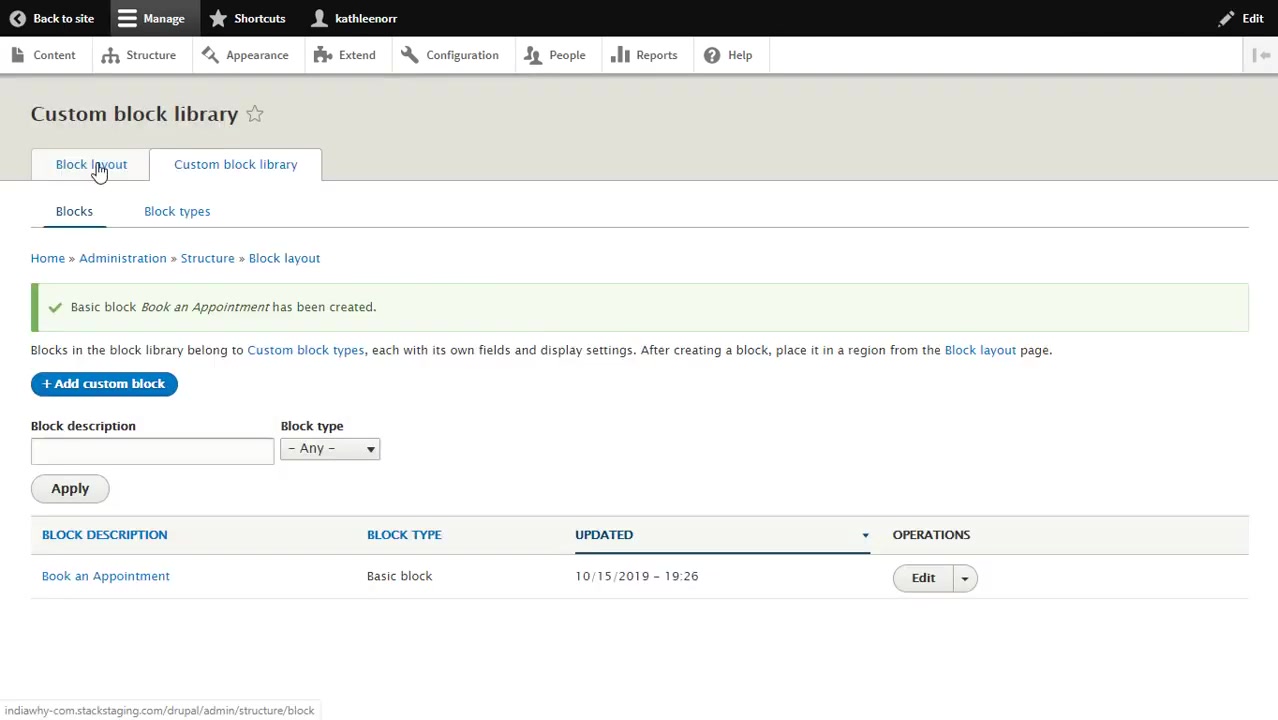
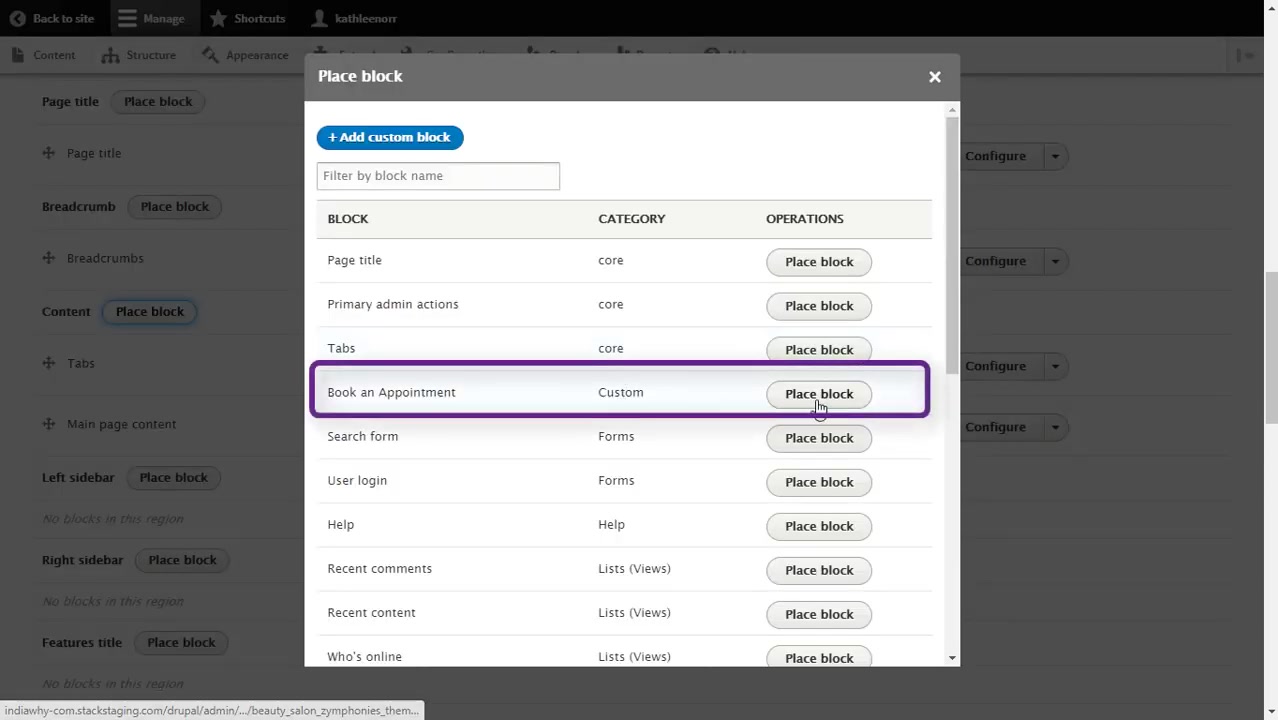
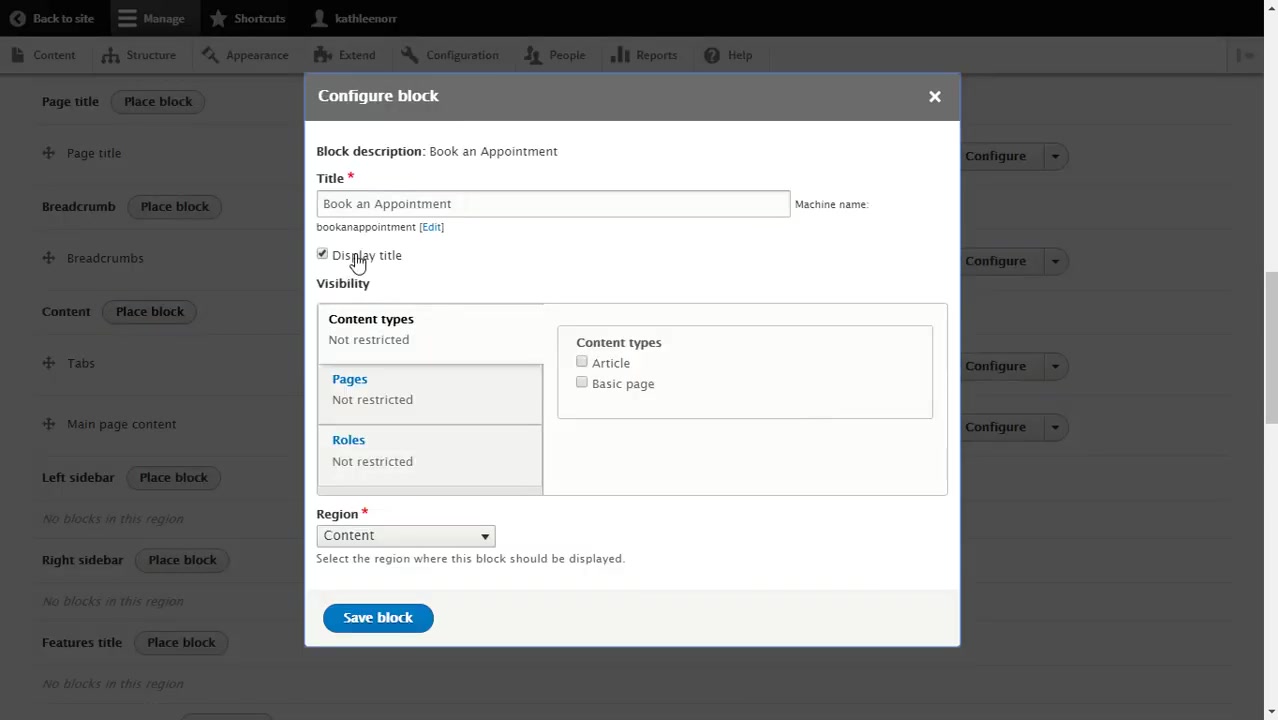
- Now go to block layout > content > choose 'book appointment' > uncheck display title and hit save block
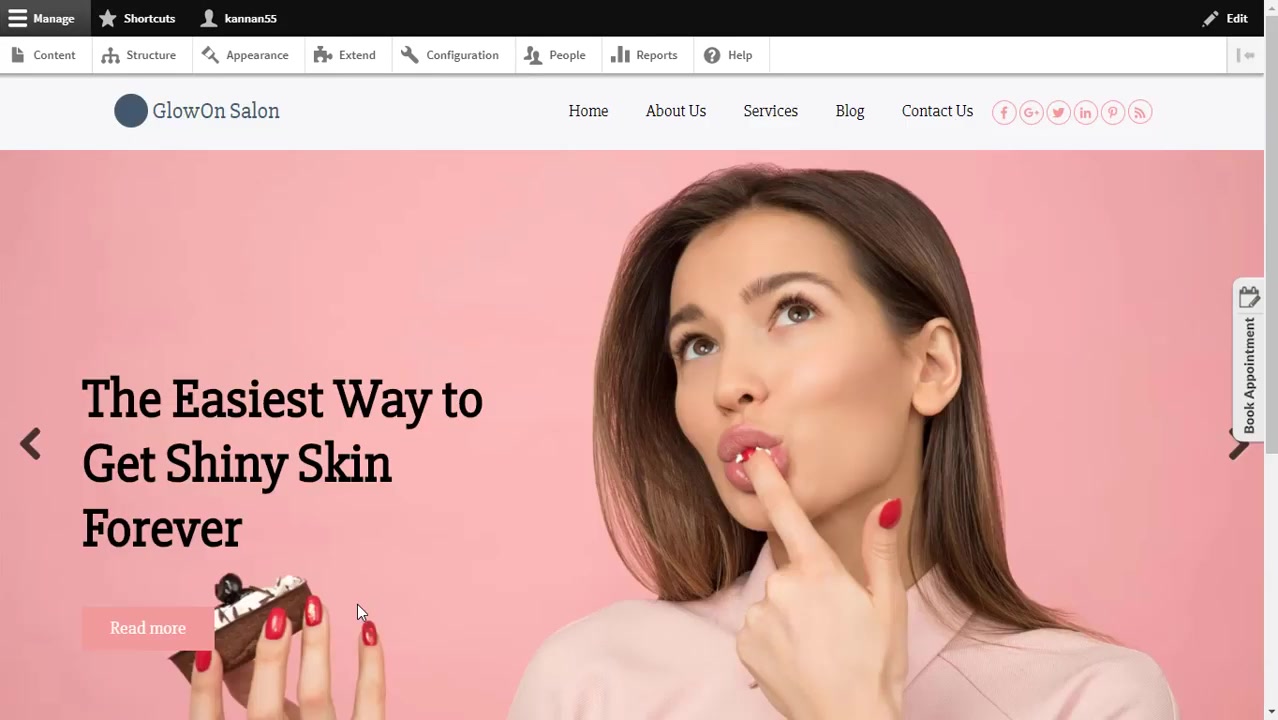
- You will be able to see the booking button on your Durpal site.
Updated on: 06/03/2026
Thank you!