
How to make Resources to display first in Calendar?
To make Resources to display first instead of Team members calendar
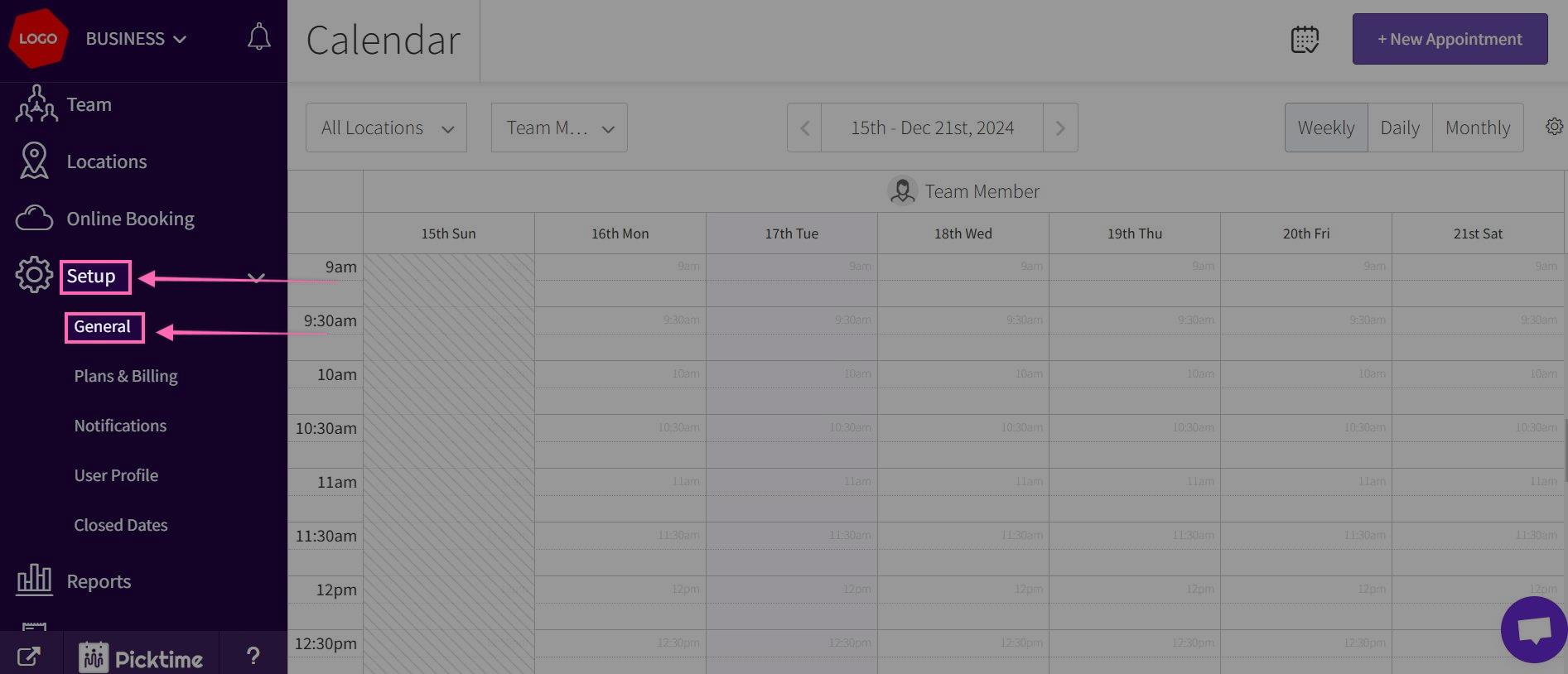
- Go to Setup> General.
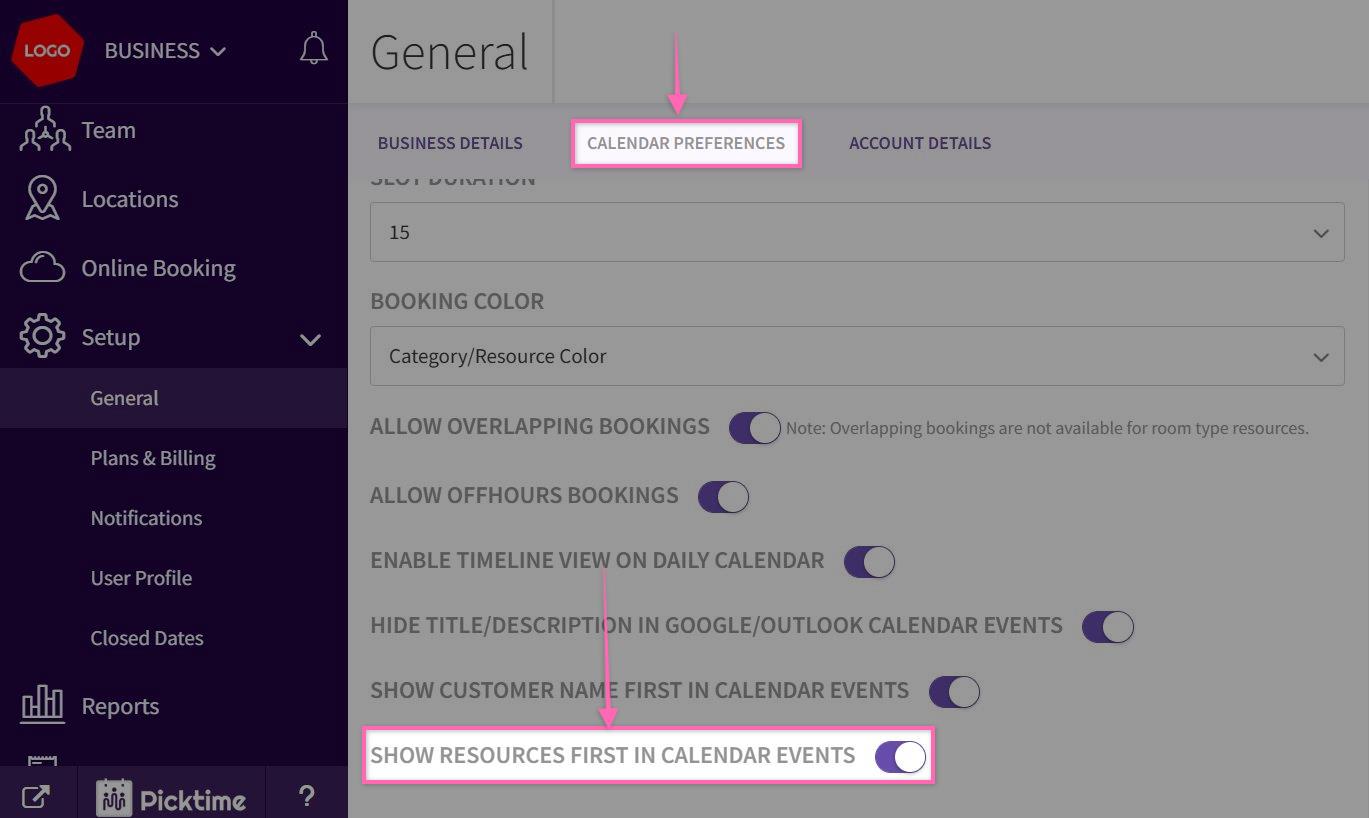
- In the Calendar Preferences> Enable the toggle for Show Resources first in the Calendar events and save it.
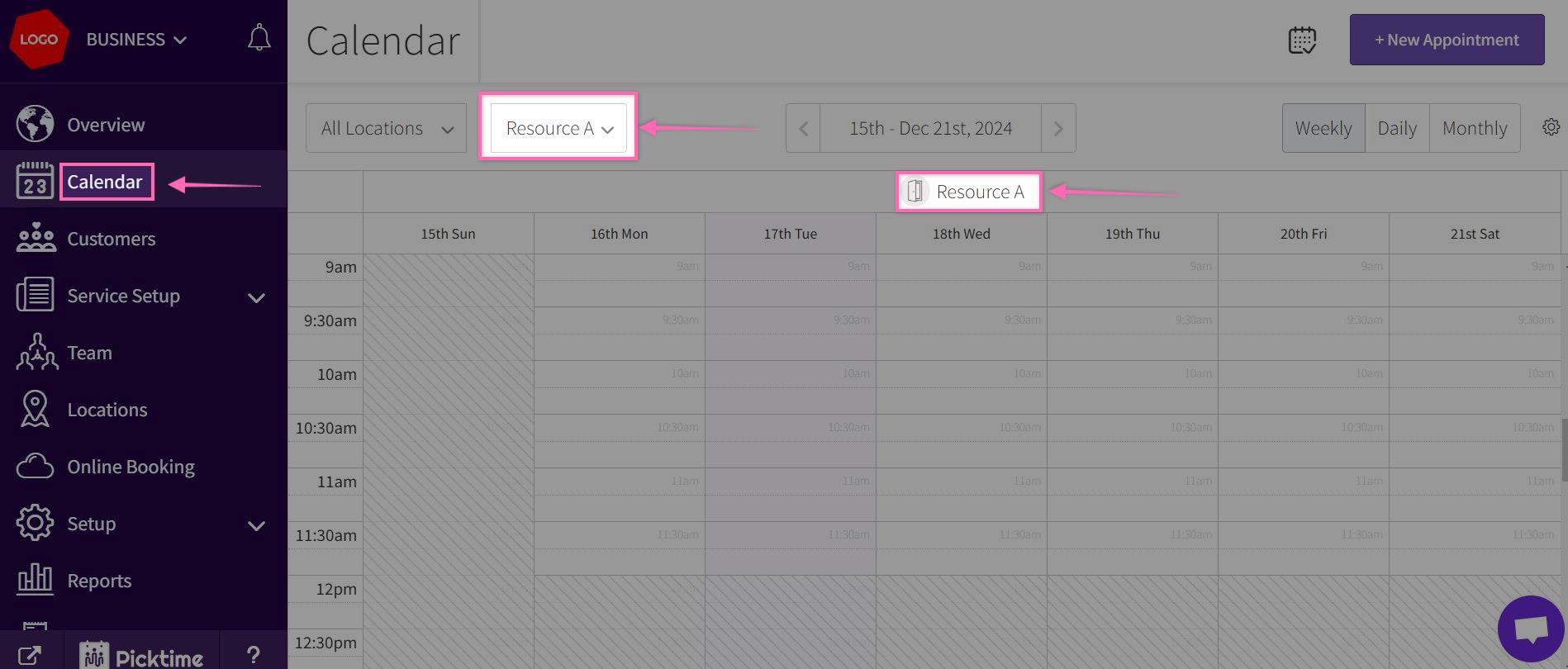
- Now Go to Calendar by selecting from left side navigation, you can view Resources calendars first
Updated on: 06/03/2026
Thank you!