
How To Take Advance Payments From Customers
Accepting advance payments is a crucial aspect of various businesses, ensuring a smooth and secure transaction process. In this article, we will guide you on setting up advance payment options.
Setting Up Advance Payments in Payments and Sales:
- Go to Payments and Sales
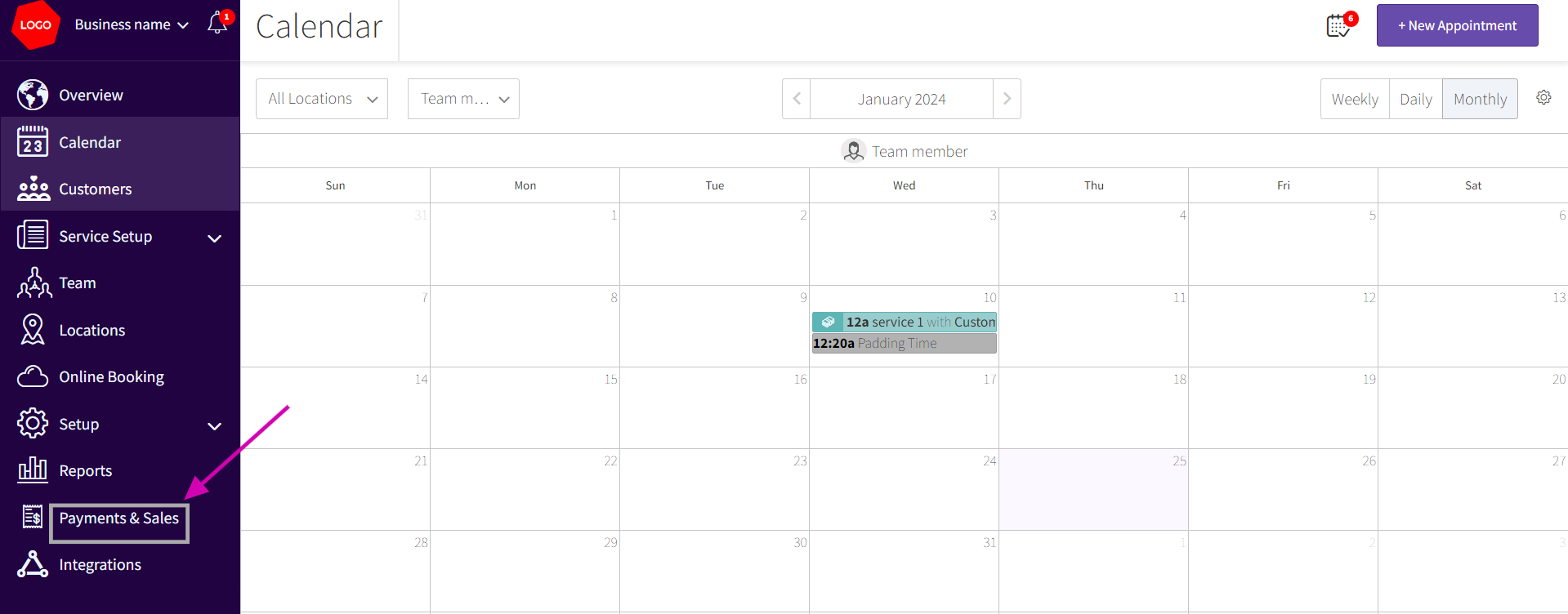
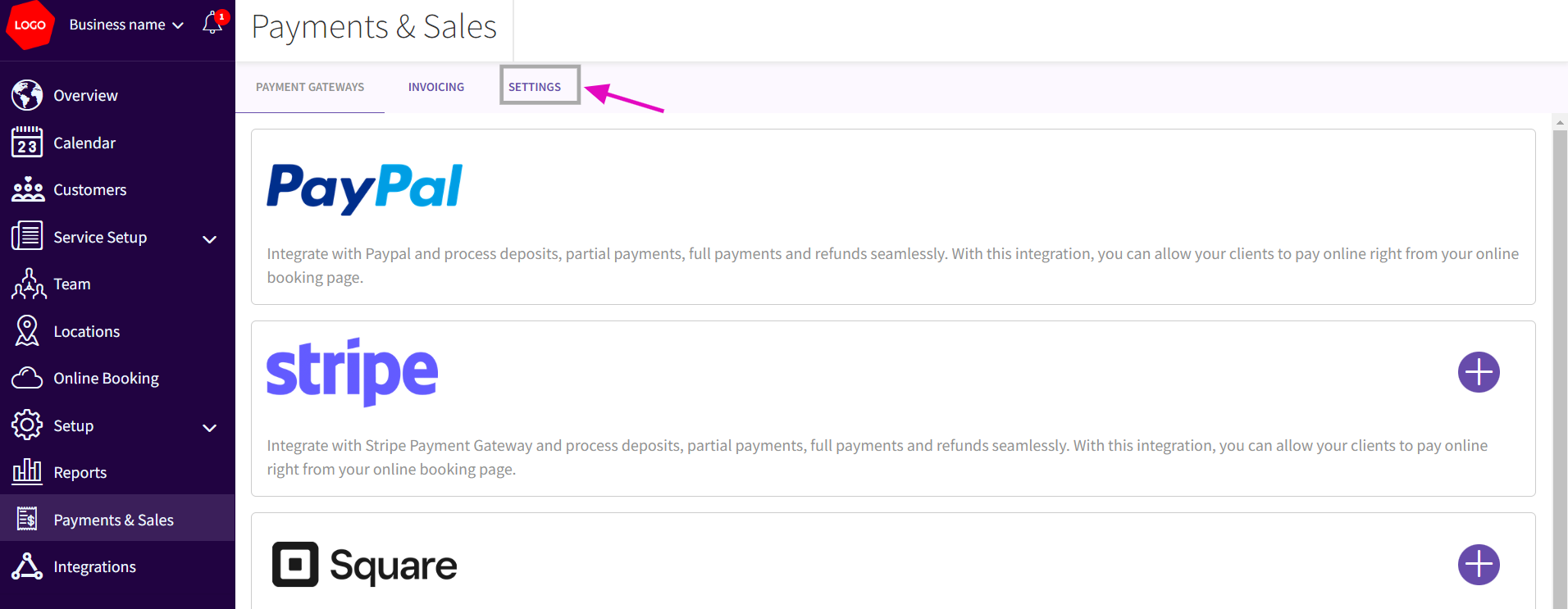
- Once you are in the Payments and Sales section you click on the Settings tab
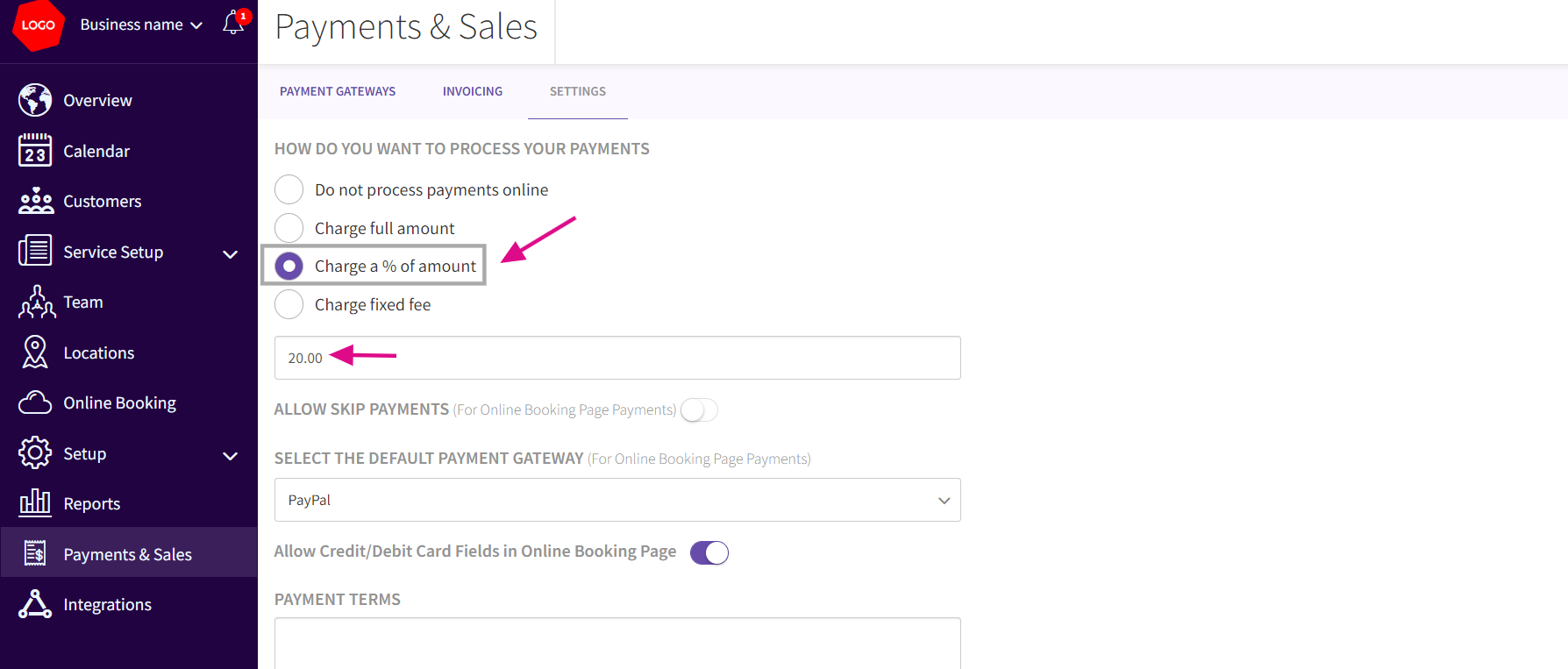
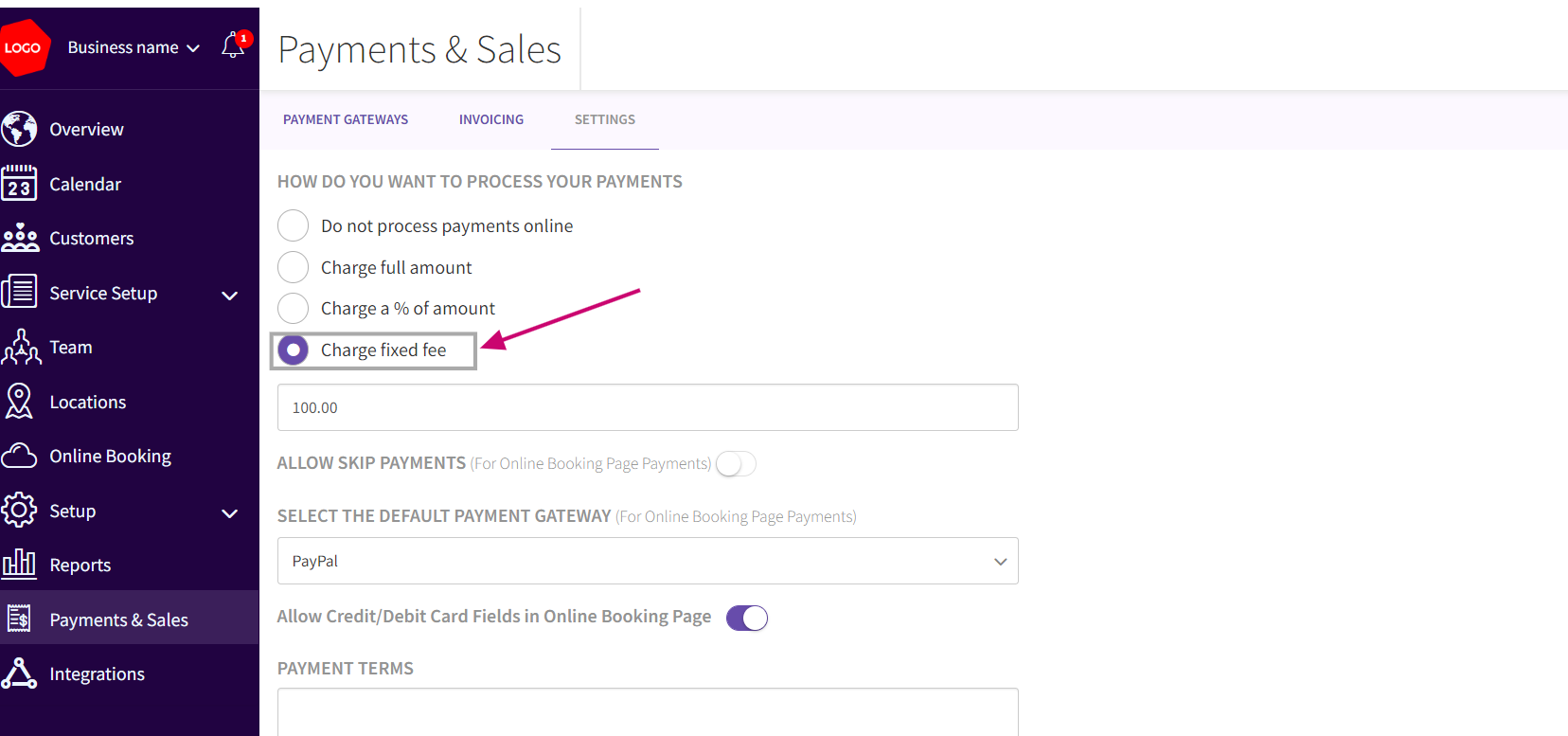
- Under Settings tab : Under How do you want to process your Payments, you can view the options of Choose Fixed Amount or Percentage: Depending on your preference, select either a fixed amount or a percentage of the service fee.
- If you select the Charge a % amount then you need to Input the Number: Type in the specific amount or percentage you want to charge for advance payments. After entering the percentage click save button.
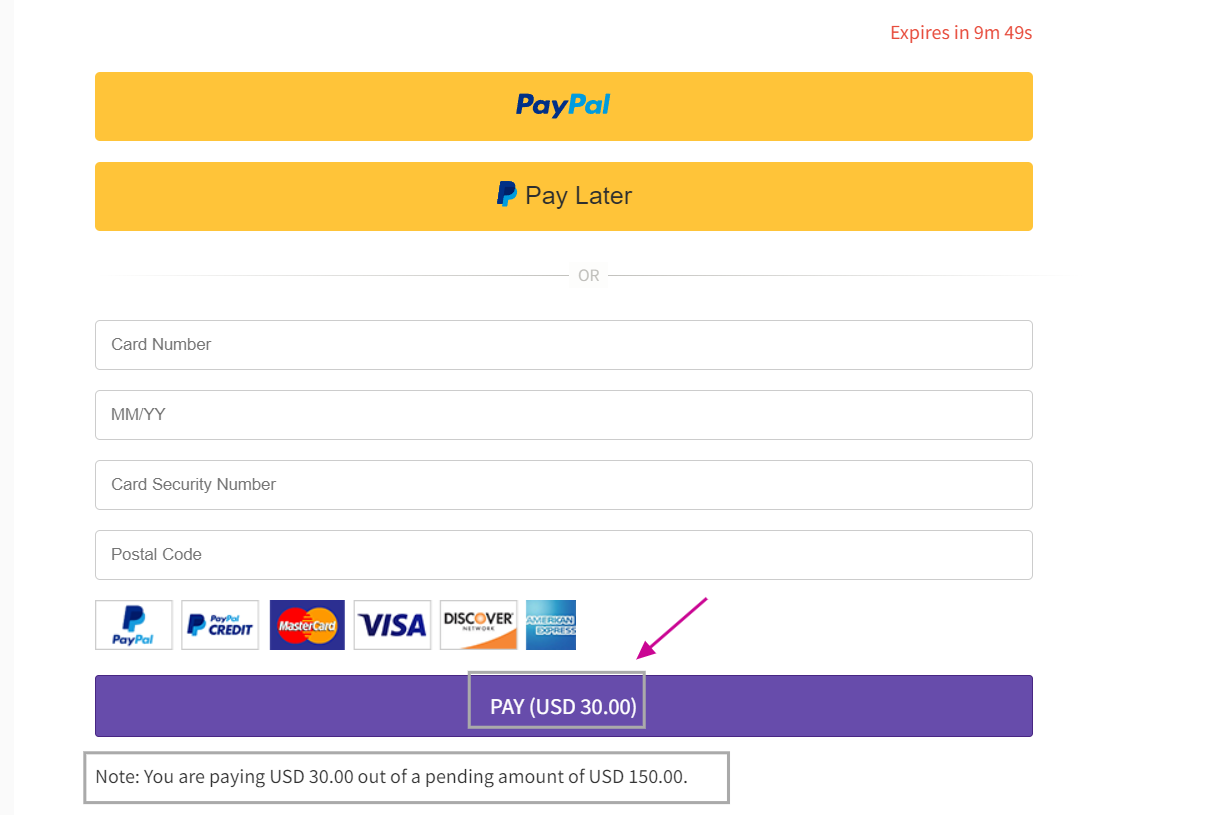
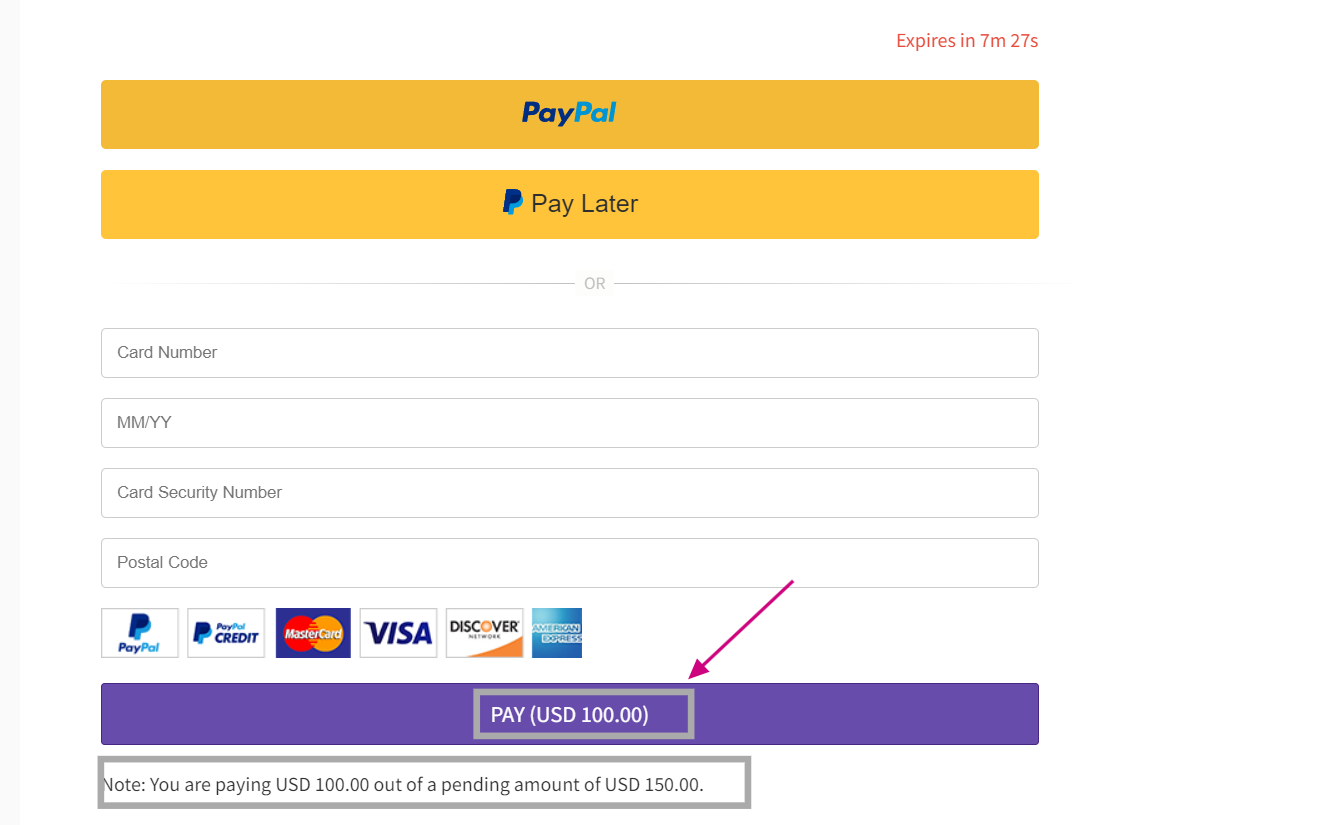
- In the Online Booking page, customers will be paying the percentage of the amount
- If you select Charge fixed fee then customers will pay the fixed amount
Updated on: 06/03/2026
Thank you!