
How to take Payments via PayPal?
To activate Payments via PayPal, follow the steps below:
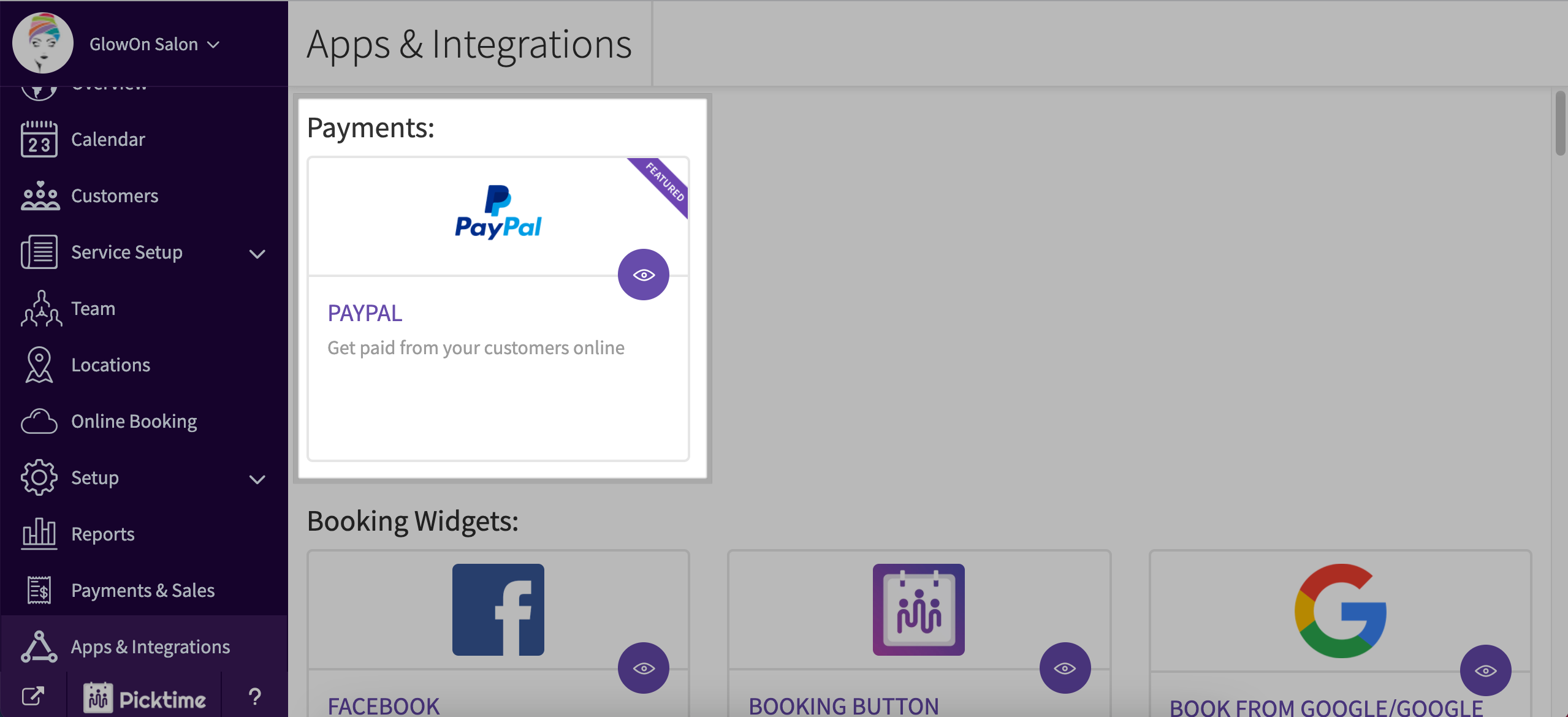
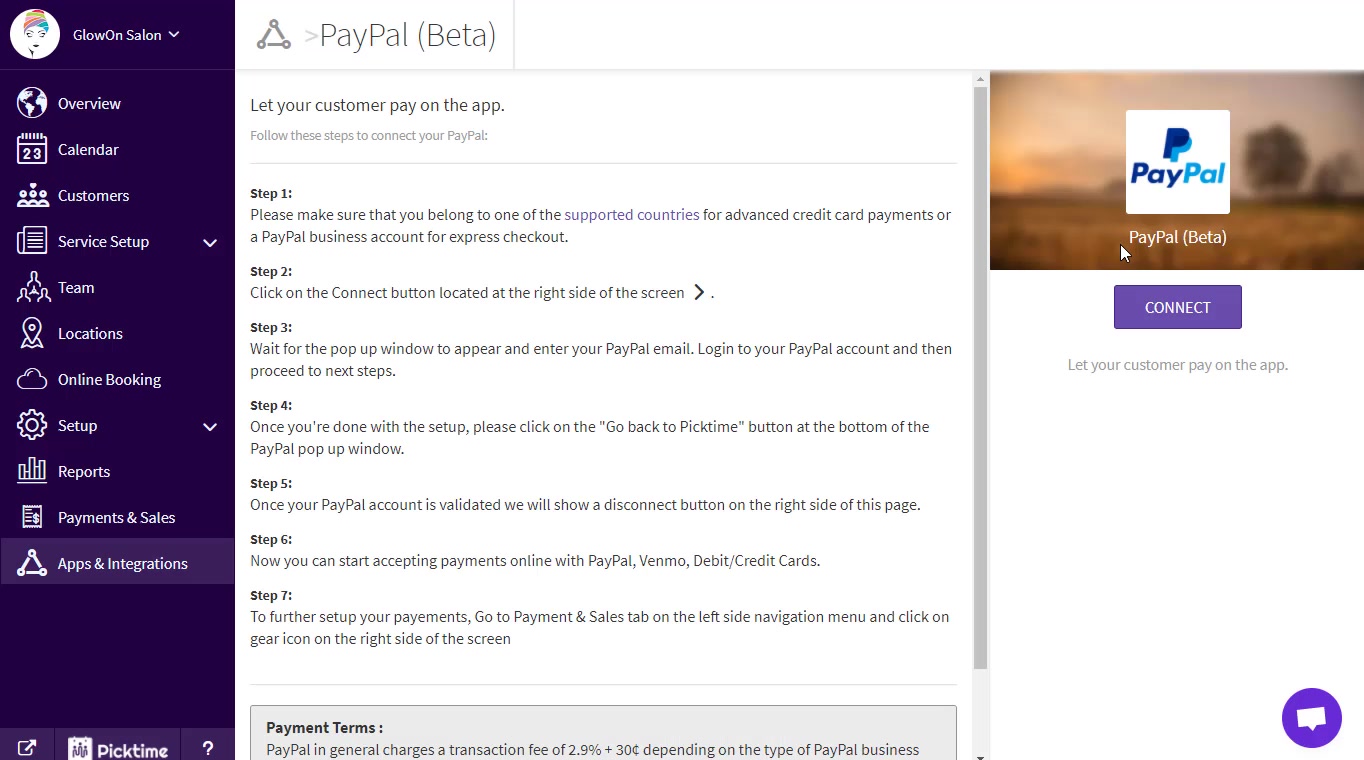
- Go to the 'Apps and Integrations' section and connect with your PayPal Account
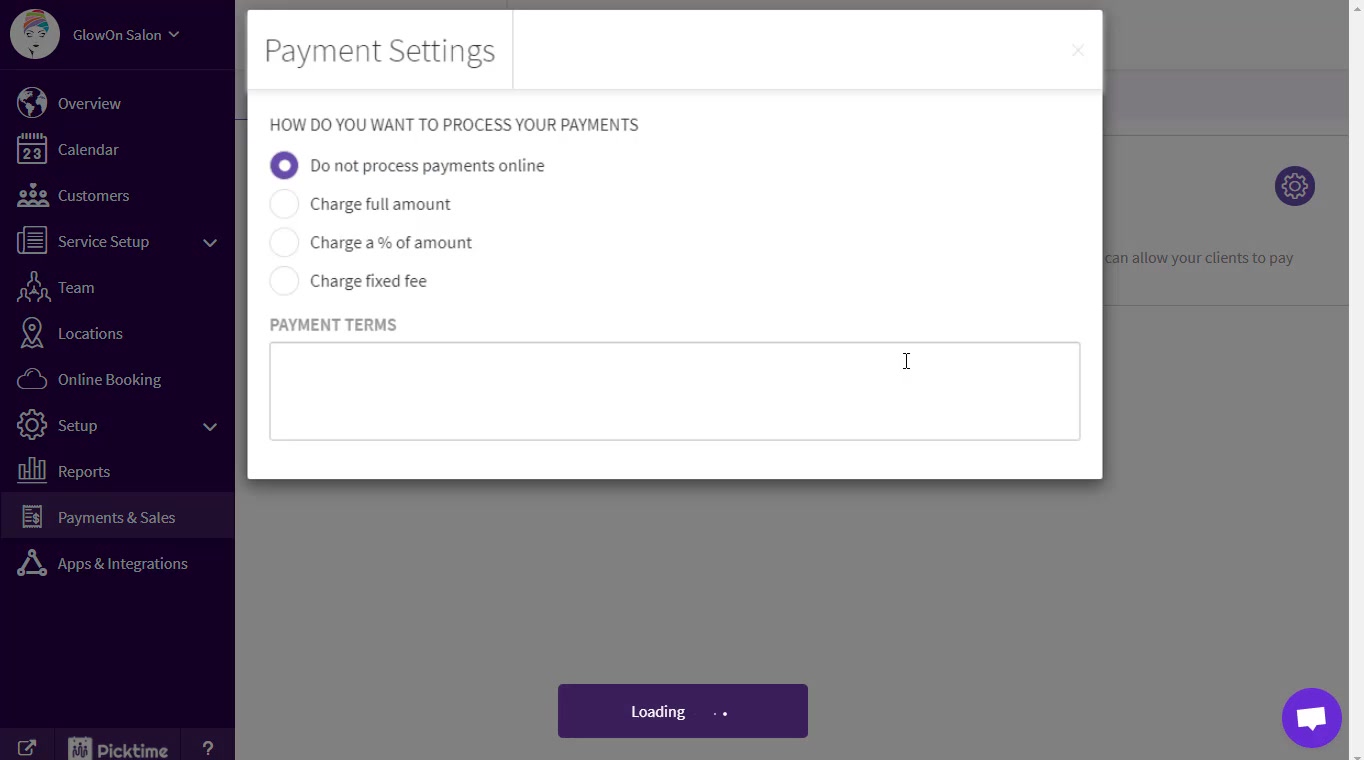
- Go to the 'Payments and Sales' section and choose how you want to process your payments from the available options.

Payments from the online booking link:
- Depending on the settings you choose, you will be able to process your payments for your bookings via the online booking page.
- Once a customer chooses their timeslot, they will be shown a 'proceed to Payment' step.
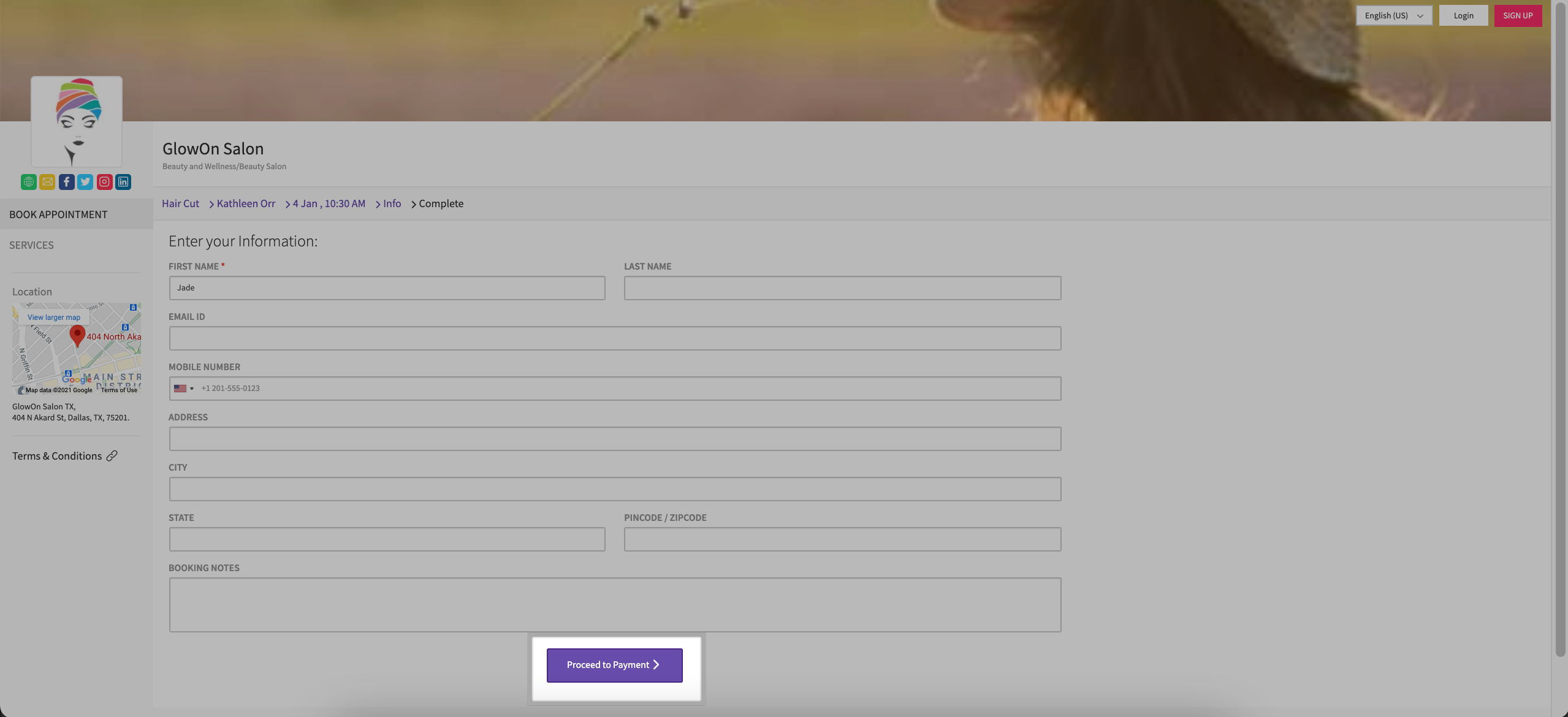
- Customers can choose to pay via PayPal or use their card to proceed with the Payment.
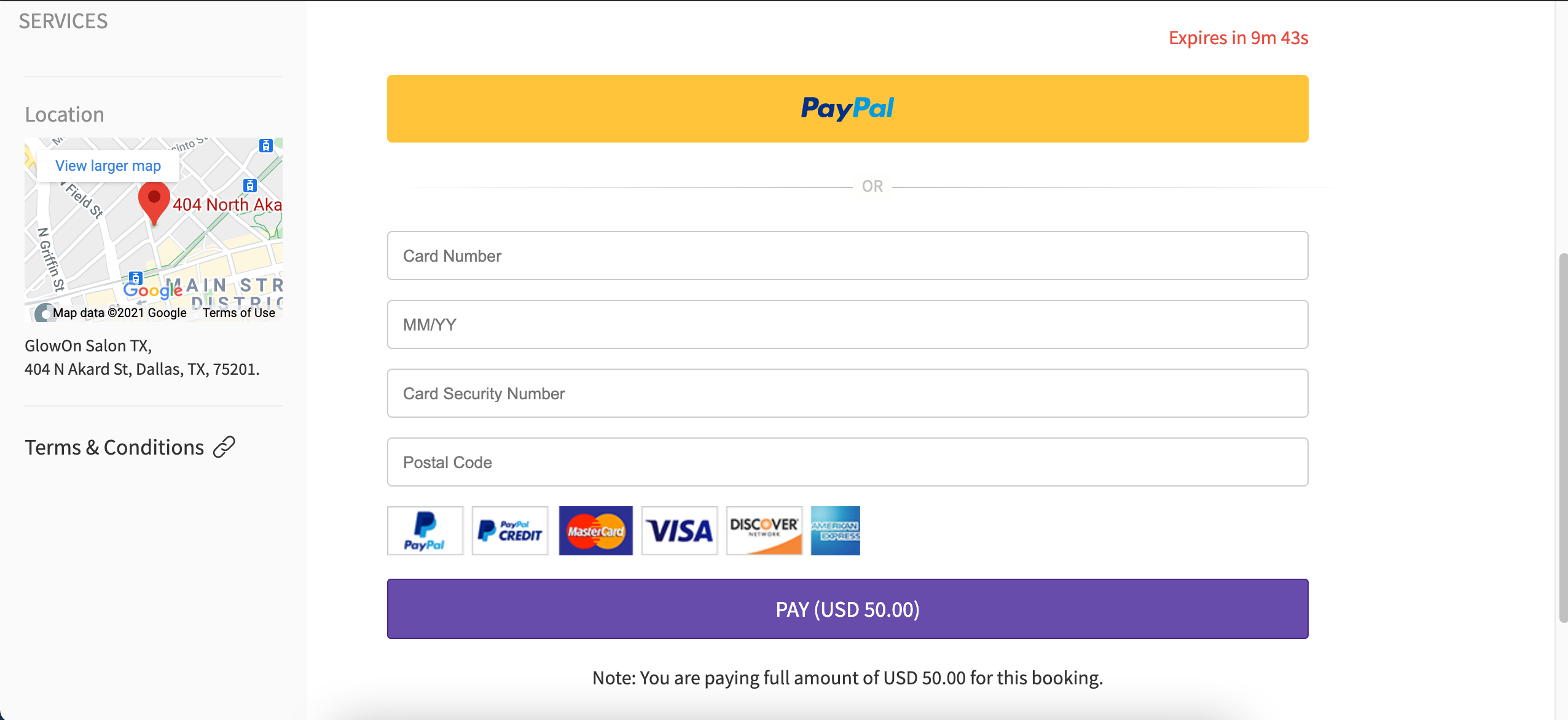
- Once the payment is made, the booking will appear on the Picktime calendar with a Paid status.

- If you wish to take part payment only, the remaining payment can be processed from the Picktime calendar.
Payments from Picktime Calendar:
- Once you add an appointment to your Picktime calendar, Click on the appointment.
- In the appointment pop-up, you will see a Checkout option.
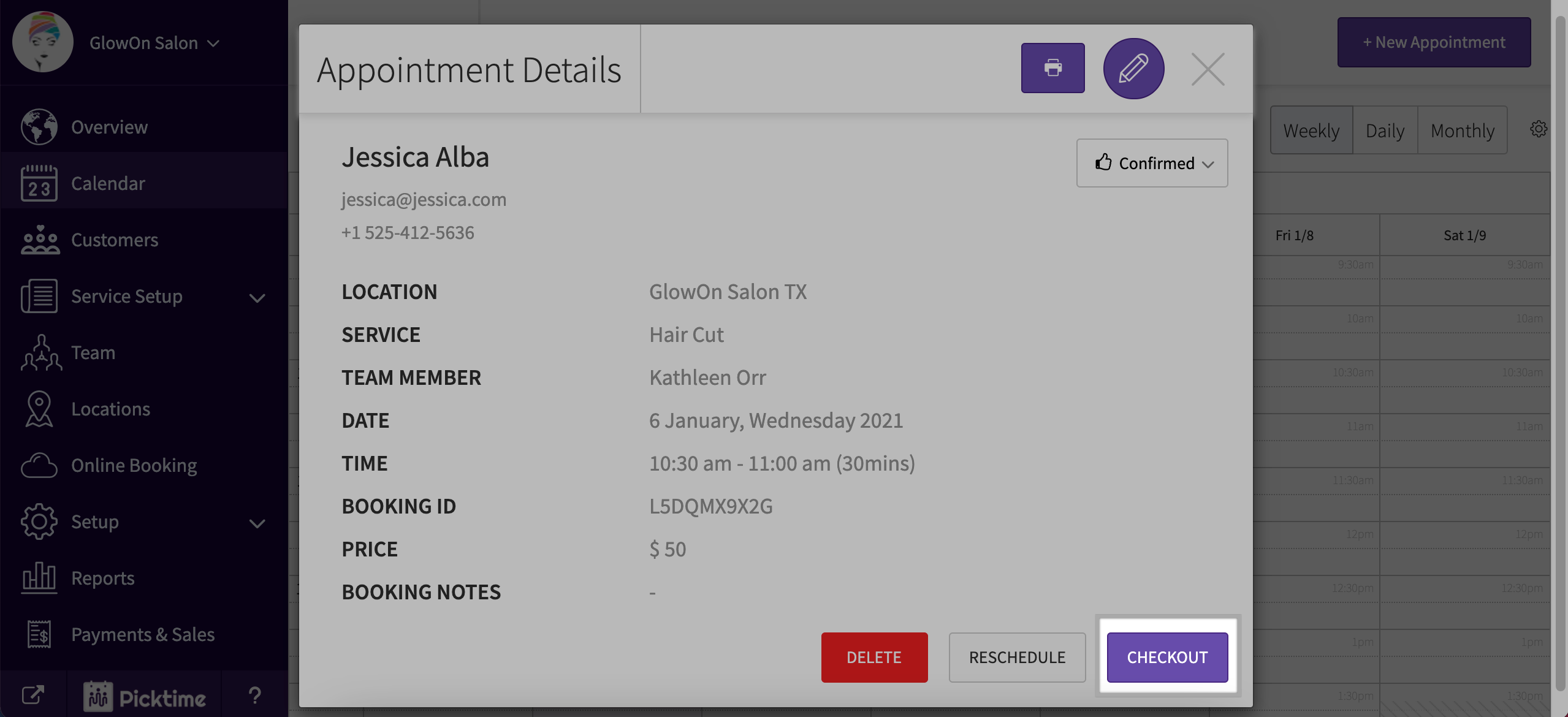
- Once you hit checkout, you can choose from the available options and hit 'Save and Pay'
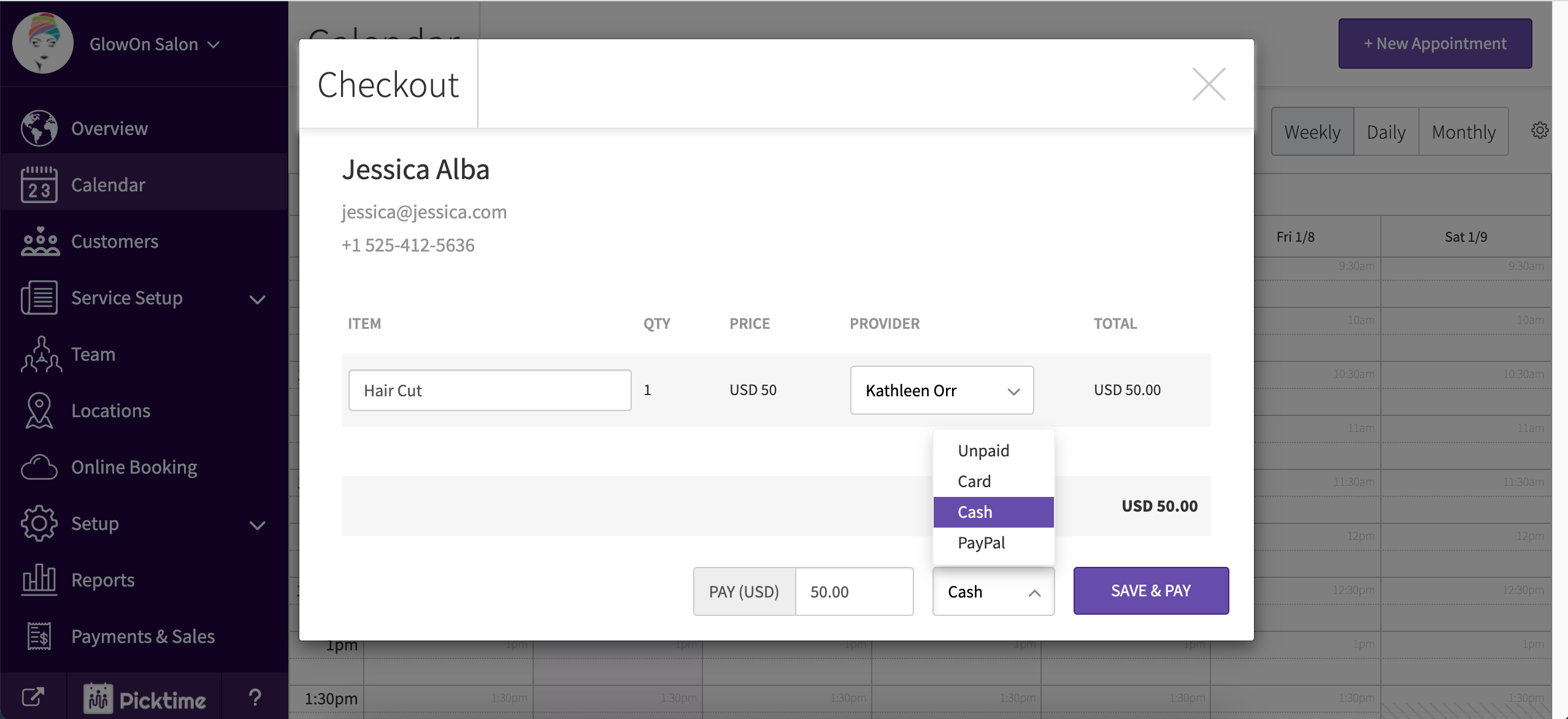
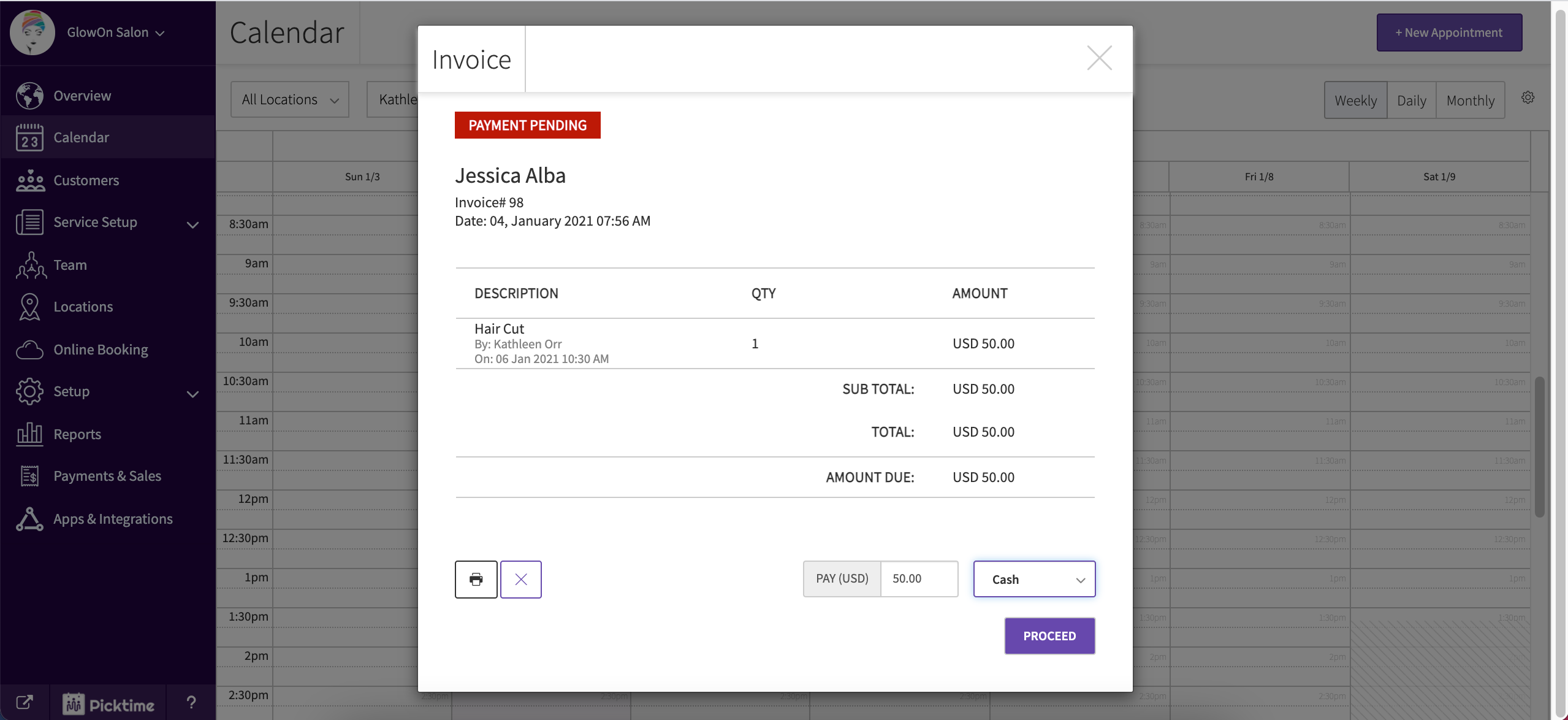
- You can also choose to leave your invoice unpaid and come back again to proceed with the Payment.
Updated on: 06/03/2026
Thank you!