
How to take Payments via Stripe?
To activate Payments via Stripe, follow the steps below:
- Go to the 'Payment & Sales' section and Under Payment Gateways
- Select Stripe and select connect button.
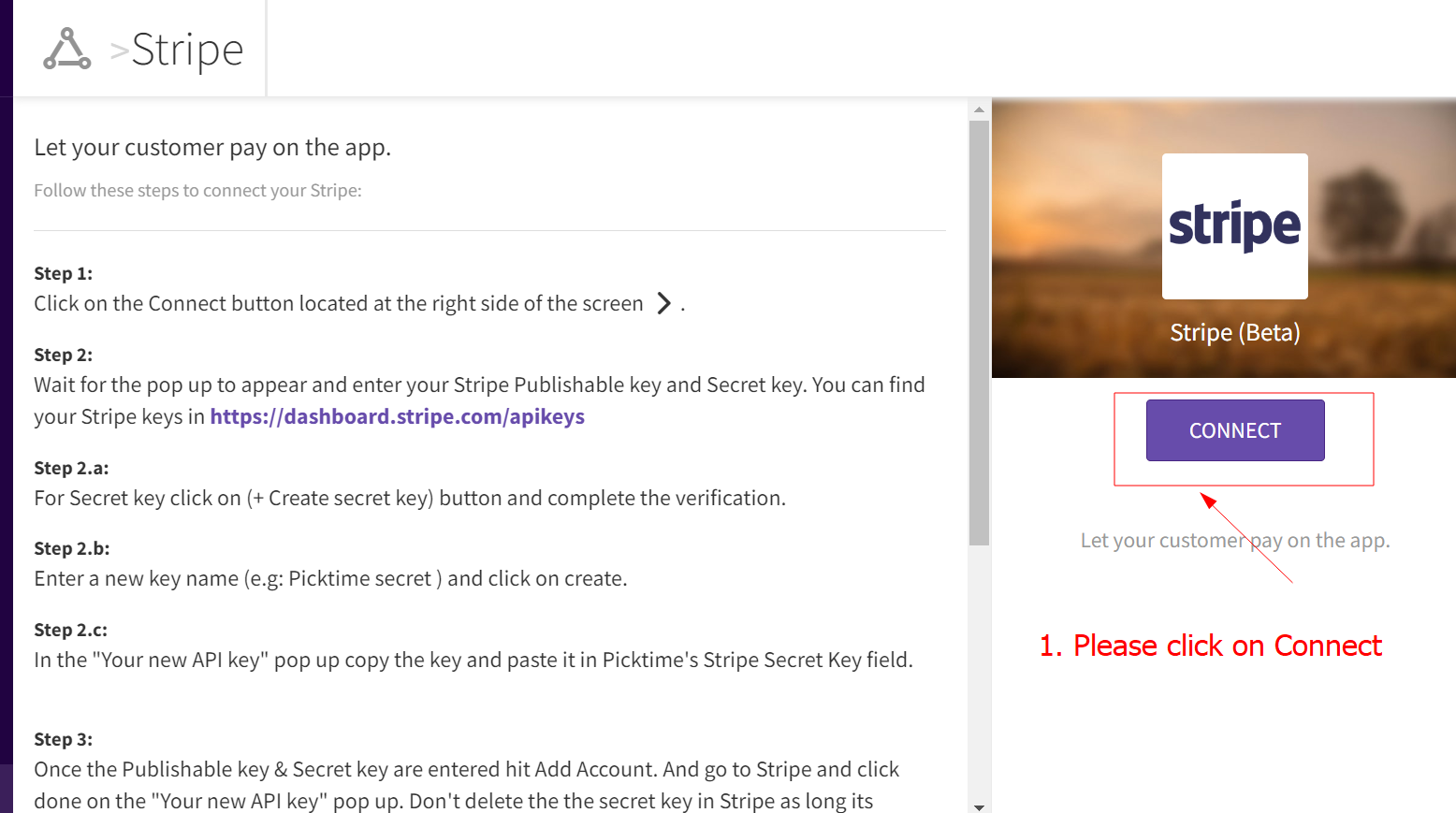
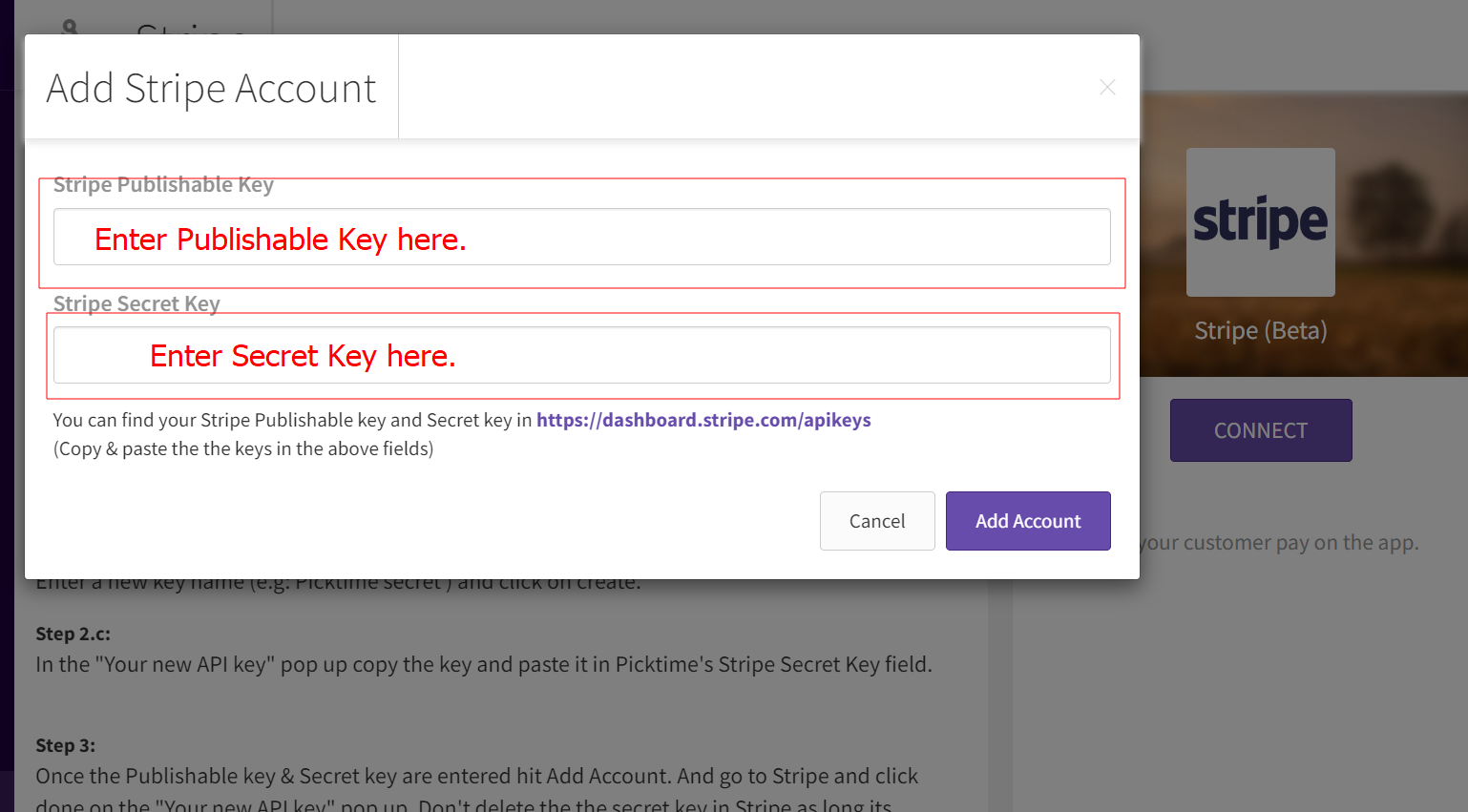
- To insert the Publishable Key and Secret Key, please go to https://dashboard.stripe.com/apikeys and, after logging into your Stripe account, follow the steps below:
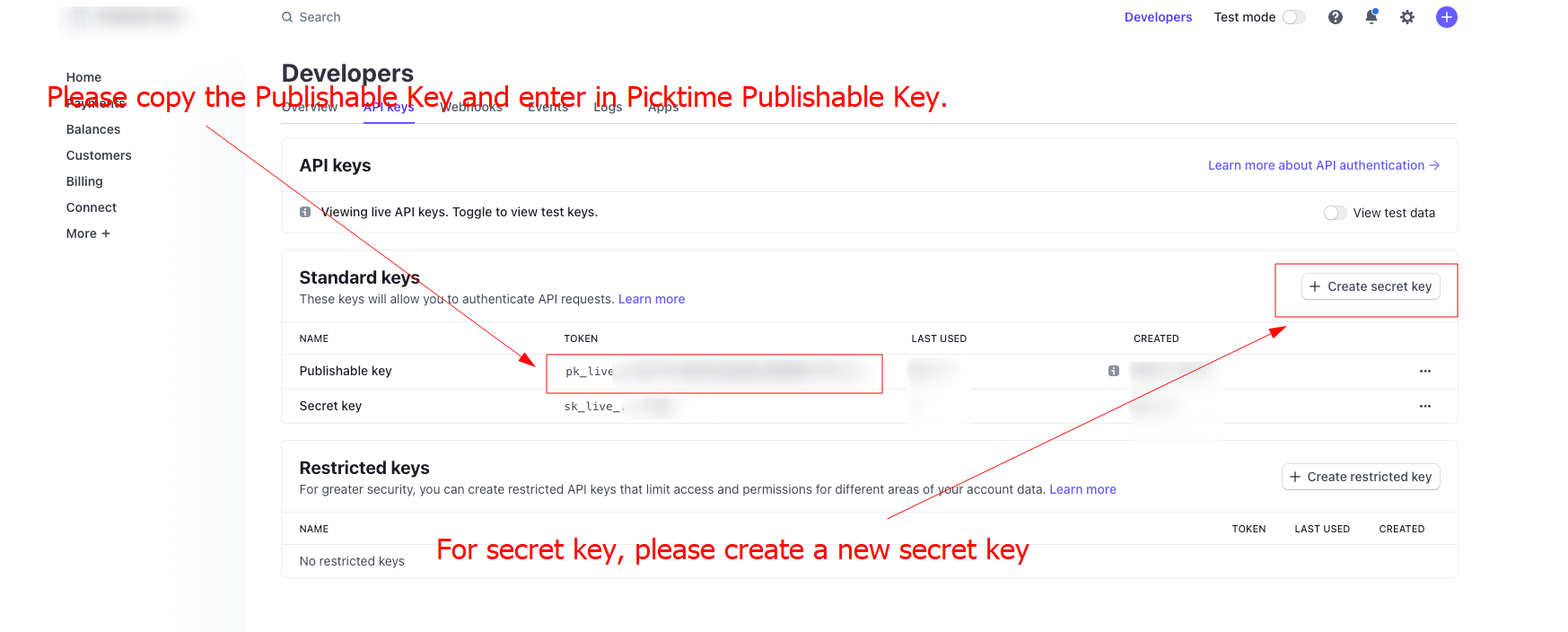
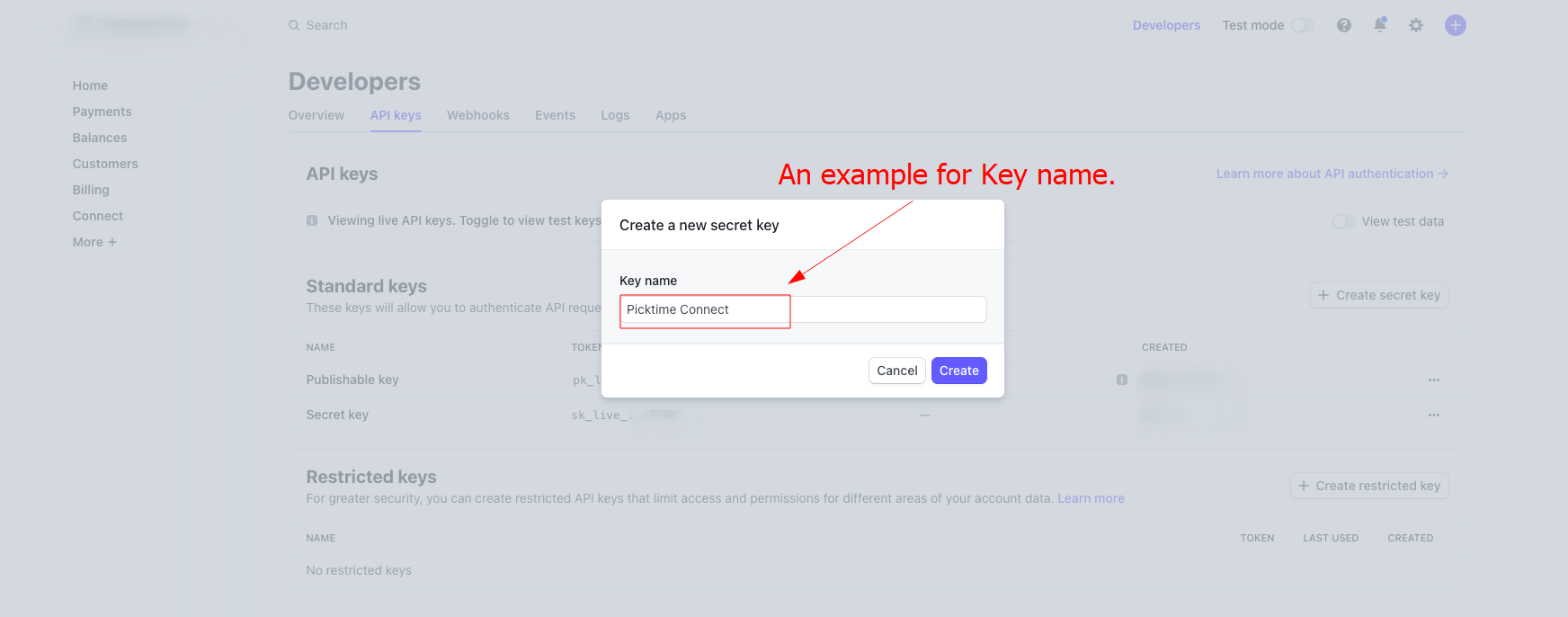
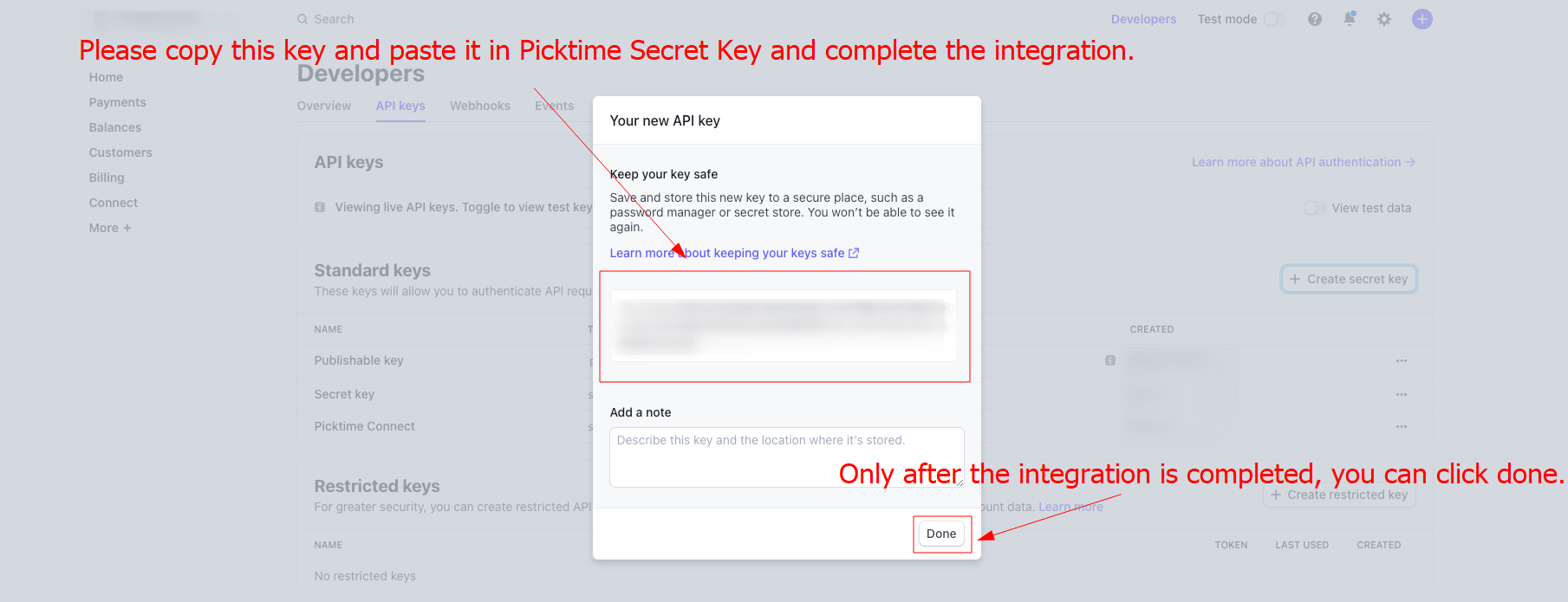
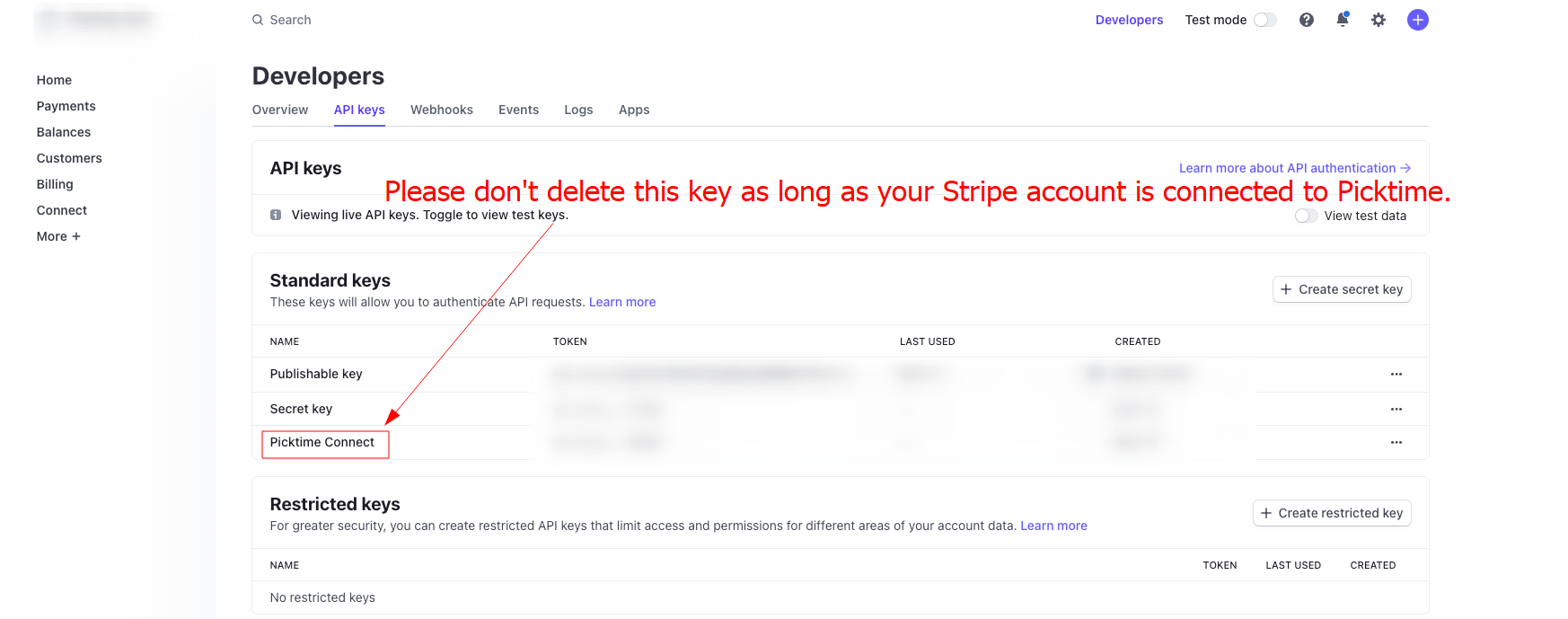
- Once you complete the integration. Go to the 'Payments and Sales' section and choose how you want to process your payments from the available options.
- Payments from the online booking link: Depending on the settings you choose, you will be able to process your payments for your bookings via the online booking page.
- Once a customer chooses their timeslot, they will be shown a 'proceed to Payment' step. Customers can use their card details to proceed with the Payment.
- Once the payment is made, the booking will appear on the Picktime calendar with a Paid status.
Updated on: 06/03/2026
Thank you!