
How To Update Billing Information Of Your Subscription Plan
If you need to update the billing name, email address, or mobile number associated with the invoices for your subscription plan, follow these simple steps:
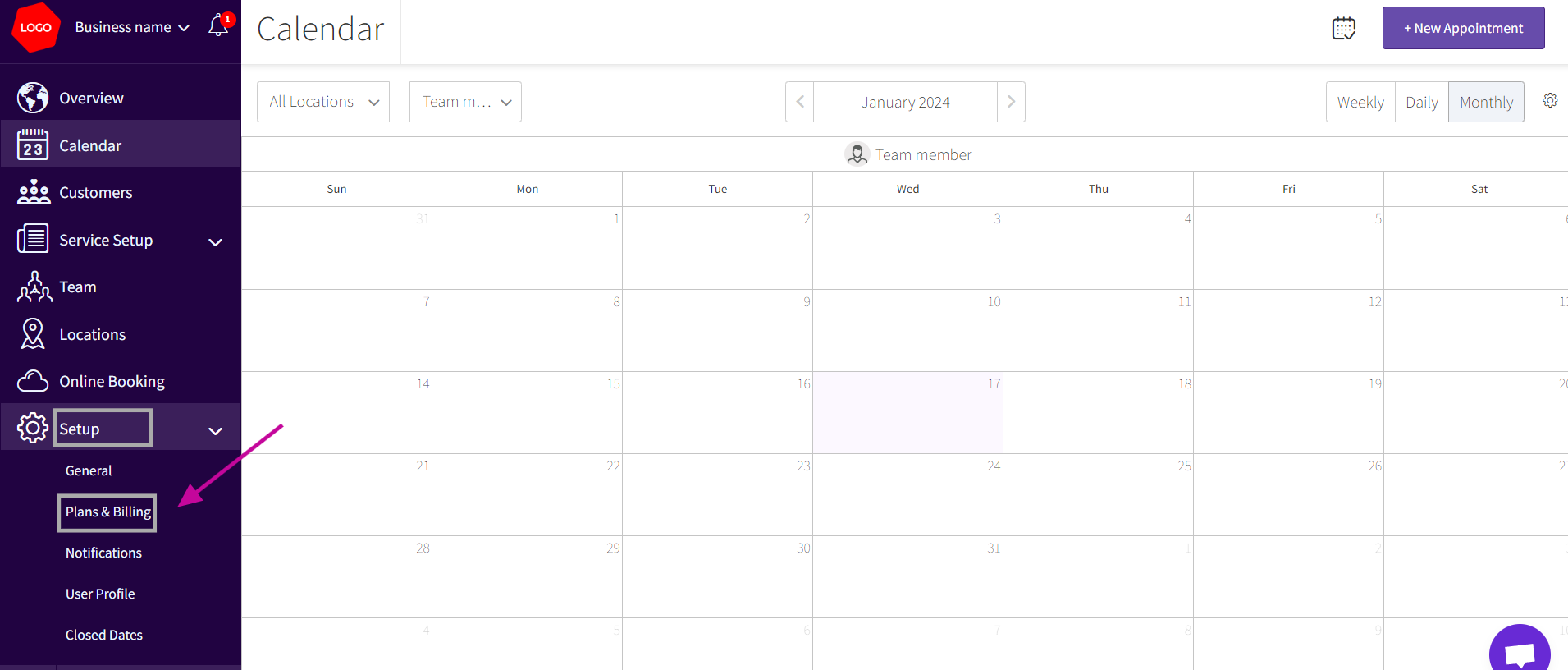
- Log in to your account. Go to the Setup > Plans & Billing
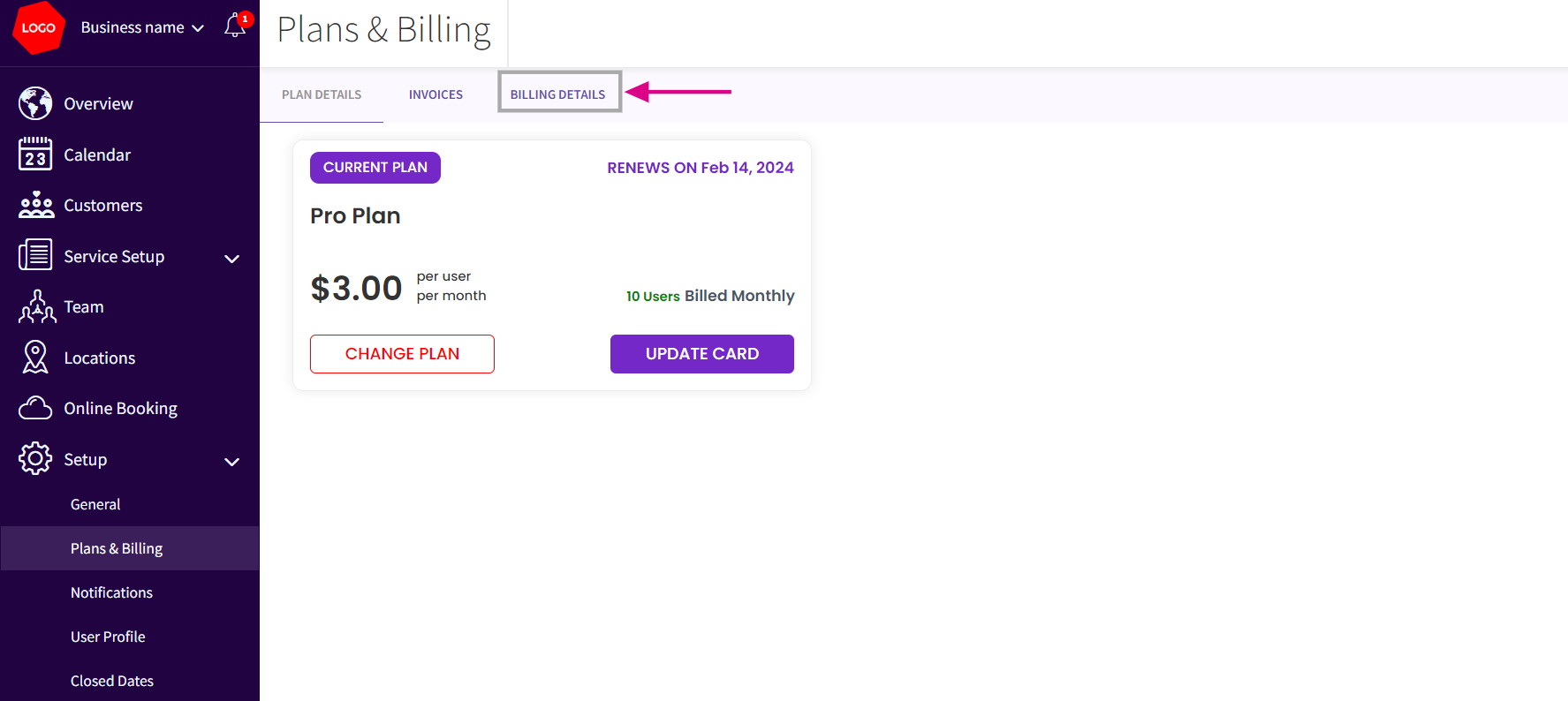
- In Plans & Billing> Select Billing Details
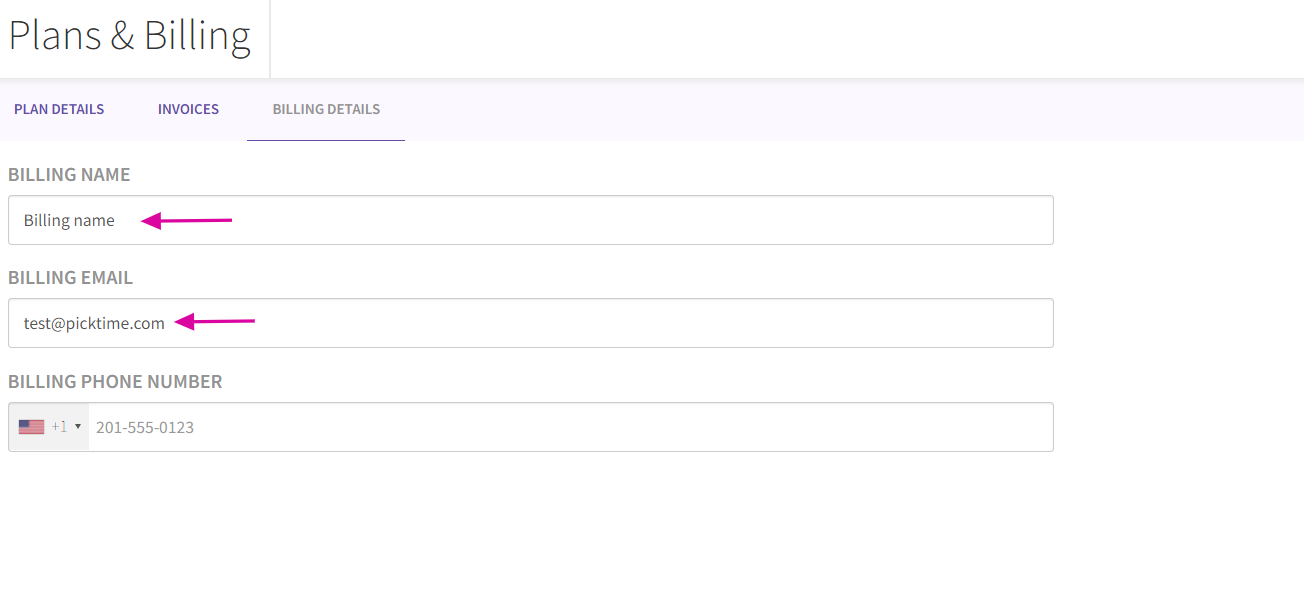
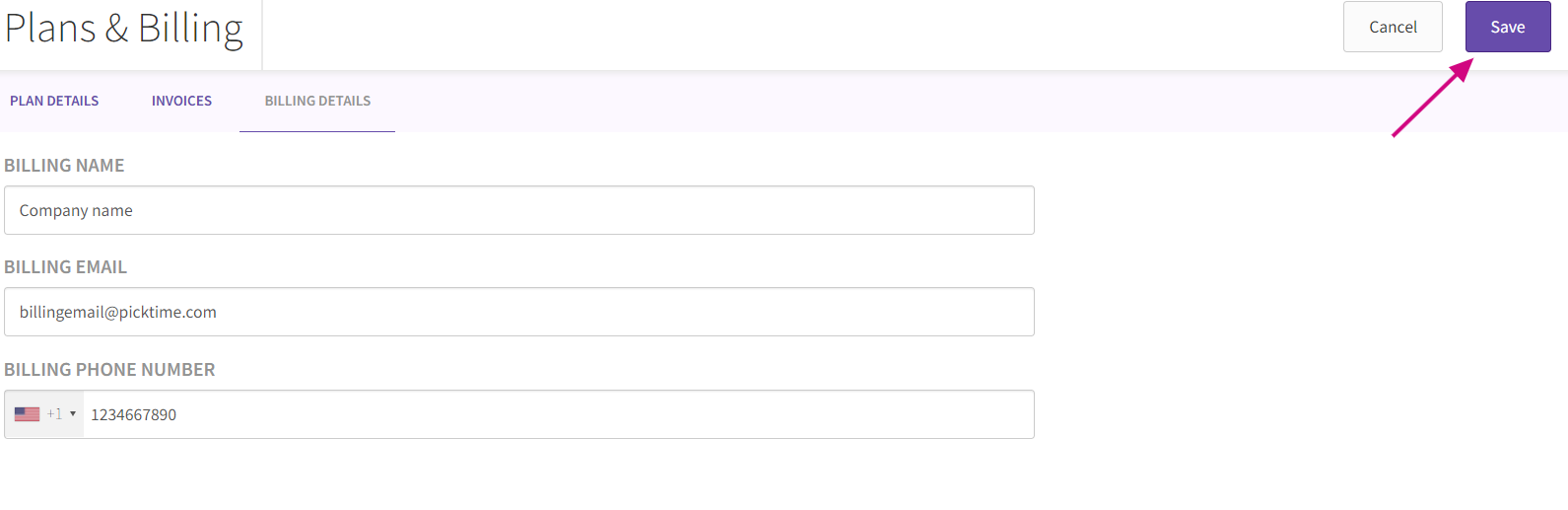
- Once you are on the Billing Details, you'll see information such as the billing name, email address, and phone number associated with your subscription plan.
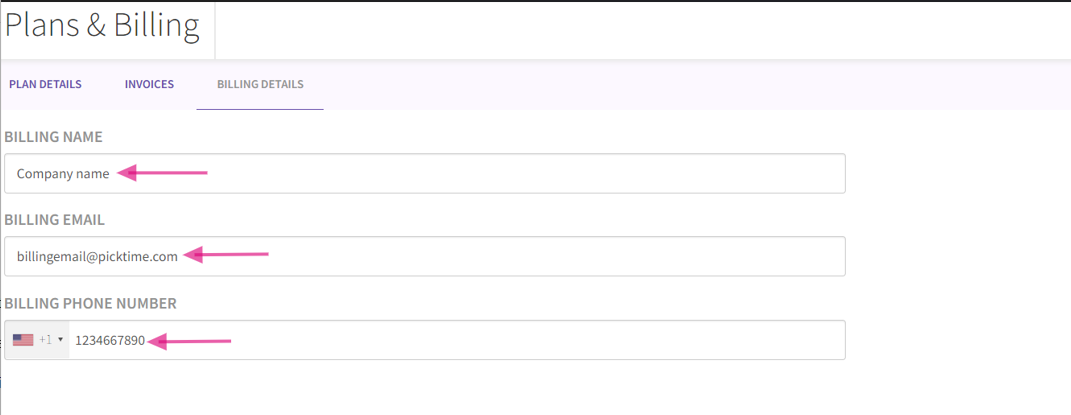
- You can edit Billing Information by selecting the respective fields (billing name, email address, or phone number) that you want to update. Enter the new information as per your requirement and after making the necessary updates
- You can click the "Save" button on the top right corner of the page and save your changes
- Please note that the changes you made will reflect on the next invoice generated for your subscription plan.
Updated on: 06/03/2026
Thank you!