
How to Upgrade to a Subscription Plan on Picktime?
Now you can upgrade your plan for enhanced features and a richer experience. In our pricing plan we do have Starter plan and Pro plan.
To upgrade your account to a subscription plan,
- Go to Setup > Plans & Billing
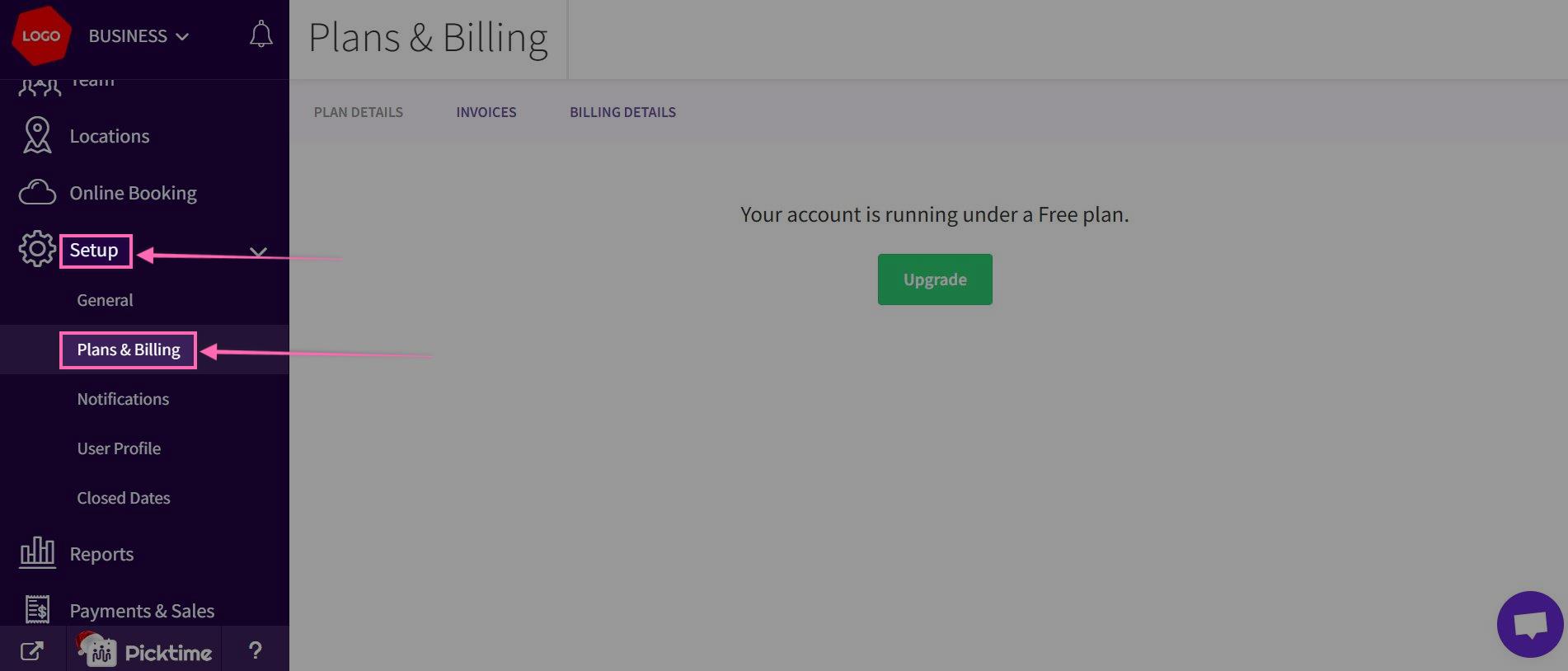
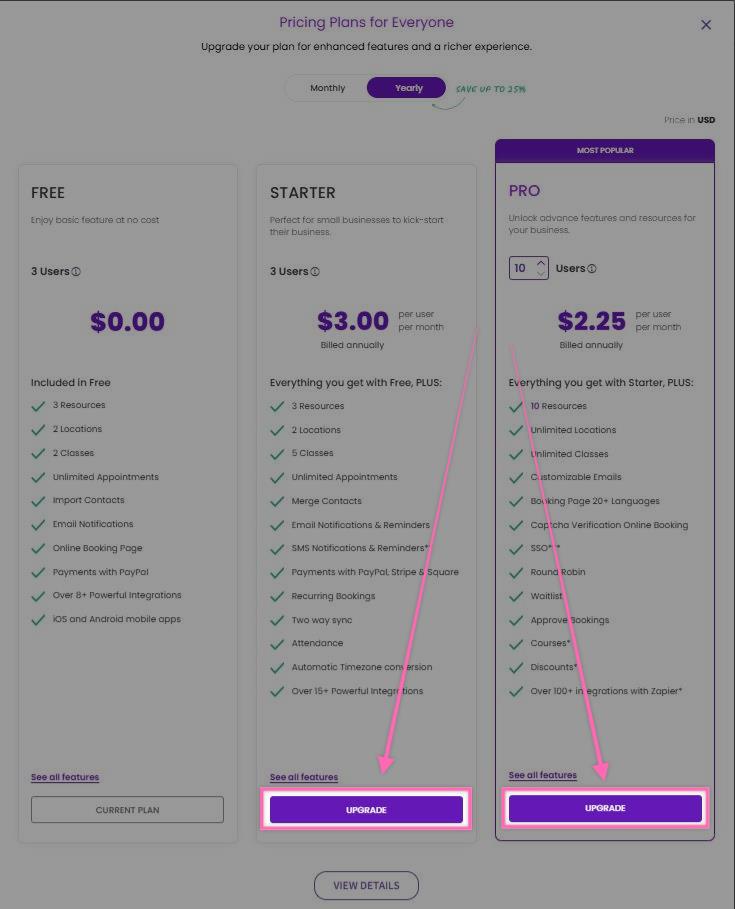
- In Plans & Billing section> You'll encounter a pricing pop-up that showcases the available plans. which are : Free, Starter, and Pro plans.
- Starter plan: For small businesses looking to optimize their scheduling and resource management, the Starter plan is an excellent choice. With this plan, you gain access to a total of 3 users.
- Pro plan: If your business demands a more extensive set of features , users and resources, the Pro plan is the way to go. Unlock all the advanced features of Picktime and has to offer with a minimum of 10 users. The Pro plan allows you to scale up your team member limit to an impressive 100, providing flexibility as your business grows.
- Choose the plan that aligns with your goals and click the upgrade button.
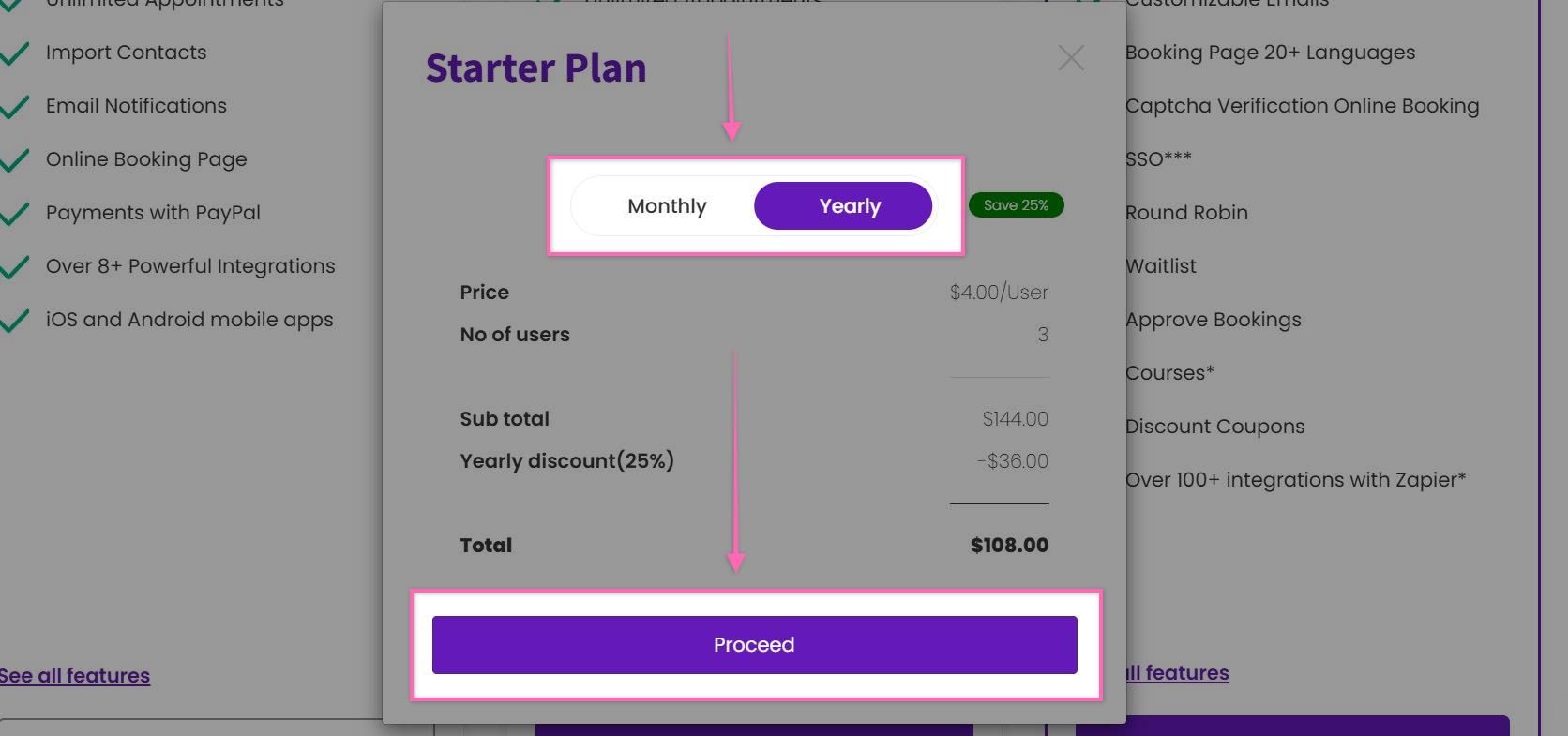
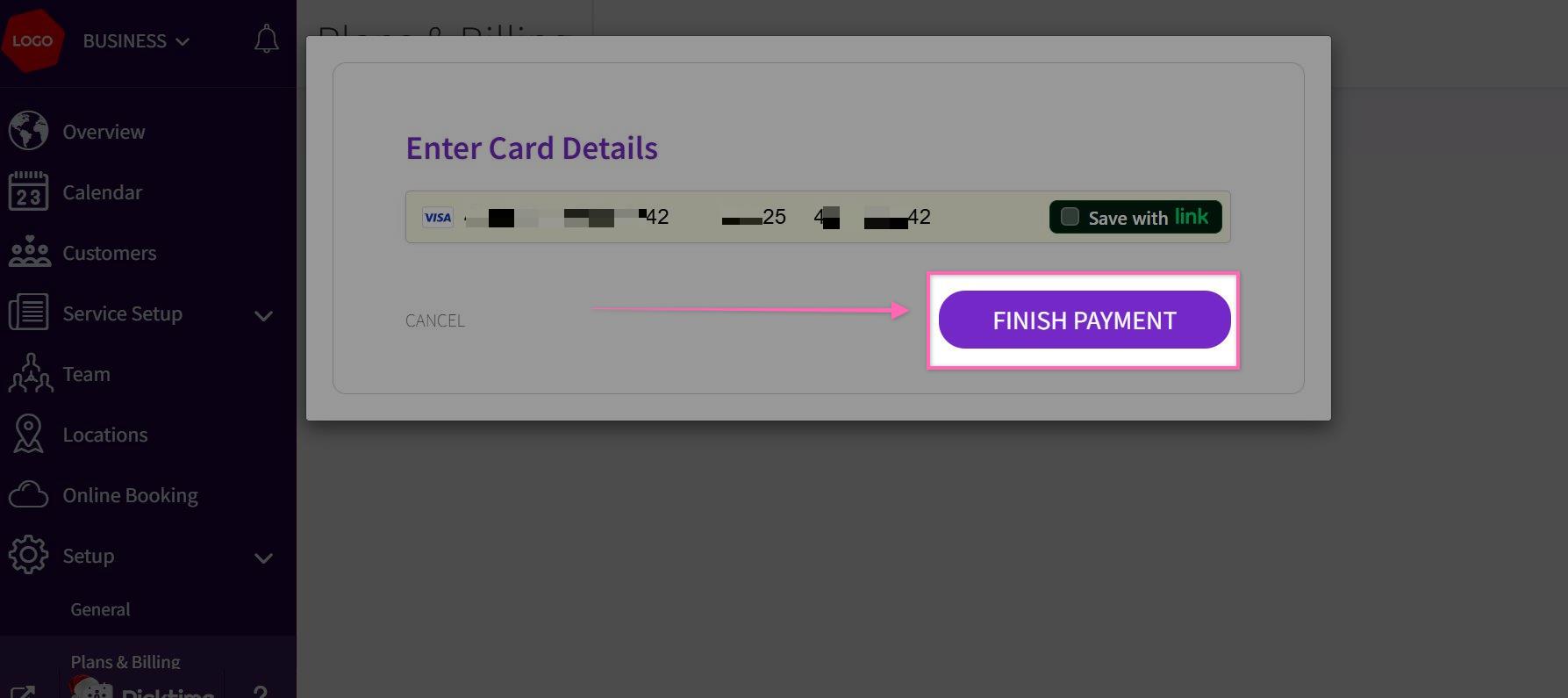
- Select the monthly or yearly plan and click proceed. Enter the card details and click on Finish payment and upgrade the plan.
Updated on: 06/03/2026
Thank you!