
What is Advanced Booking? How do I set it up?
Advanced Booking is a feature that restricts the days that are open for booking in your online booking page.
Advance Booking Starts After is the duration up to which the customer can book an open slot with you. For example, let's say you set it up as 2 days. Your client wants to book an appointment with you on 20th December. They will be able to book a slot only up to 2 days before the actual date. i.e they will be able to book an appointment for the 20th only till the 18th.
Advance Booking Closes Before is the duration of how far ahead a customer will be able to book an appointment. For example, let's say you set it up as 1 month. Today's date is 1st January. Your customers will be able to book an appointment with you only until the 1st of February.
To set up your Advanced booking:
- Go to online booking > settings.

- Turn on the toggle beside the options 'Advanced booking starts after' & 'Advanced booking closes before'.
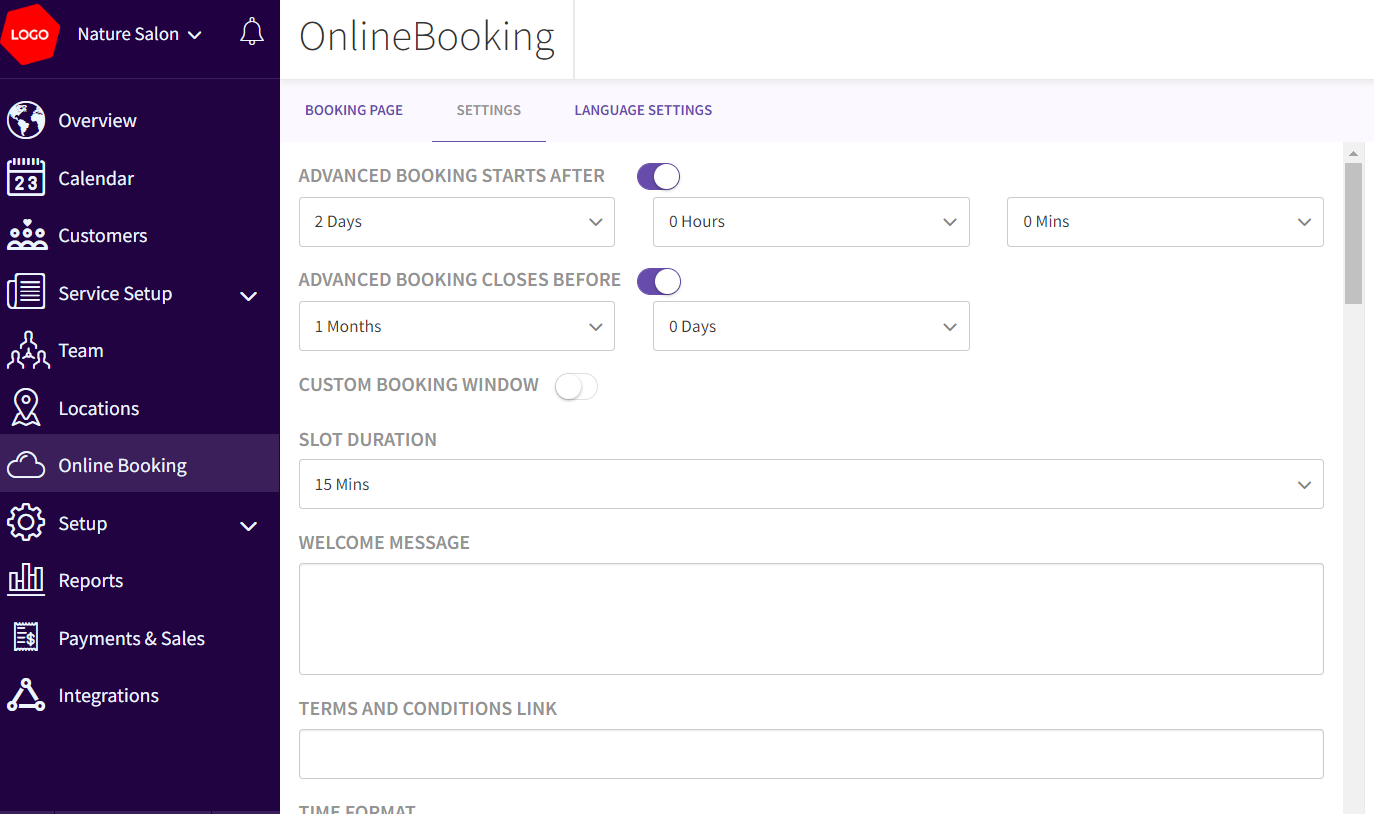
- Click Save.
- This is how it will appear on your booking page. (Note that the day this recording was made on 7th February. As the advanced booking starts before is setup as 2 days, it shows slots only from the (10th Sunday is a non-working day) 11th of February)

Updated on: 06/03/2026
Thank you!