
How do I Customize Email notifications in Picktime?
Customizing a booking email is one of the most effective steps you can take to reduce the no-show rate. This article will explain how to customize emails.
- To customize email notifications>> Go to Setup>> Notifications>> Custom emails
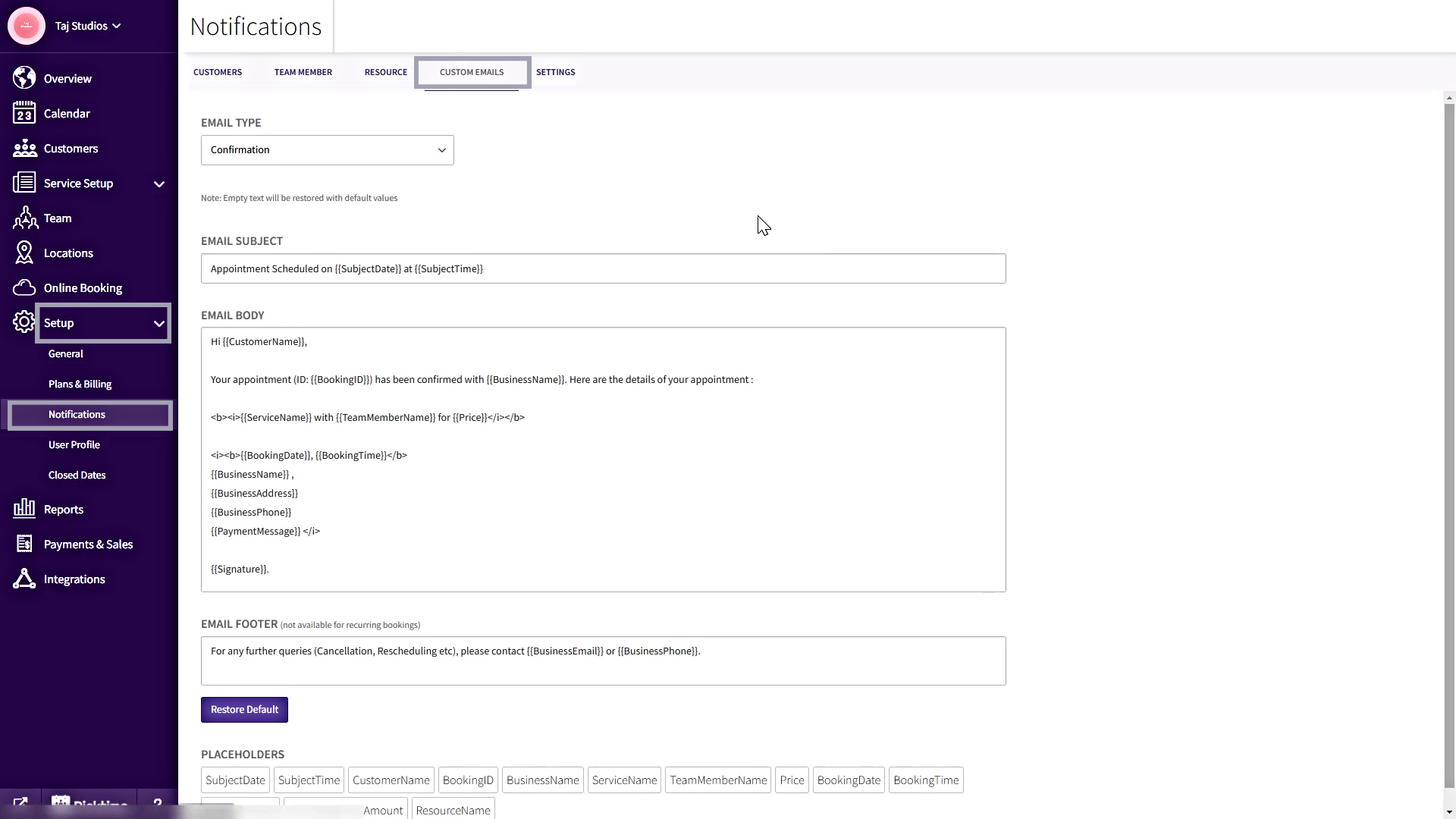
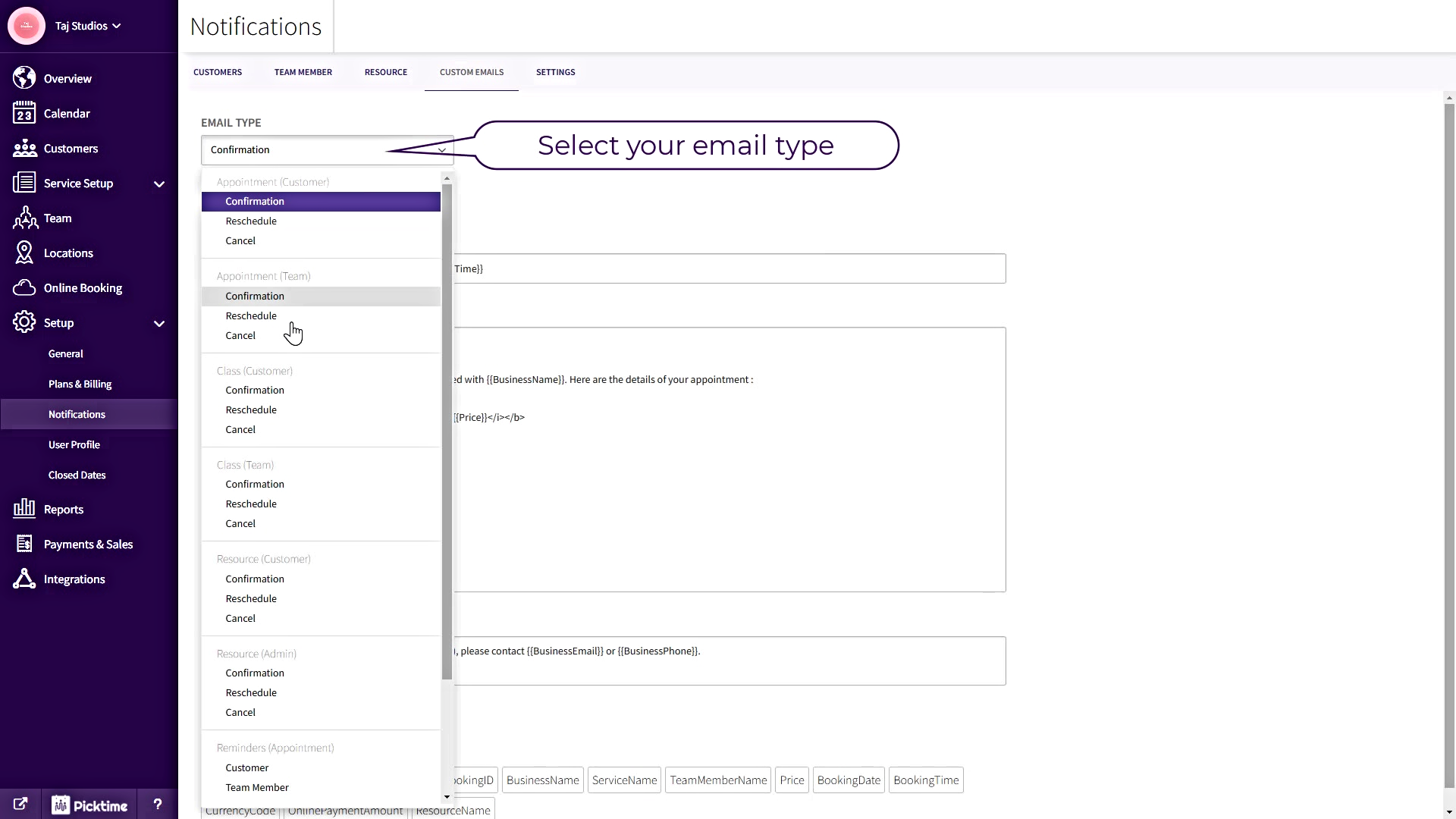
- Select the email type like Confirmation or Reschedule or Cancelled under Customers or Staff
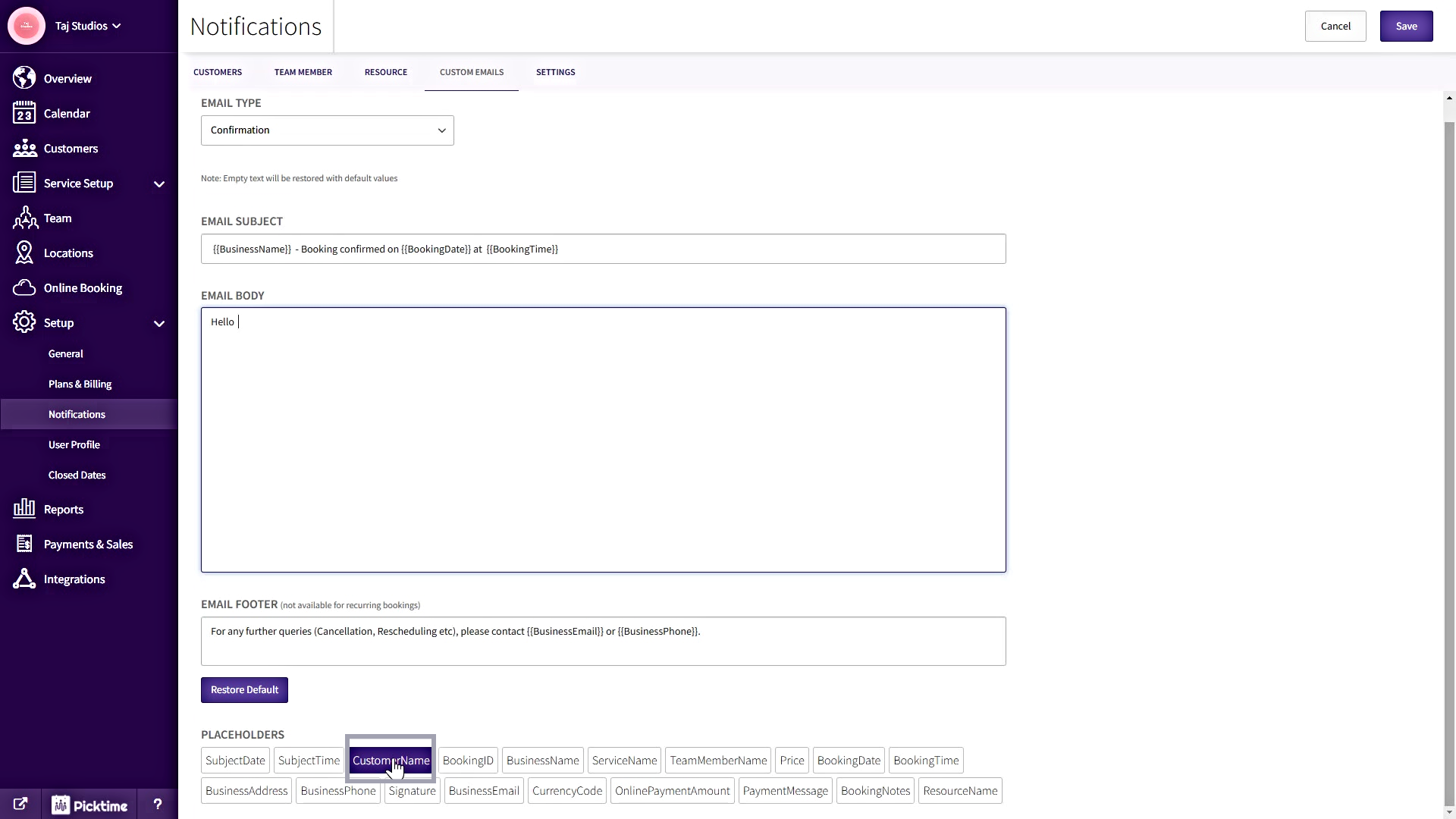
- You can customize the emails by adding your text and by selecting the respective Placeholders placed at the bottom for the Email subject, Email Body Text, and Email Footer and save it.
Updated on: 04/03/2026
Thank you!