
How to block a contact in Picktime?
Avoiding spam bookings can be difficult, but following a few simple guidelines can help you stay safe and avoid unwanted bookings.
Follow these steps to block customer contacts:
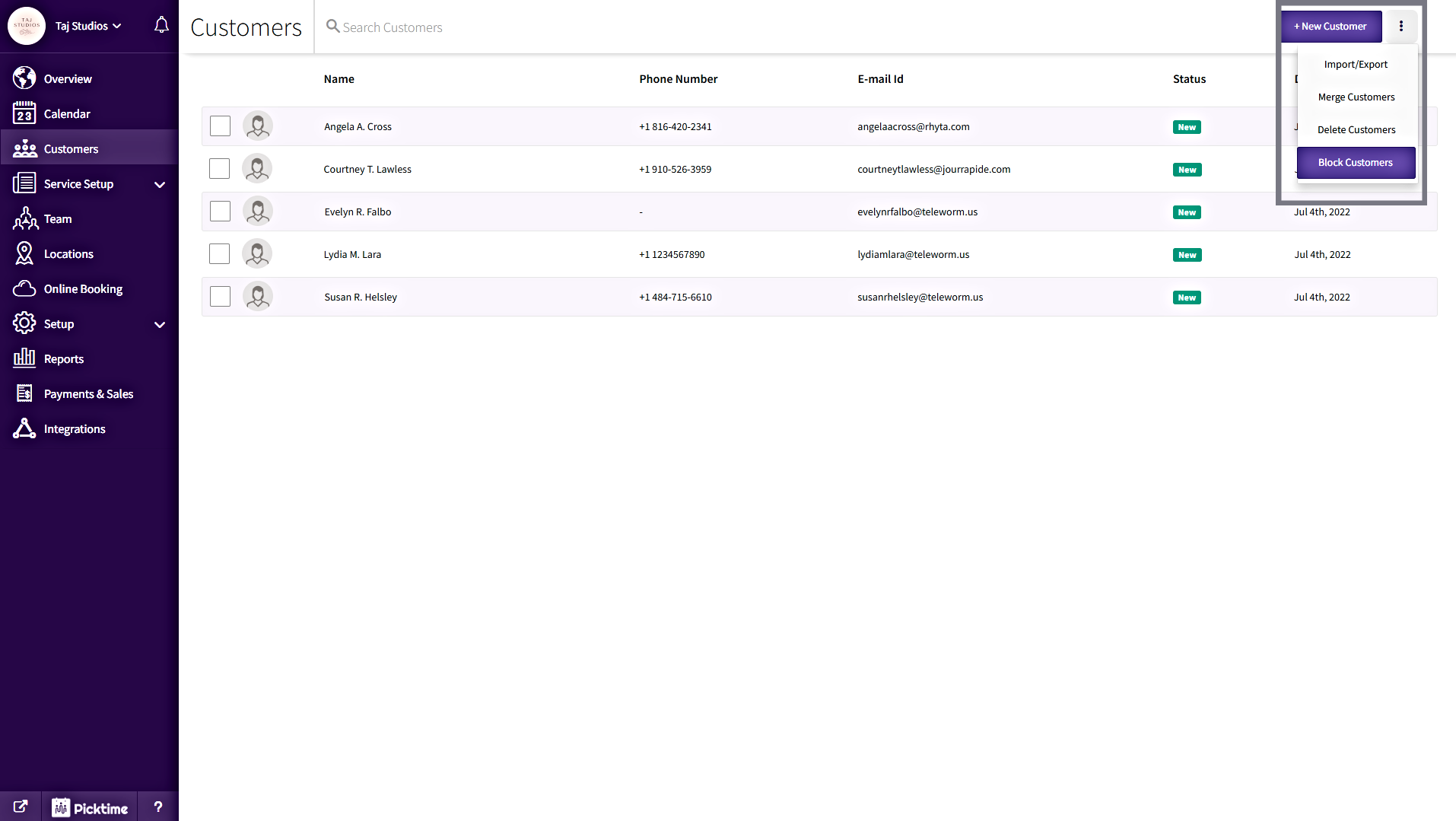
- Click on the three vertical dots at the top right corner, then click on the “Block Customers” option from the drop-down menu.
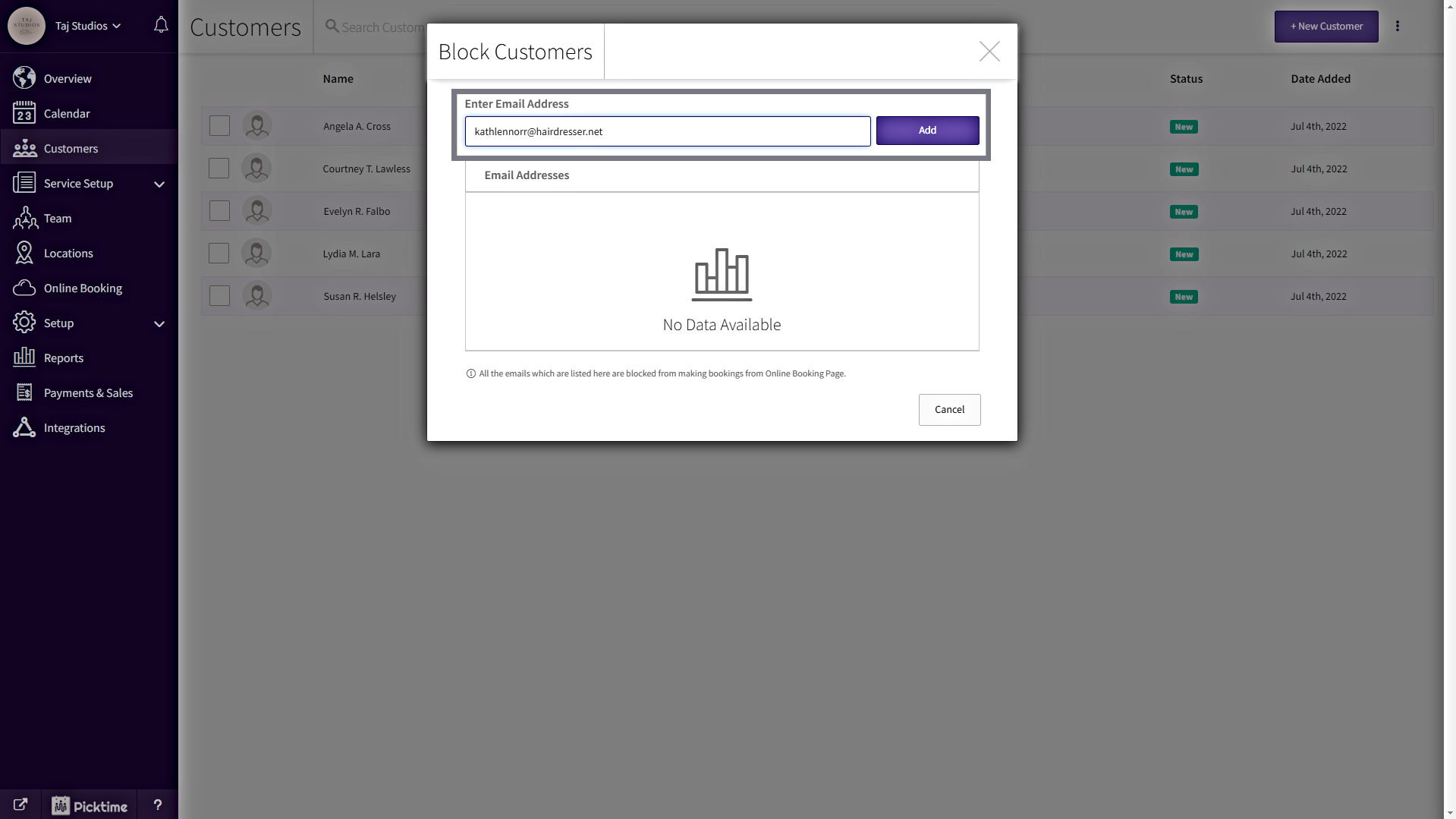
- In the Block Customers pop-up, Enter the email address and click on the “Add” button
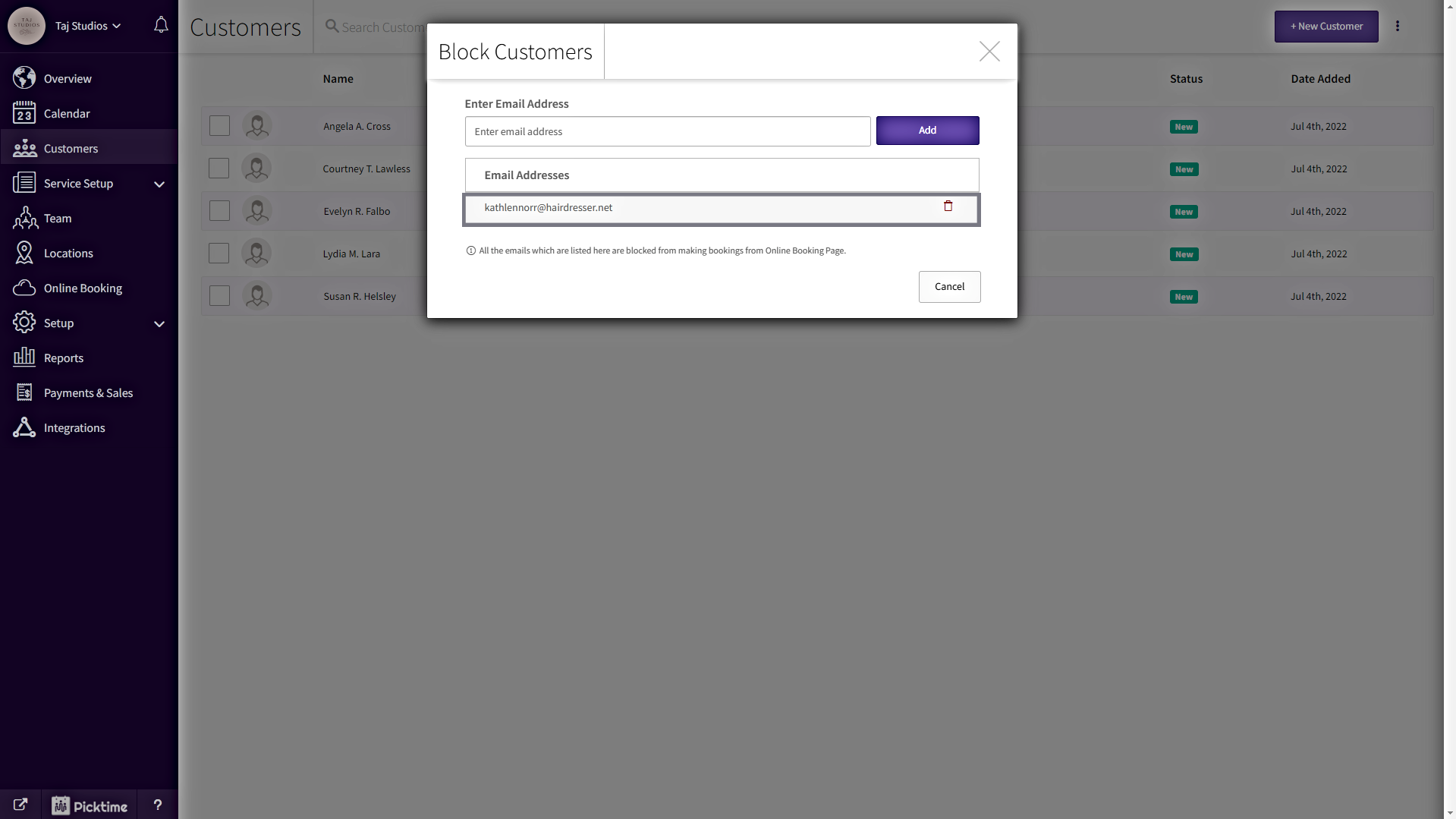
- Now, you can see the blocked contacts list.
Note:
- All the emails which are listed Block Customers list will be blocked from making bookings from your Online Booking Page.
- The default Email field should be mandatory in the booking form.
- You can unblock the contact just by clicking the delete icon on the right side of the contact in the Block Customers pop-up.
Updated on: 04/03/2026
Thank you!