
How to buy SMS credits in Picktime?
- To buy the SMS credits package, Go to Setup>>Notifications>> Settings, Under the SMS credits table>> click on Buy credits link.

- You can select 50, 100, 250 SMS credits, etc., based on your requirement and buy the credits.
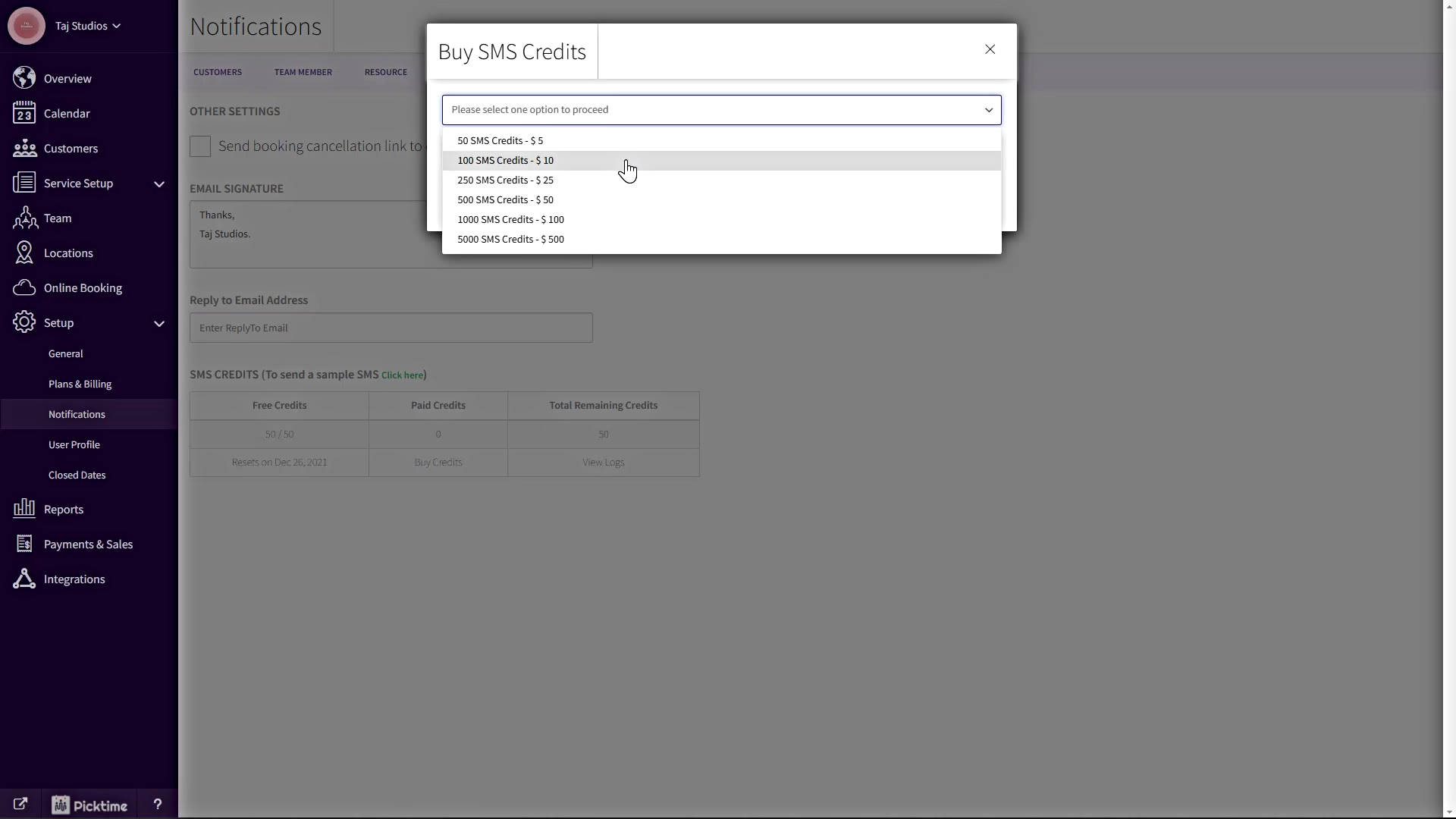
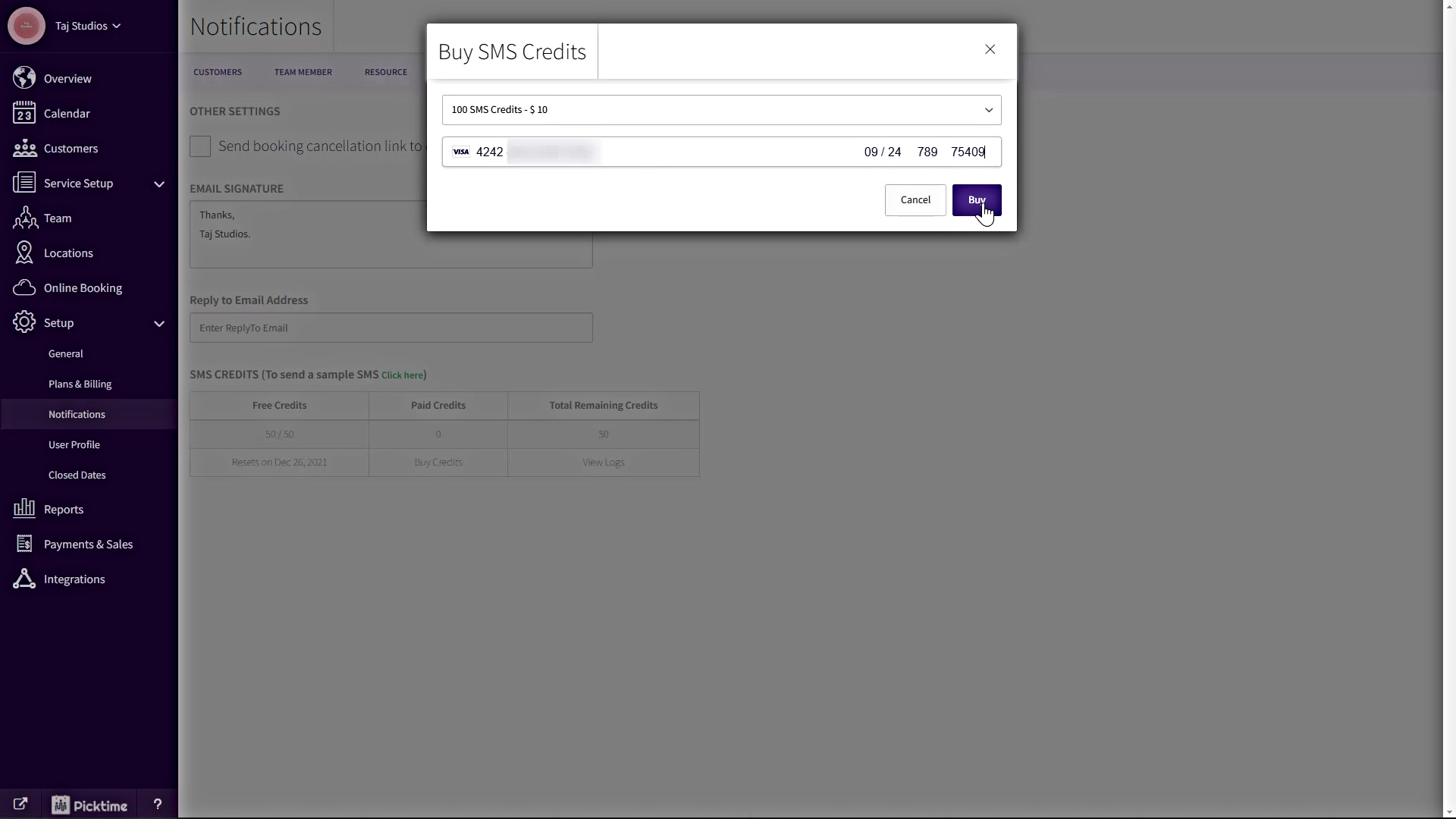
- Enter your card details
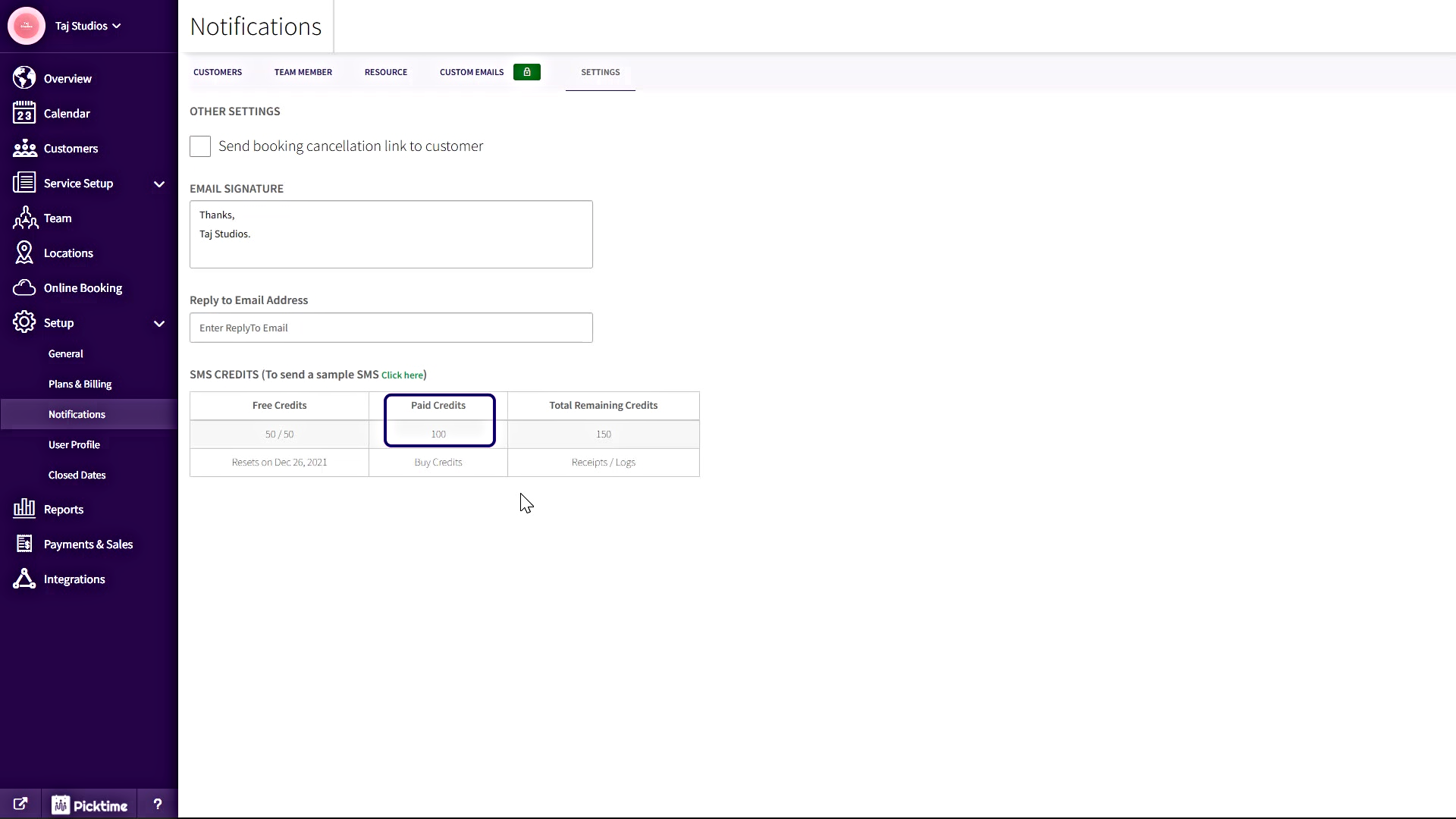
- You can view paid credits under Setup>>Notifications>> Settings>> Under the SMS credits table
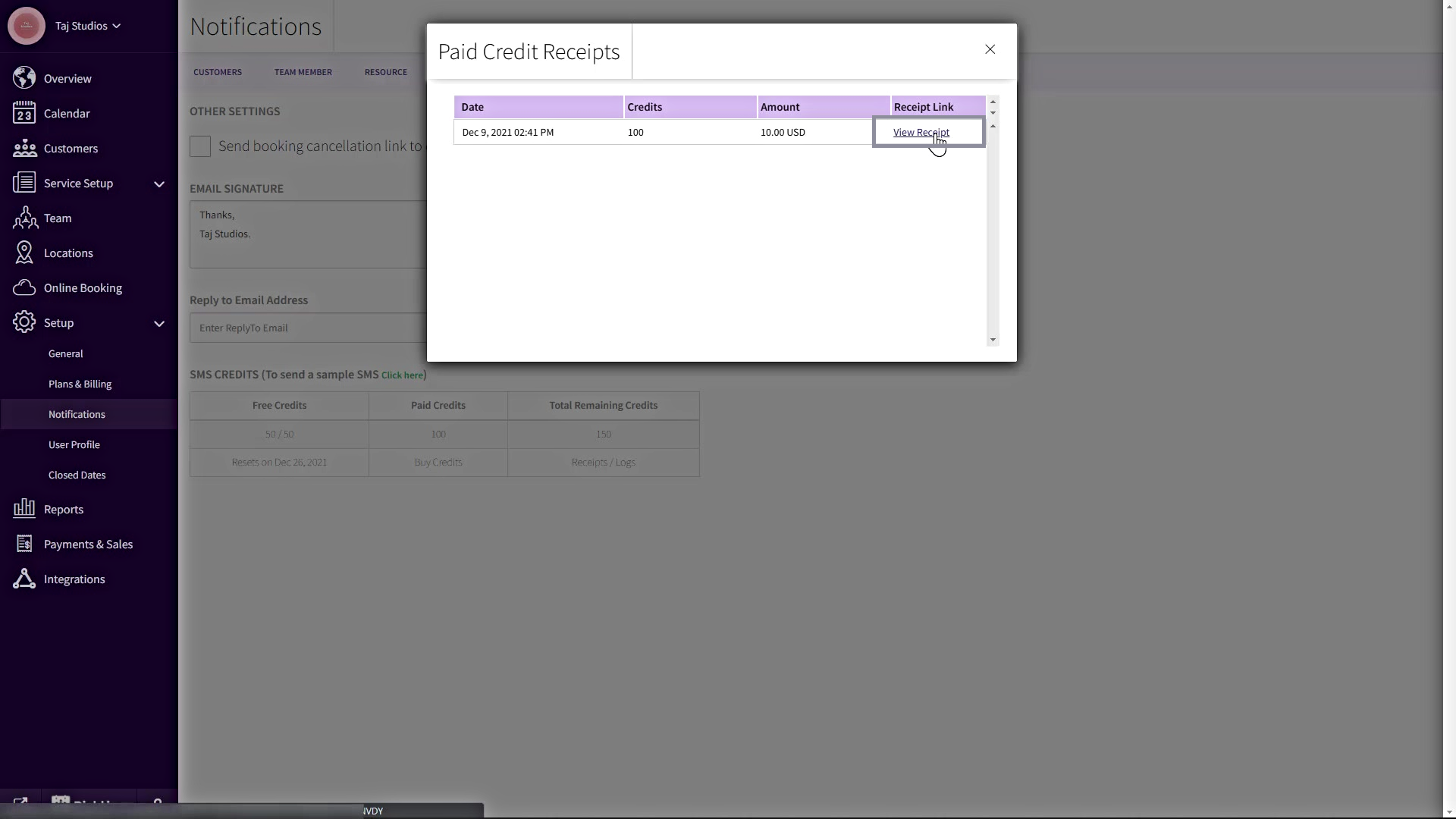
- You can view paid credits receipt under Setup>>Notifications>> Settings>> Under the SMS credits table >> Total Remaining Credits>> Click Receipts
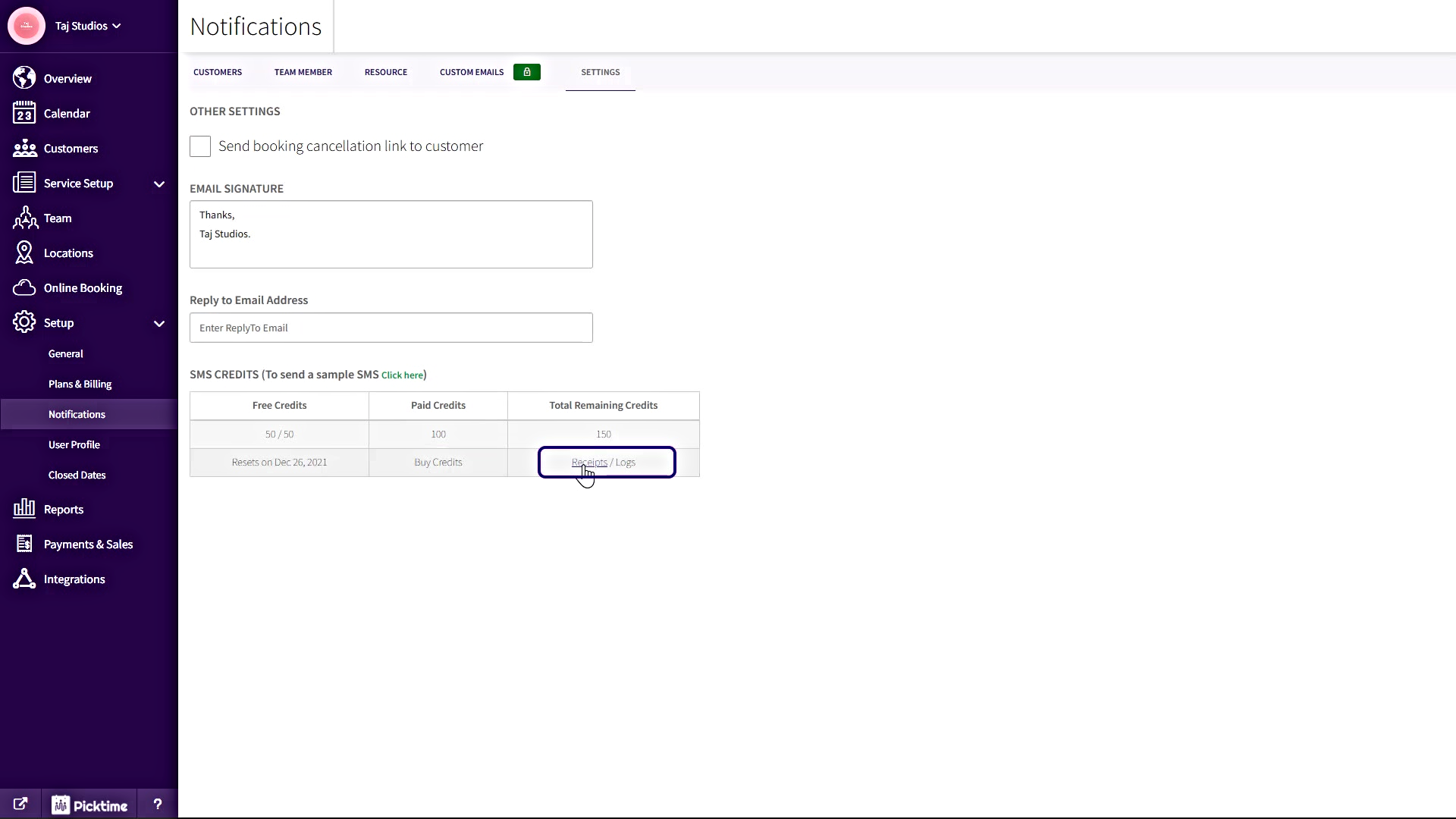
- Click on View Receipts
Updated on: 04/03/2026
Thank you!