
How to enable Approve Bookings in Picktime?
With the Pro plan, you can enable Approve Bookings feature.
To enable Approve Bookings, go to Online Booking> Settings
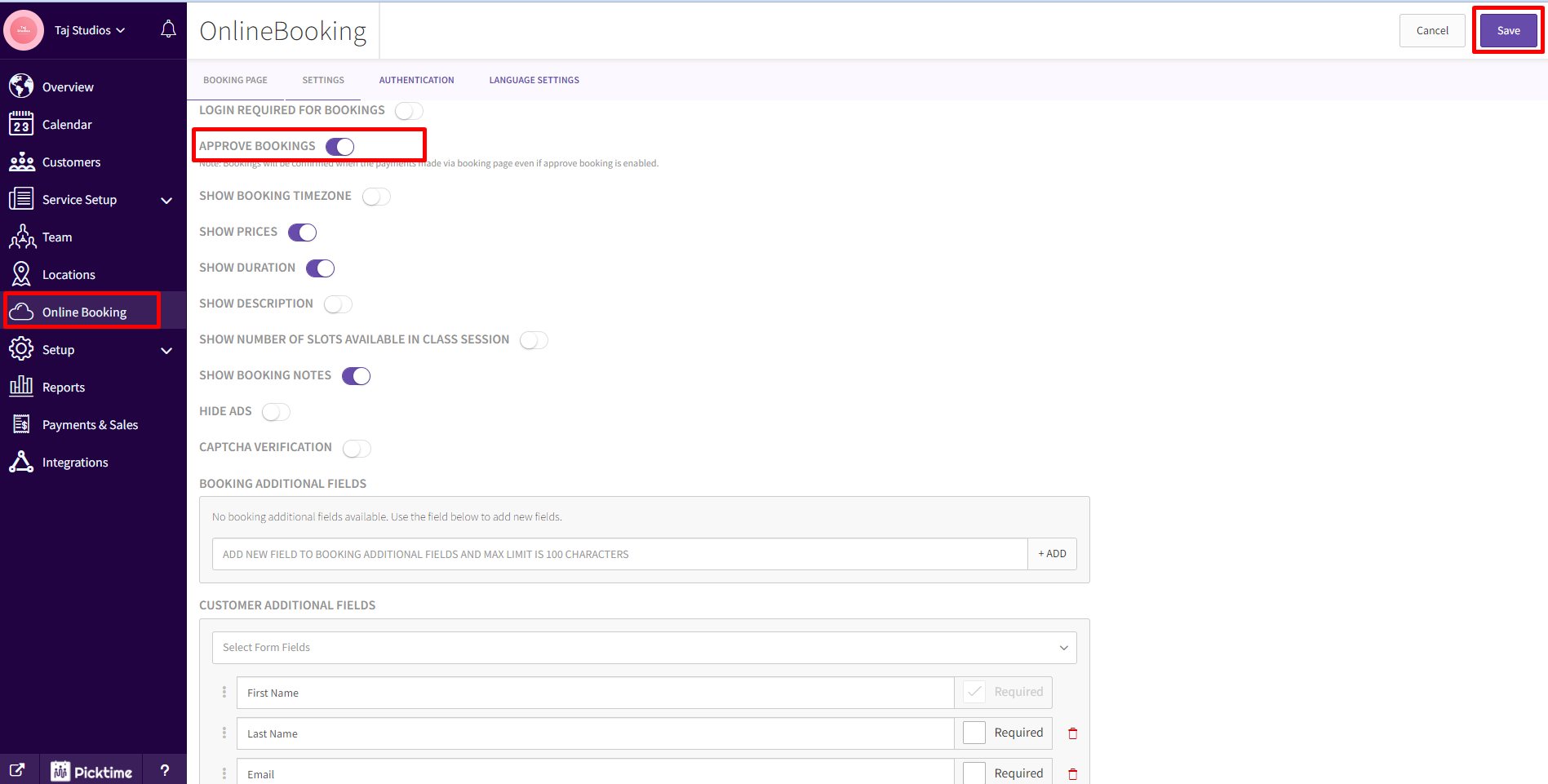
Turn on the toggle for the Approve Bookings and save.
To Approve the booking requests, go to Calendar and click on the calendar icon at the top right corner.

Click on the Tick icon to approve the booking in the pop-up or Click on the minus (-) icon to to reject the booking.

Note: The booking will be confirmed automatically if the payment is made through the online booking page.
If the Round Robin feature is enabled, all the bookings will be assigned to the first team member until the admin/team member approves the first booking. Upon approval of the first booking, the next new booking will be assigned to the next available team member.
Watch Approval Booking Setup Video
Updated on: 04/03/2026
Thank you!