
How to enable SMS reminders in Picktime?
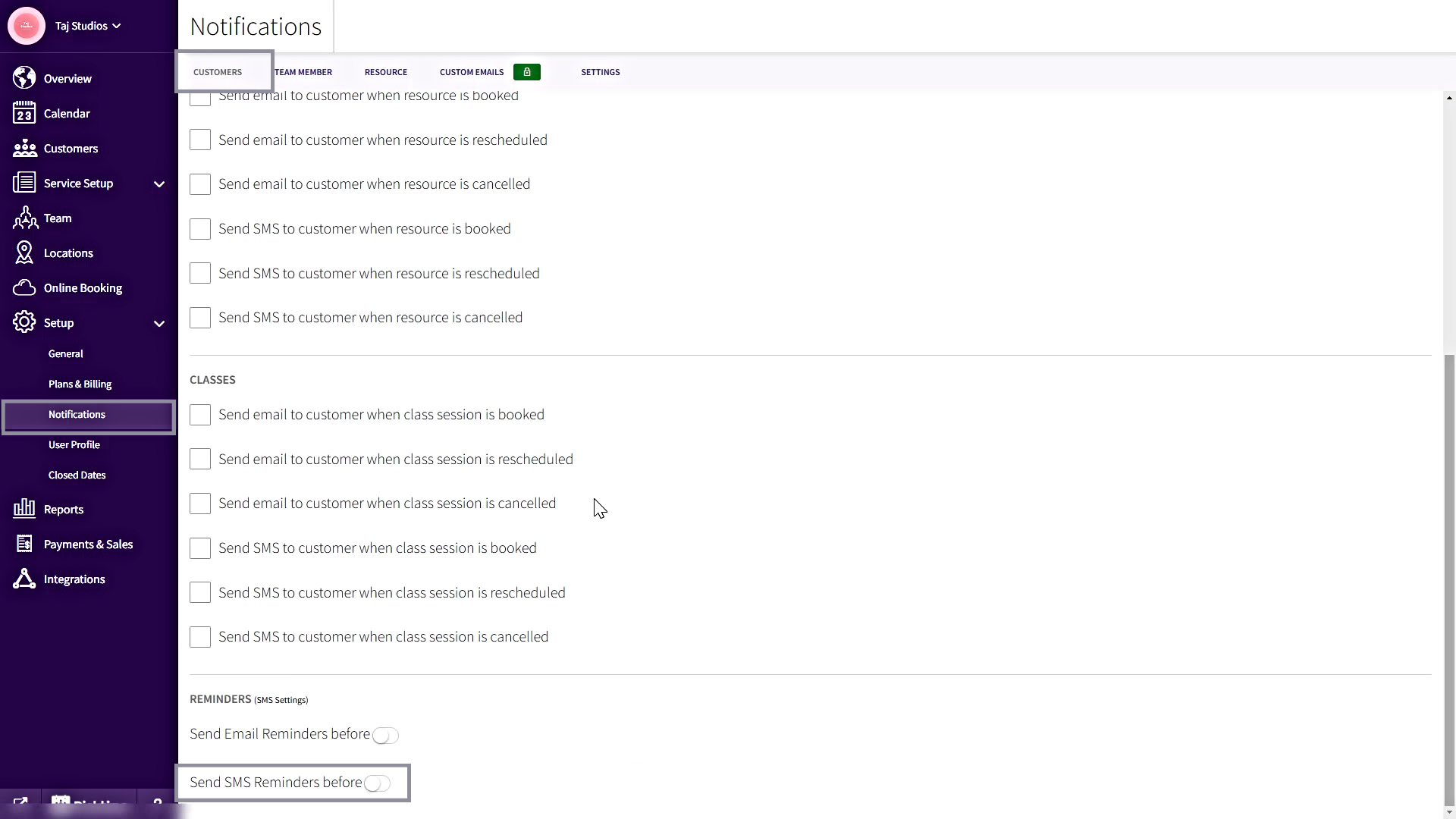
- To enable SMS reminders, Go to Setup>> Notifications>> Customers tab>> Under Reminders enable the toggle near SMS reminders
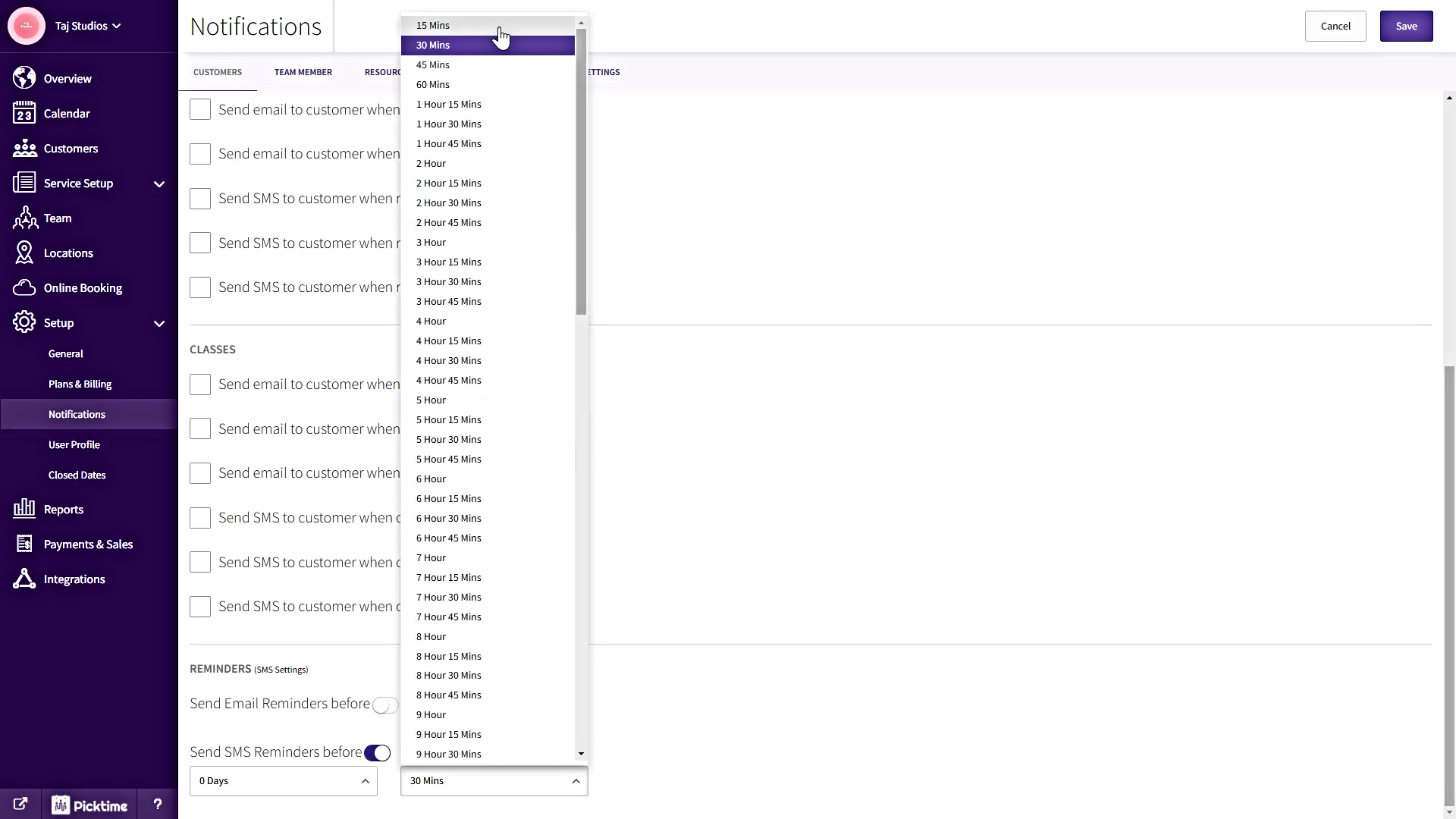
- After enabling SMS reminders, you can set the duration of the reminders and save it.
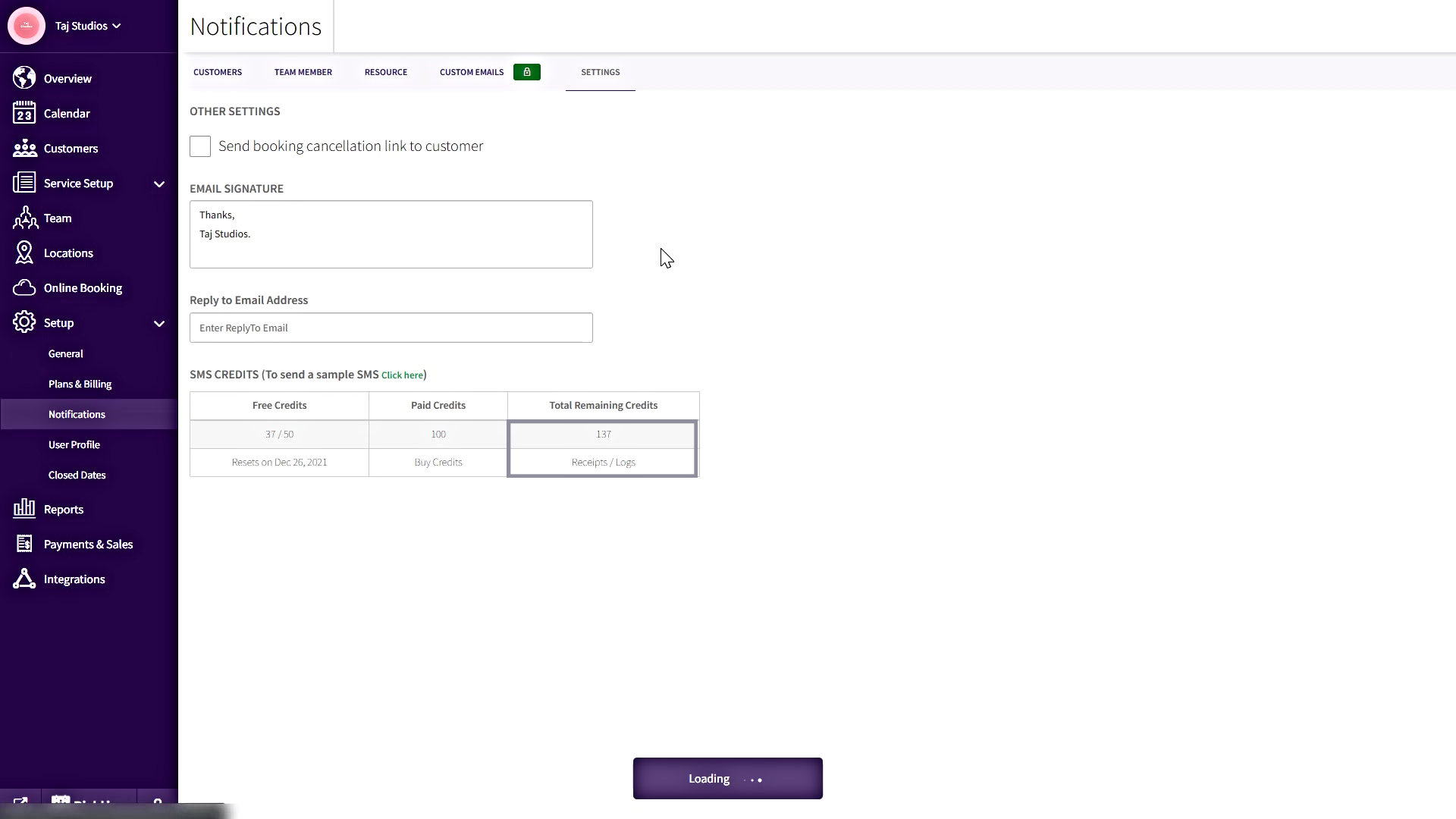
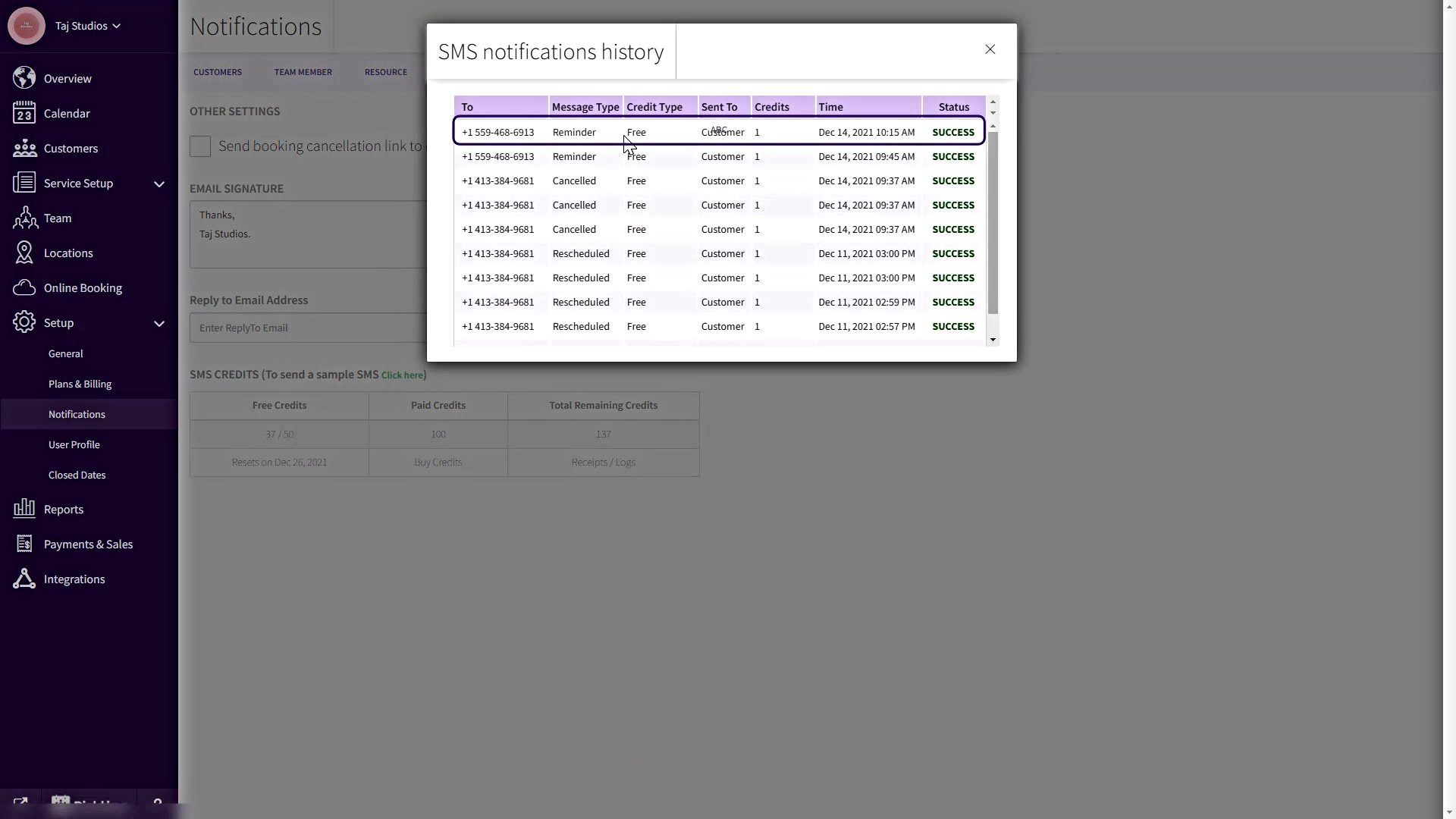
- To view SMS logs, Go to Setup>>Notifications>> Settings>>Under the SMS credits table, you can view SMS logs.
Updated on: 04/03/2026
Thank you!