
How to export customer contacts from Picktime?
Exporting customer contacts to CSV can be a helpful way to keep track of customer information. Businesses can use this data to improve marketing efforts and target customers more effectively.
Follow these steps to export customer contacts,
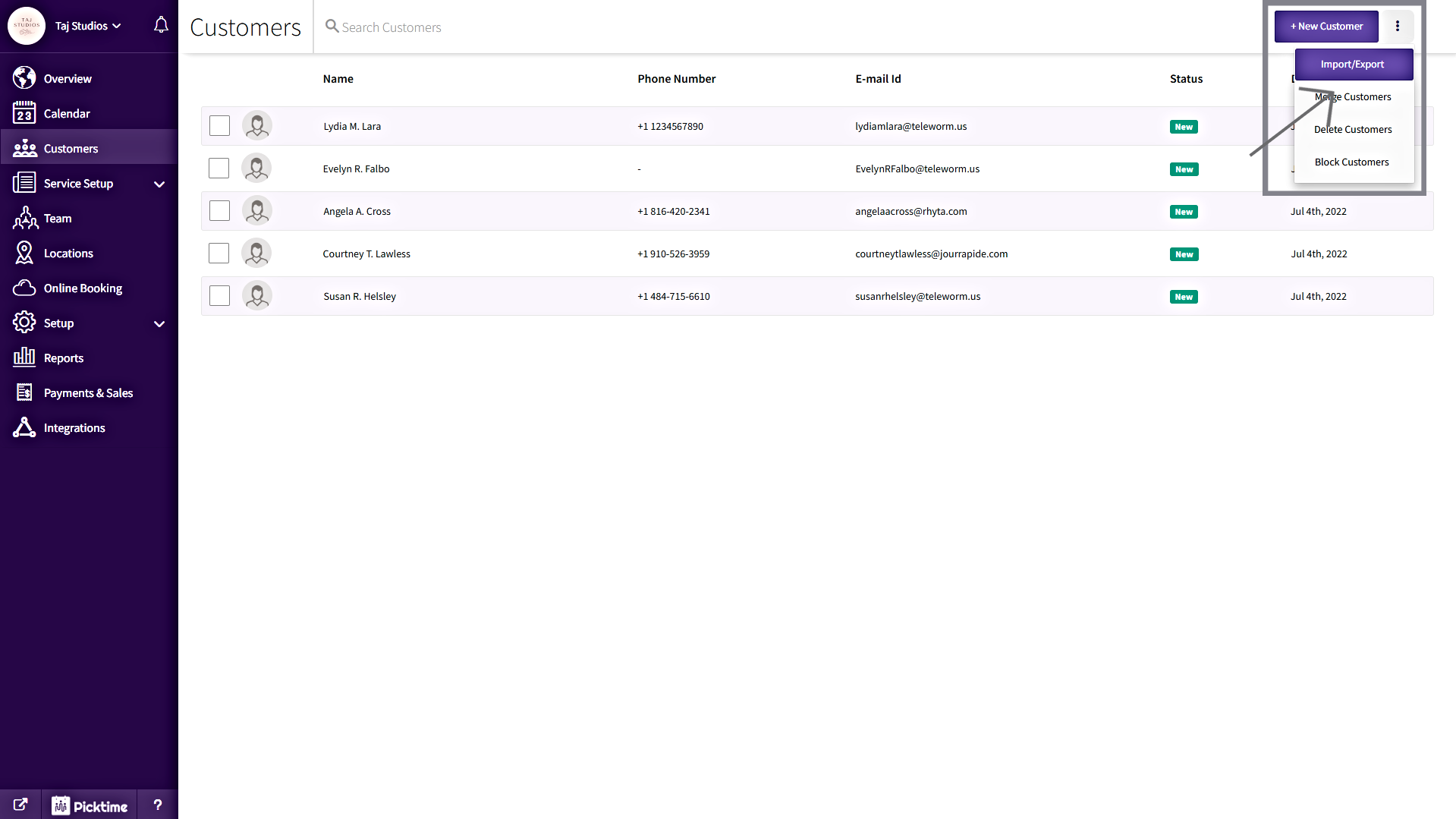
- Click on the three vertical dots at the top right corner, then click on the “Import/Export” option from the drop-down menu.
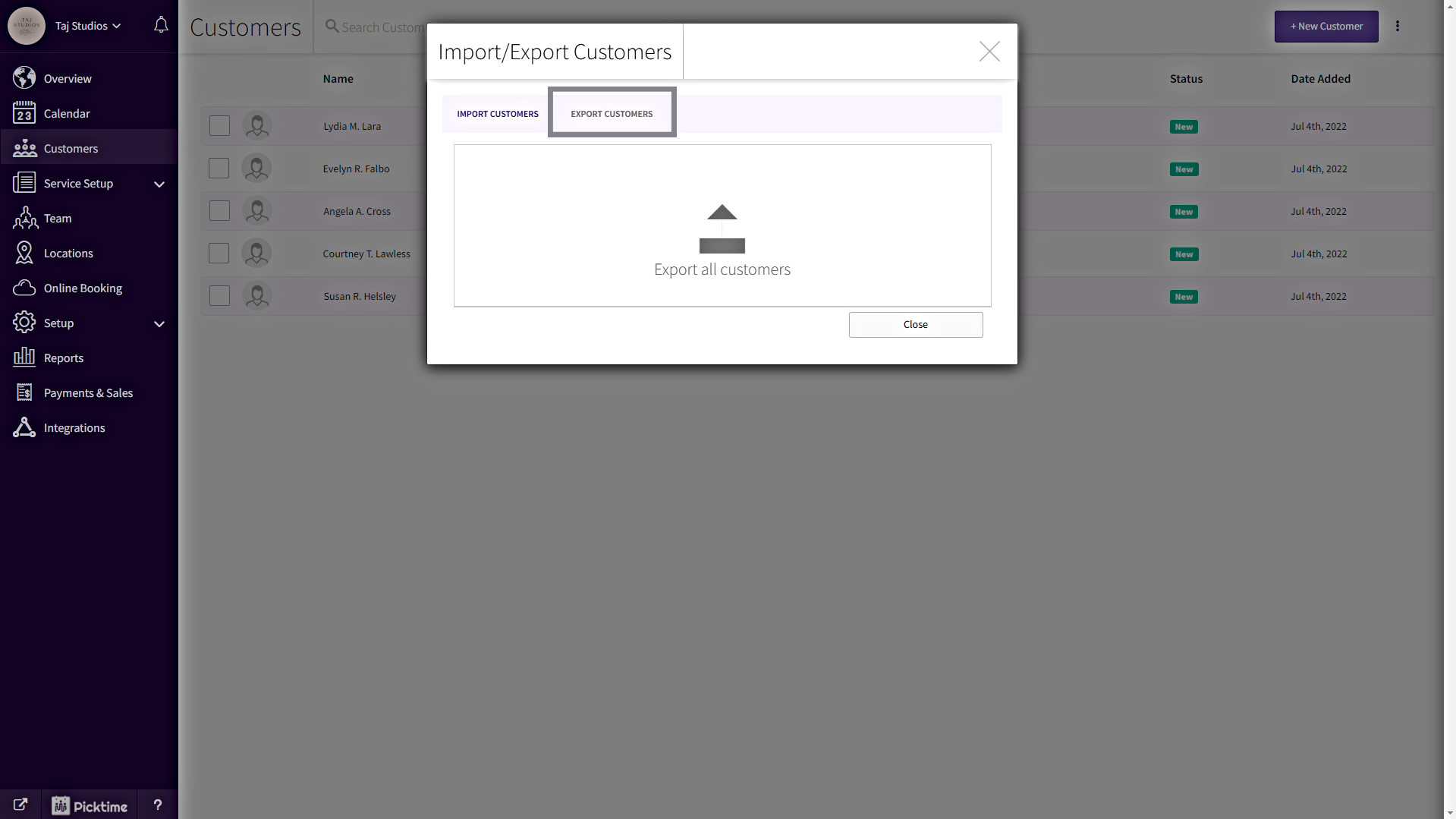
- Click on the Export Customer tab in Import/Export pop-up
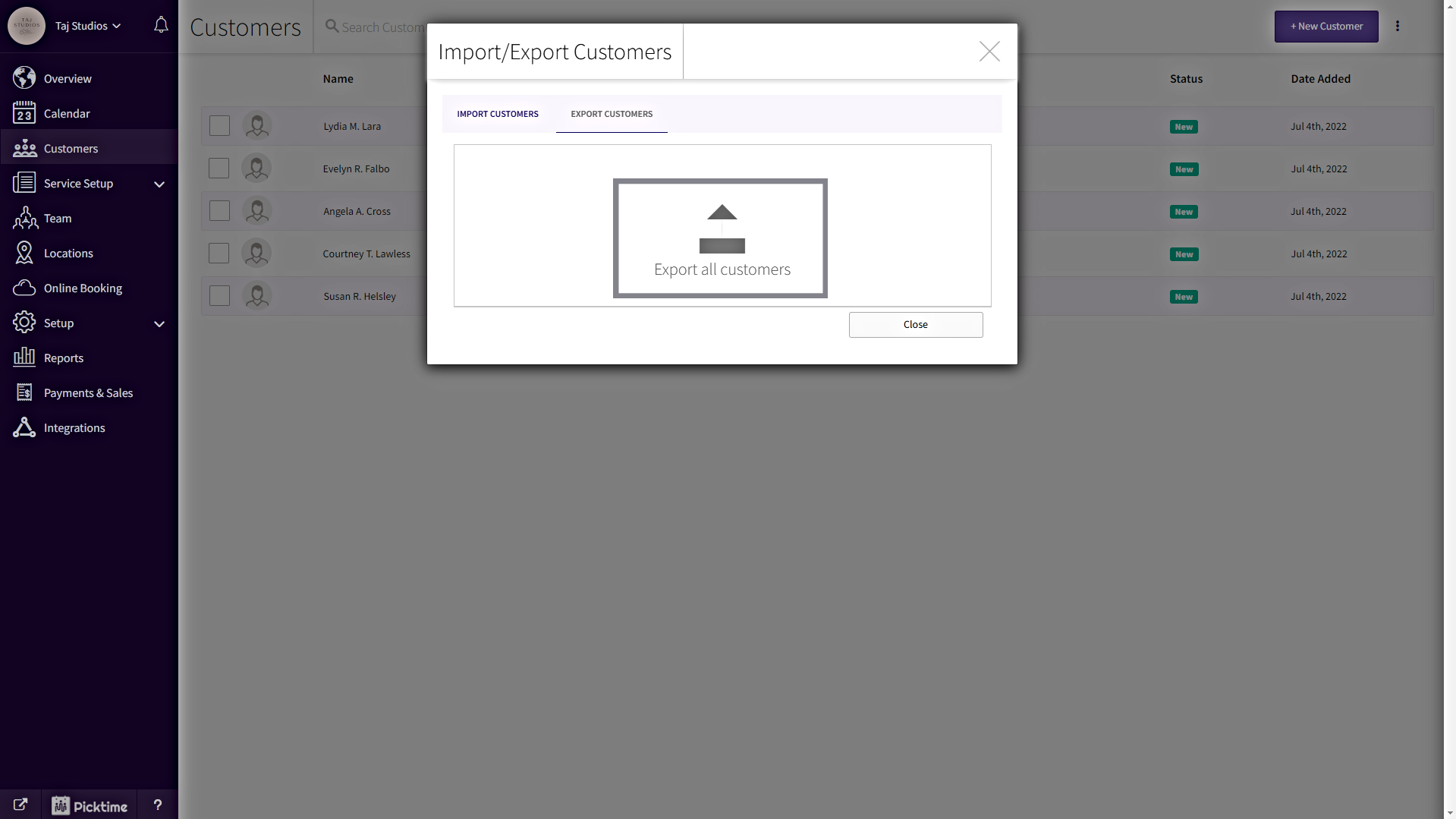
- By clicking on the export icon at the center of the Import/Export pop-up to download the customer contact list. Once you clicked the export icon, your download will start. Check the downloaded file in your default browser download folder.
Updated on: 04/03/2026
Thank you!