
How to add a recurring appointment?
A recurring appointment is something which repeats over a period of time. To create a recurring appointment:
- Click on any empty calendar slot or on the 'New' button on the top right corner.


- In the pop-up, add in your customer, service, staff etc.

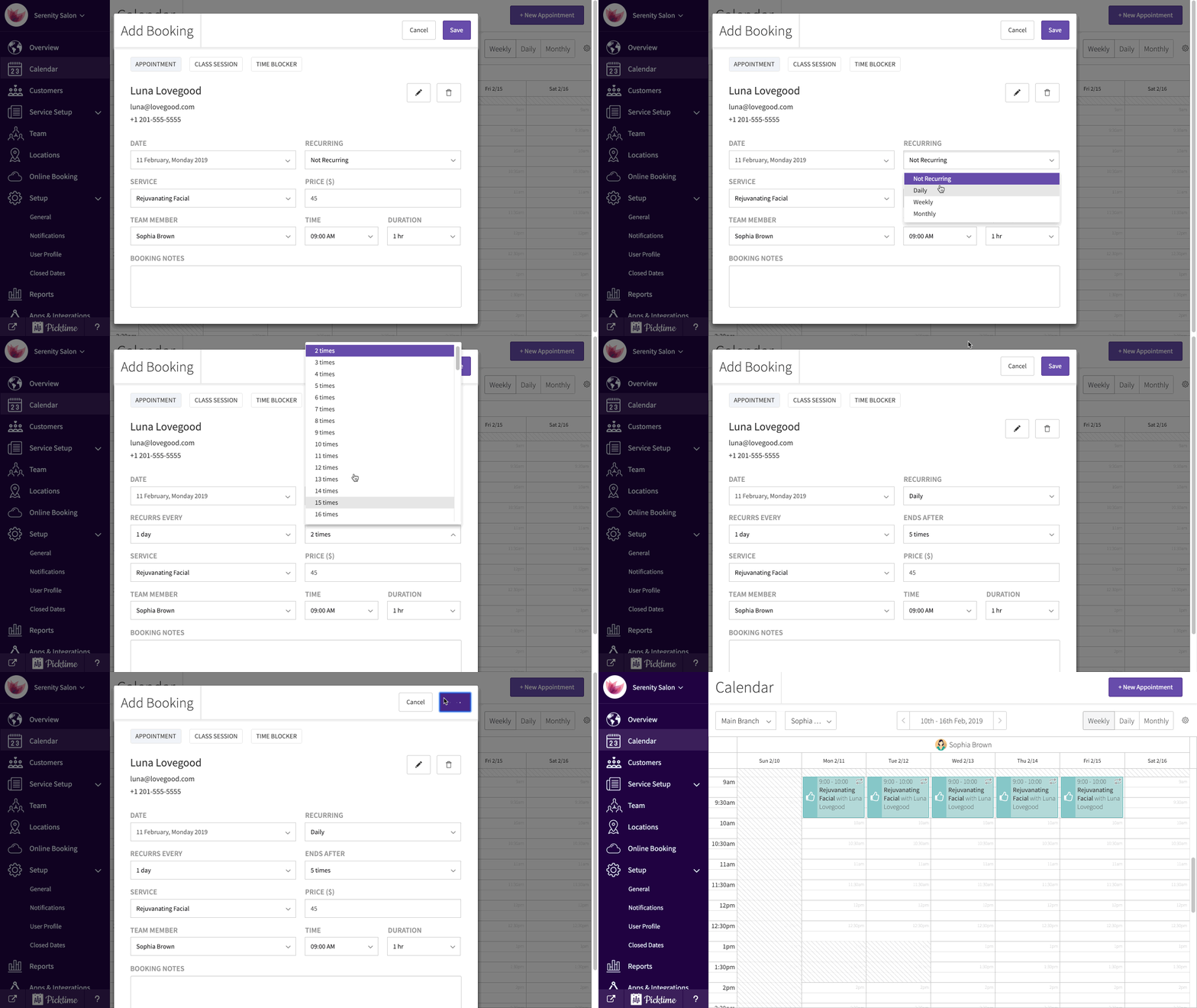
- In the dropdown you will see the appointment set to 'not recurring' by default. Click on the dropdown and set it to 'recurring'.
- Choose the frequency of how your appointment should repeat itself.
- You can either choose how many times the appointment should repeat itself or choose an end date.
- Click on save.
- Check your calendar to see all your recurring appointments.
Updated on: 10/06/2026
Thank you!